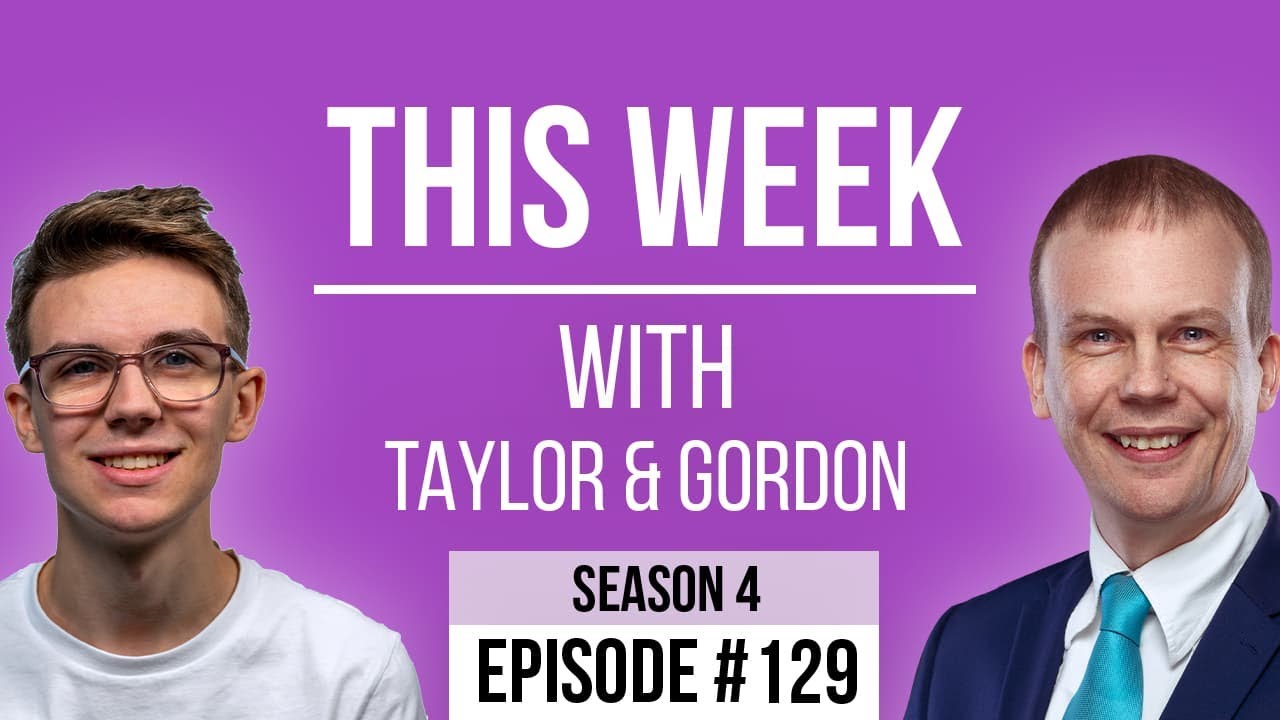
[00:00:09.000] - Gordon
Hello.
[00:00:09.270] - Taylor
Hello.
[00:00:09.590] - Gordon
My name's Gordon from Drayson Design.
[00:00:11.310] - Taylor
And I'm Taylor from The Creative Tinker.
[00:00:13.220] - Gordon
And welcome to "This Week With Taylor and Gordon," a weekly podcast and vidcast where we talk about things that have affected our businesses over the last seven days. And thank you very much for joining us.
[00:00:25.130] - Taylor
Yeah.
[00:00:25.510] - Gordon
You'll notice I'm wearing my Mickey Mouse T-shirt today. Mainly because it's the 100 years of Disney this year. Did you know that?
[00:00:35.800] - Taylor
I didn't.
[00:00:36.440] - Gordon
Yeah. There's a big exhibition happening in London later with 250 exhibits. Sounds like it could be very good. And I actually went round to see a friend of mine who is the UK's authority on Disney, and I might come onto that in a minute. How's your week been, Taylor?
[00:00:57.080] - Taylor
Yeah, it's been good. Busy. I've been getting a lot done, which is good. Been going to the gym, playing tennis, squash.
[00:01:05.210] - Gordon
Yeah, very good.
[00:01:06.270] - Taylor
Very busy.
[00:01:06.880] - Gordon
Lots of exercise there.
[00:01:08.190] - Taylor
Yeah.
[00:01:08.890] - Gordon
Good. So thank you for joining us. I think we'll dive straight in. Have we got any news, first of all?
[00:01:15.080] - Taylor
Not from me.
[00:01:15.780] - Gordon
No. So we'll go straight into our topics. Do you want to go first?
[00:01:18.470] - Taylor
Yes. So this week I have been trying to come up with a short domain name. Now, a lot of three letter domains have already been taken and bought and just put online to be sold and people to make a lot of money. And I wanted a domain that I could use to create short links. So one of the most popular ones is bit.ly which is BIT dot LY. And I wanted one that was a bit more branded. So I use a short link API to generate short links for emails and things like that. Just saves writing out a long email and things like that, and it makes it easier to send to people. However, I wanted something that was a bit more branded, a bit more unique, and something that is easy to remember. And I had a couple of ideas. So one of them was tctl.inc. So in the URL, it would look like TCT link. And then I had other ones. The one I ended up going with is tct.so or SO. Now, a lot of these short, like top level domains and things like that are normally countries, things like that.
[00:02:38.340] - Taylor
So .ca. .za for example, is South Africa. You get a lot of African countries that, again, have two letter endings and are very good for short links. And so I ended up on tct.so because it's quite short and it had TCT, which is my company initials.
[00:03:01.780] - Gordon
The Creative Tinker.
[00:03:03.200] - Taylor
Yeah. So it's very easy to remember. For example, I could put tct.so/linkedin and that would go to my LinkedIn page. It's just very easy to send to people. You don't get the really long to put into the message. It's also a lot easier to type out and remember. I can obviously generate these on the fly with the API, so that when I'm sending things like invoice links that normally have a bunch of strings and stuff at the end, it just makes it a bit cleaner. And it doesn't look as spammy, I think, as well because it's a bit more branded.
[00:03:42.950] - Gordon
So yeah, the one problem with short links is that if people don't recognise where it's taking you, they always are a little bit hesitant to click on it. Now, if you're in Apple Mail, for example, you can just mouse over a link and it will tell you where it's going to go and it will quite often show you a preview. Do you think that's going to be a problem for the people that you're sending emails to?
[00:04:08.750] - Taylor
I don't think so because it has, like I said, because it has TCT, it looks a bit more on brand and a bit more custom, and that's the whole point of it. And you can add aliases to the end of it. So instead of just having a random numbers, I can make it so that it says, for example, the invoice name. And obviously that is again, a bit more familiarity because they know where it's going to go. If it's tct.so/invoice123, they know, okay, it's an invoice and it's the number 123. So I'm hoping that would be very easy to understand. And again, it just makes it shorter and easier to understand.
[00:04:49.360] - Gordon
And the other benefit to having a short code is that you can track how many times it's been clicked on and if it's been clicked on. So if you're sending someone an invoice, for example, you know if they've clicked on it because you can track that, which is really useful information to know, right?
[00:05:06.730] - Taylor
Yeah. And there's also a lot of other things you can do. So if you do social media campaigns, for example, you could create a short link that redirects to your landing page, but you could have /instagram, for example, and that way you know that, "okay, they've clicked on my page from Instagram," for example. So it's a good way to be able to track where people are coming from and still going to the same end URL, but going through a middle URL. The API that I'm using has the ability to redirect people based on the operating system, based on the country, the browser language, the device. So a great example would be if you had an app on the app store in both the Apple Store and the Google Play Store, you could have one URL which is /app or /download. Based on if they're on an iPhone or if they're on an Android, you could send them to the correct place. And then obviously, again, that's just one URL that people have to remember. So it doesn't matter who's trying to download it. They're always going to get the correct link.
[00:06:12.310] - Gordon
Yeah, that's really helpful. Yeah, really good. So this is something that you've just started on. So you're going to be working through it and setting it all up?
[00:06:20.680] - Taylor
Yeah. So I had an API that I was using before, but they didn't allow for C name, for custom domains. And so that was part of the reason was I wanted to make it more branded, more unique, and something that I can add more conditions to and things like that. So expiries on the URLs. You can add passwords to the URLs as well. So if people... Only certain people are allowed to use or visit it, you can obviously add that as well. So yeah, there's lots of things I can do just to make my life a bit easier when creating emails. And I'm trying to build it into text expander, which is the tool I use to quickly write emails for expanding stuff and things like that.
[00:07:05.070] - Gordon
Very good. Excellent. I wish you well with that. It's always good to use branded things. And if you find that you're sending lots of links, this is a great little solution. So I have had one of the busiest weeks in my year. It's the end of term for school. So all through this week, I've been doing school shows, and nursery shows, and just all over the place, really. And on Monday, previous Monday, last Monday, I went and saw a couple of magic friends of mine. They are people that I've known for a long, long time. One of them has been chairman of Council for a long time. One was the minute secretary, and they are both very nice people. One of them is an author and has written an awful lot of books all about subjects that I'm really interested in as well. So he writes a lot about Disney, and he's written a book about Winnie the Pooh and the Thomas the Tank Engine Man. He's also the authority in the UK for Tolkien. So if you've seen any of the films, "Lord of the Rings" or "The Hobbit" or that sort of thing, he's written the "making of" books. He's a great author. His name is Brian Sibley. Please go and look him up. Everything he does is really good. But he was having problems with his computer. So I went over to see him in London and spent a day with him. And we managed to sort out most of the problems that he had. In fact, I think we managed to fix all of the problems he had, mainly due to email and having an old operating system. And that's one of the things I want to talk about today. So the idea of having a new operating system every year, which is what Apple has been doing for nearly 20 years now, is something that is really important to consider when you're looking at software that you're using. So when a new operating system comes along, there are normally lots of new features, lots of changes. And the changes will either mean that the software you've got and you use every day is going to break, or it means that there's going to be a new version that's coming out and that's going to give you new features, or it's just going to work. And so every time a new operating system comes out, I always am very careful with the software that I rely on, to make sure that someone else has tested it before I test it. There are websites out there that allow people to come in and verify if a software is working on a new operating system. And we've got that coming up in September. So we've got Ventura coming up for the Mac OS.
[00:10:06.150] - Taylor
Solana.
[00:10:06.630] - Gordon
So sorry. Yes, you're right. Ventura is what I'm currently running. Solana. Solana, is that right? Is that how you say it?
[00:10:13.960] - Taylor
I think so.
[00:10:14.890] - Gordon
Let's go with that for the time being. And that is going to be a brand new operating system with lots of new features. But I need to make sure that all the software that I rely on is going to work on it before I upgrade. So I quite often wait until the next point release in Solana, or the new operating system, which is when they fix any little issues. And I normally update at that point. I haven't updated for a long time because I have my Drobo drives, which the software wasn't being updated because the company no longer exists. And so if I wanted to keep my backups, I had to keep the operating system at a point where I knew it was working. So it's only just recently I've updated to Ventura. Now I've moved away from the Drobo drives. And so when I upgraded to Ventura, I made sure that all the software was compatible. And we've got this coming up again in September when Apple September/October, not sure which one it is, when they release their next operating system. So going back to Brian, who I went to see on Monday, he had a 2014 MacBook.
[00:11:27.910] - Taylor
Wow.
[00:11:28.730] - Gordon
And this was his secondary machine. It's the machine he would use when he was going away on holiday, or he was going away and needed to take his work with him. And he had to use this because his iMac stopped working. It basically wouldn't boot anymore. They managed to get all the data off it, so that's all good. But the problem is he has never updated the operating system on this laptop. So he had Yosemite running, which is the operating system that came out in 2014. And the problem he was having was that the emails that... I was giving him all the details to add in his new emails, and he's also had a Gmail account, none of these were working with his email client. And I looked at it and I realised that the likelihood is that the operating system was so old that all of the new authorisation procedures that we use for email these days just wasn't working on a software operating system that was going back nine years. So I looked it up and the latest operating system that he could run was Catalina, which is 2019, so five years younger than the operating system that he was using. So we updated it. I went through the software with him first to see what he desperately needs and to make sure that there was updates or if he lost it, he wasn't too concerned about it. And so that's what we did. We updated him. And once we did that, we put all the settings for the emails in and they all worked perfectly. And he had 30,000 emails coming down and updating from one of the email accounts and over 300,000 emails that were coming down from another email account. So he had a lot of downloading to do. But it got him back up and running. The other issue he had was that Word was the 2011 version, and that wasn't going to run on Catalina. It needed a later version. And he's actually recently purchased Office 365, which is like their new subscription model. Everyone is going subscription. Adobe have gone subscription. Apple have some subscription software. Not a lot, but some. And Microsoft have also done the same with their Office suite. And so I was showing him Google Docs as an alternative because that will load Microsoft Word documents. It allows you to put it in the cloud so that should your machine die, like his did, his iMac did, he can still access all of his data and he can do it on his phone. So he's got an iPhone so he can use the app, the Docs app, to view and edit his documents if he wants to. I wouldn't recommend using a phone for editing and creating documents on long term basis; it's really difficult to do. But he can do, has access to them. And so he was looking at it. He may move over to it. We did actually manage to download Office 365, although not the latest version, because the latest version requires Ventura. So again, I looked it up and 16.16 was the last version that would run on Catalina. So we downloaded that, which we found a link for on Microsoft's website. So he now has Word and Excel and PowerPoint on his machine should he need to use them. But I'm trying to move him to the Google versions because I feel that they're much better because you get unlimited, I believe, you get unlimited space for those documents, which is a really good deal. And the software works really well, doesn't it?
[00:15:35.050] - Taylor
Yeah.
[00:15:35.960] - Gordon
One of the things I like about it is that you can collaborate with other people at the same time, which is really really cool. And really weird when you watch it happening because if someone else is editing the document that you're also editing, all of a sudden, paragraphs will disappear and move and text, and you can see people typing. It's just really really strange but really cool as well. It's really nice to be able to collaborate in such a way. I do recommend, if you are doing this, to be on a voice call with them in some way as well, so that when you're talking to them, you can say, "hang on, where did that paragraph go?" And they can say, "I've just moved it further down" and so on. Otherwise, it gets really confusing. We do that quite a lot with Pip and Paul, me and Paul Longhurst, when we're working on new products or our show, new items for the show, we quite often script them out and do the collaboration using Google Docs, and it works really, really well. You use them a lot as well, don't you?
[00:16:42.790] - Taylor
I mainly just use the Google Sheets, that's the only one I really use.
[00:16:47.920] - Gordon
Which is the Excel replacement. So if you're running spreadsheets, Google Sheets is the application you want to use. Yeah, we use that a lot.
[00:16:57.700] - Taylor
Yeah, it's the only one I really use.
[00:16:59.160] - Gordon
The other advantage with actually is using Google Sheets is you have access to APIs and because it's a cloud based software, you can actually run automations and so on that will change the contents of a spreadsheet without you having to worry about having your computer open, for example. One of the things I'm doing at the moment is I'm organizing all the entertainment for the Sanderstead Community Day. And all I've done is I've set up a Google form so all the acts that want to perform can just fill in their details, and all of the details will be saved in a spreadsheet. So I've basically got all the details I need in a spreadsheet. And when I go back to it, if someone has added their own act in there, it automatically appears. I haven't got to do anything. It's just there. So that's really useful, isn't it?
[00:17:54.550] - Taylor
Yeah, definitely.
[00:17:55.420] - Gordon
Plus we use it for automations with Apple short cuts, don't we? We use it to send data to the spreadsheets for... What have we got? Soda Stream?
[00:18:14.510] - Taylor
Soda Stream, Lifetime Deals.
[00:18:16.010] - Gordon
Lifetime Deals. We've also got one for the salt that we use for our softwater system in the house so that I can keep track of how long salt is lasting and how much stock I've got in the garage, how long it's going to last for, when I need to replace it, how much I paid, that sort of thing. And again, that's all pretty much automated, which is really really cool. Anything you want to say about any of this?
[00:18:41.670] - Taylor
I don't think so. Just what you've been saying has given me a couple of ideas of things that might be quite cool to do, but I'll need to look into it.
[00:18:49.080] - Gordon
Interesting. So if that comes to anything, I'm sure it will be one of Taylor's topics on This Week With in the future. So I think that's everything I want to say.
[00:18:59.920] - Taylor
Same from me.
[00:19:01.490] - Gordon
Thank you so much for joining us. As always, you can like, share, and subscribe. We're on YouTube and on Facebook.
[00:19:09.410] - Taylor
You can go to our website thisweekwith.co.uk to find all of our past episodes and anything we may have spoken about.
[00:19:15.300] - Gordon
Along with all the transcripts which go up a few days later after the episode, once we've had a chance to transcribe it. Thank you for joining us. We'll be back with you next week, 1pm on Friday. Until then, my name is Gordon and I'm from Drayson Design.
[00:19:31.910] - Taylor
And I'm Taylor from The Creative Tinker.
[00:19:34.550] - Gordon
Goodbye.
[00:19:35.160] - Taylor
Bye.