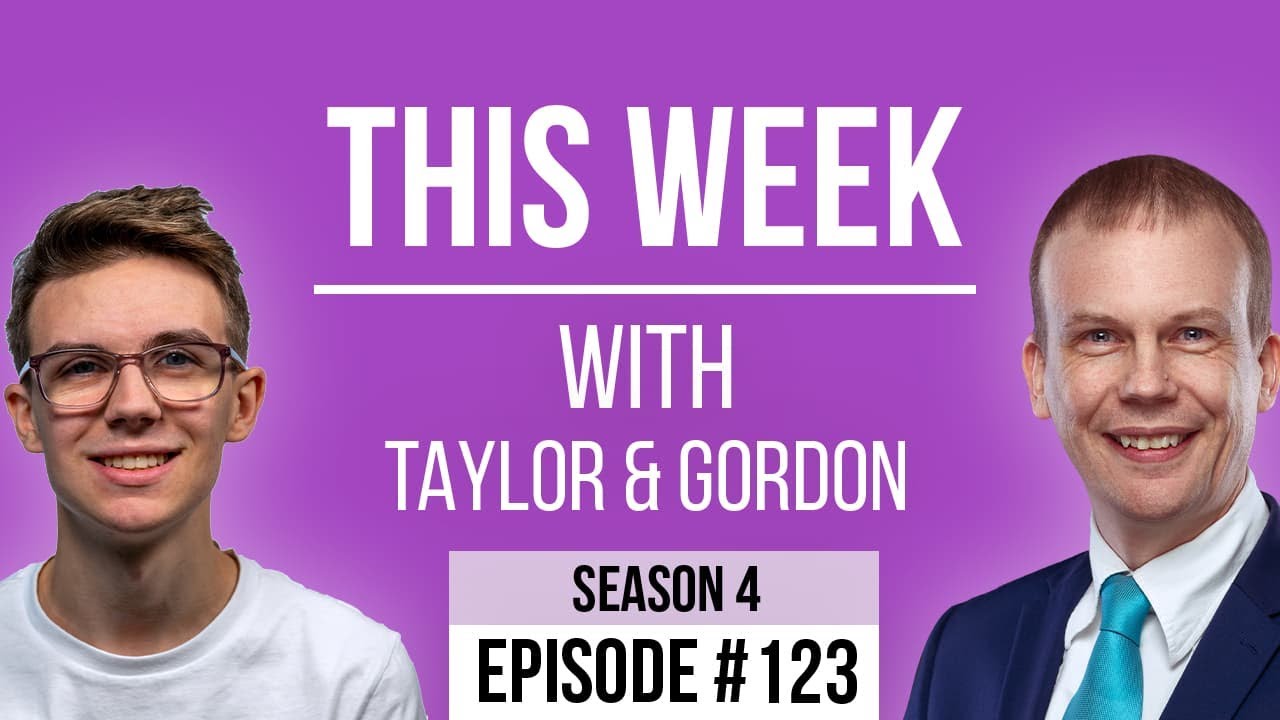
[00:00:09.220] - Gordon
Hello.
[00:00:09.490] - Taylor
Hello.
[00:00:09.800] - Gordon
My name's Gordon from Drayson Design.
[00:00:11.490] - Taylor
And I'm Taylor from The Creative Tinker.
[00:00:13.360] - Gordon
And welcome to "This Week with Taylor and Gordon," a weekly podcast and vidcast where we talk about things that have affected our businesses over the last seven days. And welcome back.
[00:00:23.770] - Taylor
Has much affected you this week?
[00:00:26.440] - Gordon
Oh, boy, yes. So first of all, before I get to my big rant, if you like, I've been to a magic convention for children and family entertainers. Pardon me. It's called "Trix in the Stix," and it is indeed completely in the sticks. It's in Shropshire in the middle of nowhere. And it's a convention for children's entertainers where we get to talk to other children's entertainers. We get to have lectures, we get to have shows, we get to have a look at all the latest magic props, and we get to have drinks.
[00:01:06.220] - Taylor
Very nice.
[00:01:06.830] - Gordon
Yeah, we have lots of drinks and lots of chatting. And it's quite nice because you're talking to people in the industry about industry matters. And these are the sorts of things that you can't really talk about with friends and family because either they're just not interested or they just don't understand.
[00:01:24.230] - Taylor
Yeah.
[00:01:24.570] - Gordon
So it's really nice to be able to sit down and talk about the state of the industry with other industry professionals, which is great. And I came away having spent a little bit of money on various new props; spending a lot of time chatting to a lot of very professional and experienced entertainers; and spending time with friends, actually. These are people that I don't get to see very often because they're from all over the country. And it was really nice just to sit down and spend time with them as well.
[00:01:56.900] - Taylor
You came away with no voice either.
[00:01:58.850] - Gordon
And yeah, my voice is not quite recovered. I was away from Sunday until Wednesday. Yeah, and my voice is not quite recovered yet. So yeah, there we go. So yes, what has been happening to affect my business? Well, last week, end of the week, my computer, which I had a problem with about three weeks ago, the computer decided not to boot. It just was getting to the point where you type in your password and then it wouldn't go any further and I couldn't understand it. So I called up Apple, this is about three weeks ago now, and their support is really good. It doesn't matter how old your machine is, they will still support it, which is great. You can just phone them up on an 0800 number, so it's a free phone call and talk to them and they'll do what they can to help you. And that's what I did. And one of their suggestions was to get the data off the machine. And once I've got the data off the machine, reformat it, reinstall the operating system, and then use my backup and restore, which is what I did. And that worked perfectly. The machine was able to boot back up again, and all was good. Until last week. So end of last week, I'm preparing to go away. I've got a video that I want to upload so that it's all ready for me when I get to Trix in the Stix and I can tell everyone about it, and it wouldn't reboot.
[00:03:33.140] - Taylor
Oh.
[00:03:33.440] - Gordon
Yeah. And this time it came up with a Firmware Lock screen, which I've never seen before and I've never put a Firmware Lock on my computer. So I have no idea why it was there. And I just couldn't get it to boot. I tried for a couple of days, got to the day when I'm about to leave to go to Trix in the Stix, and still I hadn't managed to get into it. So I unplugged everything, put it down, and Taylor very kindly took it into Amsis. Amsis are one of the biggest Mac and Apple authorized repair places in the UK. And they're about two miles from where we live, which is really good. So Taylor took it in on the Monday, and I got a call on the Monday, in fact, telling me that they'd opened it, they'd had a look. They believe it was a problem with the hard drive.
[00:04:28.040] - Taylor
Typical.
[00:04:28.370] - Gordon
Again! Yeah, what's going on with all my hard drives failing all at the same time? I don't understand it. But I told them I needed some data off it because I didn't have a backup that was from now. I had a backup from three weeks ago, but not from now. So they started doing a rescue of my data from the hard drive, and they decided that the problem was, in fact, my hard drive. And that's why it wasn't rebooting. It was just not being able to read the data properly.
[00:05:05.590] - Taylor
I guess not find the operating system either.
[00:05:07.620] - Gordon
Well, yes, that's part of it, isn't it? And so they have ordered a new drive which has now arrived. They're still transferring the data because one of my files was like a 400 gigabyte video file. So they're still transferring that. So it won't be ready till next week. But there is a UK consumer law which means that if the machine is older than the warranty, then it can still possibly be fixed for free. And I asked them if they would look at that for me, see if it was something that Apple were willing to repair for free. And it looks like, haven't had this confirmed yet, but it looks like that is what they're doing. So they're putting a brand new drive in and it's not going to cost me anything for that drive. May not even cost me anything for the repair. I don't know yet. I won't know till I pick it up. But hopefully, I'll have a machine that will be a little bit more reliable than it has been over the last month or so. The problem is having an unreliable machine means that my business is going to stop at times when I can't afford to stop. And so I can't afford to have a machine that's unreliable. And having gone down twice in three weeks, I decided to look and see what the latest offerings were because even though it's only four years old, which for a Mac is quite young, it's got a lot of life still in it; I decided that I needed to invest in my company and replace the machine. And if the machine comes back and it's all working fine, it's going to move down the line. So the machine that I've got that I have as a backup, which is currently running 24/7, trying to restore files from my NAS, that will then be moved on, reformatted, sold on. And the one I've currently got will move down to that position so that I've got the latest iMAC as a secondary machine. And I'm going to change how I do things a little bit so I've got my main machine's data available to me on my secondary machine or my laptop; because at the moment, I have no way of carrying on doing work at the moment because my database that I use for invoicing and my Final Cut file that I'm working on is all stuck on my main machine and I don't have any copies of those. So I'm going to rethink how I do it so that my data is a bit more central and a bit more accessible by me when something like this happens, because it does happen.
[00:08:02.690] - Taylor
Yeah. Anything that I want to keep hold of and is important to me, I make sure is on Dropbox. And I pretty much store everything on Dropbox. I get two terabytes of storage on Dropbox and I get one terabyte of storage on my Mac. And I pretty much store anything that is of importance or value of... If I lost it, it would be bad, on Dropbox. And this means that it's then taken out of my hands of having to look after it, and it's in Dropbox hands, which obviously they have a very high policy on how they are backing up stuff. They've probably got multiple backups of everything. Whereas I just don't have this, like we were talking about a couple of weeks ago about having the three two one system. They probably have that, whereas I don't have that because it's expensive. And so by putting it on Dropbox, it's not only accessible wherever I am. So if I'm at someone else's house and I have my laptop, if I only have my iPad, I can still access all of my data. And that means, yes, if anything were to happen or I get a new machine, I can pretty much just set up a new machine as it is. No need to transfer anything over, really, except applications I've got to redownload. But for the most part, I just have to download Dropbox and everything's there.
[00:09:26.730] - Gordon
Yeah, which is a really good idea. And I've got my new Synology which still needs setting up, and I can't do that until I've got all the data off the drives, which is going incredibly slowly. Something not right on that. So as soon as I get that sorted, I'll be able to do it. But I may have bought a new computer.
[00:09:46.890] - Taylor
Oooh.
[00:09:47.350] - Gordon
I say I may have bought, I actually did. I bought a new computer. So I bought a Mac Mini. So the latest Mac Mini is an M2. I chose to upgrade it to the M2 Pro, which is an option, which has more cores and more GPUs. And I also upgraded the RAM from 16 to 32 gigabytes, and the storage from 512 to 2 terabytes of SSD. And so because I've chosen that configuration, they needed to make it especially for me. And so it's coming direct from Hong Kong and won't be with me until fifth of June ish.
[00:10:28.290] - Taylor
So how are you going to actually work on it? Because it's got no screen.
[00:10:31.670] - Gordon
It's got no screen, no. And I'm quite used to the 27 inch iMac screen. I'm used to the size of the screen and the amount of space it has. And they currently don't do a 27 inch iMac, which is why I went for the Mac Mini. So instead, I've bought a Mac Studio display, which is basically the main screen from an iMac, but as a standalone unit. So you can then plug another device into it. So I could plug my laptop into it. I could plug the Mac Mini into it, which is what I plan to do. And it's a beautiful display. And that was off the shelf. So that's already arrived and that's already in place. And we've tested it, right?
[00:11:15.960] - Taylor
Yeah.
[00:11:16.560] - Gordon
And it's got six speakers, I believe, which is lovely because the sound is really really good. It also has what's called a centre stage FaceTime camera, which basically means that the camera will follow you around if you move about. Or if there's more people in the area, it won't crop in. It will expand to be more wide angle to get everybody in, which is also quite cool. Does your camera do this on your laptop?
[00:11:44.470] - Taylor
I think it does.
[00:11:45.660] - Gordon
So that's something new to me. And I've spent just under £4,000 on a new machine, which is a lot, but the business makes money and without it, I can't make money, so it's really important to me. And this machine is actually going to be so much faster than my previous machine. One of the things it has, which is really good, is it's got a chip inside that is specifically designed to encode and decode video. And that means that any video I do is going to be coming out of my machine much quicker because it's got a chip that's dedicated to it. So that's going to make life a lot easier, especially as I'm doing these podcasts now. And I do have various video projects that I do during the year, which will also be sped up by using this new system.
[00:12:43.990] - Taylor
So your new monitor is smaller, but the same size as your 27 inch iMac.
[00:12:49.720] - Gordon
Yeah. So it's got smaller bevels and there's no what they call 'a chin' on it because the iMacs all have chins because the computer is actually in the monitor, whereas this is just a monitor. But it does have an A11 chip in it, which is the same chip that runs the iPhone 11s. So a chip that's been designed to run a whole phone and all the apps and everything, all the sound, everything is actually solely in charge of just my display, which is quite cool.
[00:13:22.400] - Taylor
Yeah, it means you can move it further back and you have a bit more space on your desk now.
[00:13:26.660] - Gordon
Yeah, I can move it further back. Because it's smaller, it fits into the gap better, and I've got shelving above, which the iMac was taller than. So now the monitor is slightly smaller, I can actually push it into the gap, which means it can go further back and I get to see all my cables now. So that's not so good. But I will find a way to manage those better than they are at the moment. I've also got back lighting. I've got a light, a Hue light, in fact, that goes behind my monitor, which comes on in the evening, gives me this glow behind my monitor or my computer, which you can now see. And I couldn't see it before. I could just see the glow. So I need to decide what I'm doing with that as well. So yes, hopefully this time next week, my iMac will be back with me and hopefully I'll have all my data, and then I'll just be waiting for the new Mac to arrive. It may even arrive, it's already on its way. I've had notification it's on its way from Hong Kong. So it just depends on how long it takes now.
[00:14:36.820] - Taylor
Very exciting.
[00:14:37.640] - Gordon
Yeah. So what are you going to talk about, Taylor?
[00:14:40.270] - Taylor
So a while ago, I think it was our first season 4 episode.
[00:14:48.120] - Gordon
So the beginning of 2023.
[00:14:50.280] - Taylor
Yes. We obviously redesigned our website and had some new features and things, and one of them was a "latest episode" button. And what this did is it basically dynamically redirected you to the latest episode that we had released. And this is useful for a couple of reasons. It meant that we automatically take you to whatever the newest episode that we had recorded was, and you can just click on it and it would take you there.
[00:15:21.330] - Gordon
But also we should explain why that's important. So every episode gets its own URL. So it can be SEO'd and it can be a link on its own if someone wants to send someone to go and view just a particular episode. So the URL is "thisweekwith/season4/episode122." So having a button that goes to the latest episode isn't as simple as it sounds because it has to go to the correct URL with the latest episode. So what Taylor has done is actually really impressive and useful.
[00:15:56.270] - Taylor
So that was something that, again, meant we didn't have to manually update it. However, the URL structure or the URL that we used was a URL parameter. So this was thisweekwith.co.uk/?, (which means query parameter,) go=latestepisode. And it didn't really look very nice. I mean, it worked fine. And if you're using the button, you don't need to see what the link is. But if you wanted to send someone a link and say, "Hey, watch the latest episode," it was a bit of a long winded and ugly URL. Not one of these pretty links as people like to call them. And I was working on doing some redirects for a client who has just released a couple of books on Amazon. And it got me thinking, "Can I create a dynamic URL with a nice pretty link that doesn't use URL parameters?" So I had a look to see if I could change the code that I'd written and modify it to work. And I managed to come up with a new solution.
[00:17:07.910] - Gordon
Very good. So what does this new solution consist of?
[00:17:11.750] - Taylor
So it allows you to, so for example, if you had multiple post types, for example... So things like The Admin Bar is a great example. So The Admin Bar has lots and lots of different post types and categories and different content. So they've got a newsletter, they've got articles, they've got a weekly accessibility post, events, things like that, podcast. And what this would allow you to do is you could go theadminbar/latest/events, for example, or latest/articles, latest/accessibility. And then you could dynamically, essentially, redirect to the latest of that content type, which is a nice thing to be able to do because you can put this in lots of different places. Another one is Jonathan Jernigan. He has a podcast called Inside Link. And I said to him, "you could have something like JonathanJernigan.com/latest/insidelink, which would take you to the latest Inside Link episode. And that's really useful because you can put it in, for example, the YouTube descriptions. You can put that in the Facebook group description. Anywhere basically that you want to be able to link to the latest episode, even on the homepage, if you had three buttons that said, latest article, latest thing, you can just have them as links and you don't need to do anything like a query loop or anything like that, which is really useful. And then one other idea that I thought about was having global options. So I use sometimes ACF to create an options page, and this is where the client can put in their email address, their telephone number, and social media links, so Instagram, Facebook. And so what we could do is we could create a nice URL where it was domain.com/Instagram; domain.com/Facebook, which is slightly nicer to type in and to be able to send someone that says, "so what's your Facebook?" And you just say, "Well, it's mydomain.com/Facebook," and it just takes them to your Facebook page or your Facebook group. And it's something we might do for This Week With. So we could have thisweekwith.co.uk/Facebook, and it would just take them to our Facebook page. And it just means that if they were to update any of their Facebook, Instagram links, or their email address, for example, is another one, then it will automatically update their link without them needing to change it anywhere else.
[00:19:46.520] - Gordon
That's very clever.
[00:19:47.510] - Taylor
And there's probably more use cases out there, but they're just the main ones that I've thought of at the moment.
[00:19:55.350] - Gordon
So if people want to do this, how do they find out about your solution?
[00:20:00.900] - Taylor
So my tutorial or snippet is on my membership site, snippetclub.com. If you just do a search for redirect, you should be able to find it, or we will link it in the show notes. And it's a free tutorial, so you can go and use it on your WordPress site. Any WordPress site this will work for, which is quite nice as well. You just have to set the slug that people have to use, and you can set basically where you want it to get redirected to.
[00:20:34.370] - Gordon
Very good. Excellent. It's always nice actually to go back and look at a past solution and see if there's anything you can add to it to make it even more useful. And as technology moves forward, you end up with new solutions that cover today's applications, if you like.
[00:20:52.940] - Taylor
Yeah, exactly. And a couple of other things I've just thought about for the dynamic links would be if you wanted to go to... On my personal website, let's say, I have a random "I'm feeling lucky" button, and I could set it so that if someone puts /random, it would just take them to a random post and it would just redirect you. Like I said, I've got something similar where it says go=random, but it looks a lot nicer and cleaner to just have /random.
[00:21:27.150] - Gordon
I agree. Very good. And I'm sure there's more ways that you can use this. If you do use it or you come up with an idea for the use of it, please leave a comment below. That would be really helpful and will help other people, I'm sure.
[00:21:45.510] - Taylor
Yeah.
[00:21:45.780] - Gordon
Anything else you want to say today?
[00:21:48.050] - Taylor
No, I think that's everything.
[00:21:49.830] - Gordon
Thank you very much for joining us. As always, you can like, share, and subscribe. We're on Facebook and on YouTube.
[00:21:57.670] - Taylor
You can also go to our website thisweekwith.co.uk to find all of our past episodes and anything we may have spoken about.
[00:22:06.930] - Gordon
All being well, we'll be back with you at 1pm next Friday. Until then, my name is Gordon. I'm from Drayson Design.
[00:22:15.480] - Taylor
And I'm Taylor from The Creative Tinker.
[00:22:18.450] - Gordon
Goodbye.
[00:22:18.900] - Taylor
Bye.