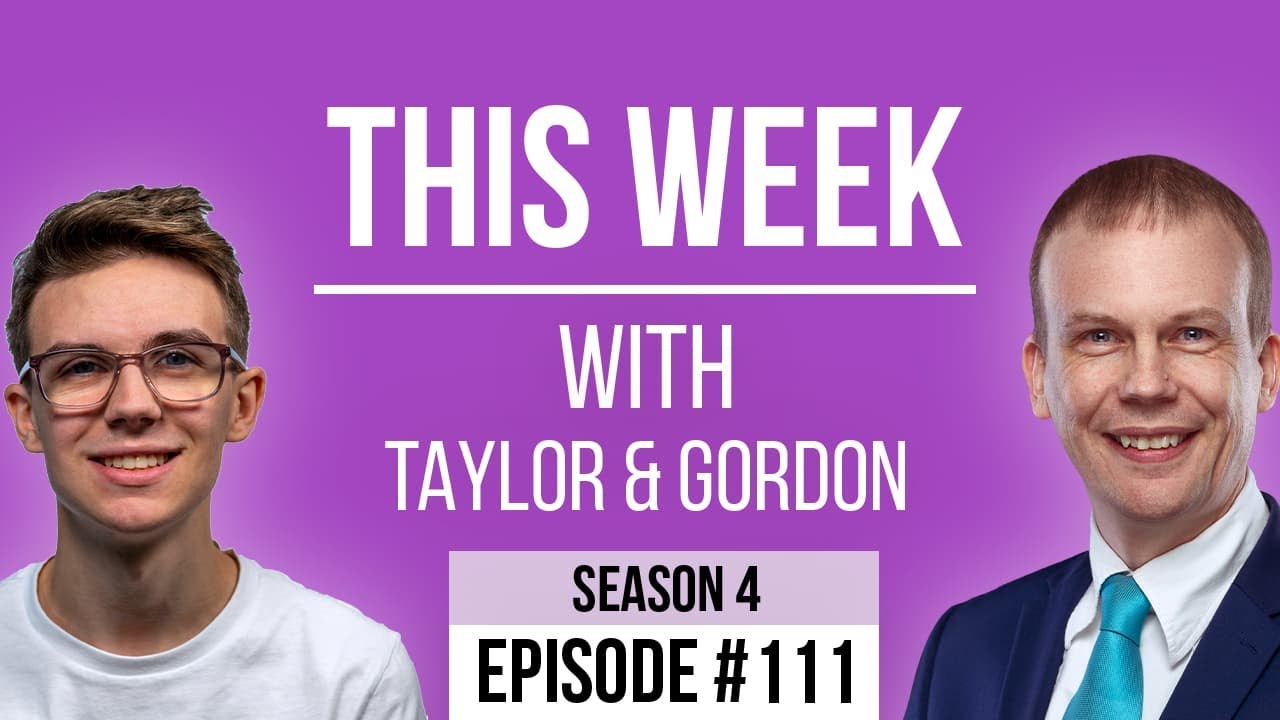
[00:00:09.450] - Gordon
Hello.
[00:00:09.910] - Taylor
Hello.
[00:00:10.400] - Gordon
My name's Gordon from Drayson Design.
[00:00:12.240] - Taylor
And I'm Taylor from The Creative Tinker.
[00:00:14.300] - Gordon
And welcome to "This Week With Taylor and Gordon," a weekly podcast and vidcast, where we talk about things that have affected our businesses in the last seven days. And Happy New Year.
[00:00:26.010] - Taylor
Happy New Year. That means a new season.
[00:00:27.960] - Gordon
Means a new season, means a new year. We're now onto season four. Wow.
[00:00:33.550] - Taylor
The colour was...
[00:00:34.650] - Gordon
And the colour was purple.
[00:00:36.660] - Taylor
Which you would have seen in our starting screen.
[00:00:39.950] - Gordon
Yes, you would, before you clicked on it. Yeah. So, we've started a new year. Our seasons start with the new year we decided, and on this occasion, for the third time now, we decided to redo the website.
[00:00:59.293] - Taylor
Yep.
[00:01:41.190] - Gordon
And so we have. And that actually went live earlier this week because we wanted to just make sure that it was all going to be working correctly and did what we wanted it to do. So we gave ourselves just a couple of days extra to make sure that that was going to happen, and it's live. So you can go and have a look at thisweekwith.co.uk. And we thought we would spend this episode... Excuse my voice, by the way, I've got a bit of a sore throat at the moment, but we thought we would spend this episode talking about our choices and decisions when we were building the website.
[00:01:42.130] - Taylor
Yeah.
[00:02:05.190] - Gordon
Because we were quite happy with the site as it was previously. However, it was built in Oxygen and Taylor has now sort of moved over to Generate Press. And that's faster, easier to build, more flexible. There's lots of reasons why, but we won't go into that. We'll just go into our decisions and choices on the actual changes that we made to the site. So if you're listening to this and you're not driving, have a look at the website while you're listening to it, because then you can sort of follow along with us. We've got it on a laptop just here, so we can look at it and go through it and make sure we don't miss anything that we want to say.
[00:02:28.620] - Taylor
Yeah, so, starting off, we have obviously, the kind of purpley pink colour for our new season colour and you can kind of see that throughout the website.
[00:02:41.080] - Gordon
So we made it an accent colour.
[00:03:11.300] - Taylor
Yeah! It's the accent colour that kind of follows throughout, but we also have all of the other season colours next to the season that that episode is from. So if you're looking at season one, two or three, you will see that their featured image or the cover image that is on there and things like that, is the colour from the season. So you know what season it's kind of, when you're searching on the Episodes page, you can quickly see what episode or season something is from.
[00:03:27.010] - Gordon
And if you want to see the latest information on whatever topic you're interested in, you'll know that the latest season is purple and therefore if you see a purple icon or purple thumbnail, then you will know that that is the most recent.
[00:04:06.210] - Taylor
Yeah. So starting off, we changed the home page or the Hero section. So it's now kind of just in right and centre, the name of the podcast, description of our podcast, I guess, with an up to date number of episodes, and then the list of all of the podcast platforms that we're on, and also Facebook and YouTube, where we put the videos. So that was kind of the most important thing for us, is for people to be able to quickly find where they can easily listen or watch our episodes.
[00:04:06.783] - Gordon
Yep.
[00:04:44.350] - Gordon
Just before we go down, we've got a nice sort of background now, which is worth mentioning because it's a repeating image in the background, but more importantly, it's got an opacity to it, which is set with CSS, so that we can decide how much of that background colour you see coming through. And that was really important because until you actually see it in place, you don't know exactly how much you need to do. And by creating different images and then having to upload them and go, no, it's still too bright, come back, it just takes forever. So CSS is definitely the way to go for that.
[00:05:12.220] - Taylor
So, yeah, so you're moving down, we have the latest episode. Similar to the previous website, we had the latest episode front and centre. So if people want to go and click on to see the latest episode, if they don't want to go onto one of the external platforms then they can do that and obviously when you click through to it, it will have the video, the audio and some other things which will come onto.
[00:05:33.310] - Gordon
So we did have previously a lightbox where the video would show on the home page, and we've done away with that because we thought if people are interested in that episode, it's probably better to go to the Episode page and see all of the rest of the information on that page as well, rather than just having it on the home page.
[00:05:45.730] - Taylor
Yeah, and you can listen or watch the episode while you're looking at the show notes, for example, whereas before if you would have done that, you would have had to click on, close the light box to actually go to the page.
[00:05:46.530] - Gordon
And lose your place. So you would basically have to start over again on the video.
[00:05:51.470] - Taylor
Yeah.
[00:06:24.970] - Gordon
And we've got a nice little mouse over which just highlights the border white just to show that it's a button, basically, or is clickable. And it's also got all the dynamic information. We don't have to update this, it just grabs the information from the latest episode and puts it all in for us. That includes the thumbnail, the season number and the episode number, the topics, the information underneath as well. It's all dynamic. So we don't have to do anything, which is great.
[00:06:41.550] - Taylor
Yeah. So, moving down, we have our Episode search bar now. It's a bit further down than last time, which could be seen as worse, but we wanted to make sure the places people can watch it were the main things for us.
[00:06:49.300] - Gordon
And then the latest episode to get people hooked. That's the idea. Then once they're hooked, they can go and search for other things that they might be interested in.
[00:07:13.050] - Taylor
Yeah, and there are multiple places you can search for episodes. So we have the same design for the drop down when you have the previews and it highlights the word in the episode of your searched term, essentially, which is quite nice. Moving down, we've got our mission, which we had before with pictures of us and kind of why we started it and how it came about.
[00:07:17.070] - Gordon
Changed the style slightly on the images, just to make them a bit more colourful.
[00:07:26.440] - Taylor
Yep. And then we've got the top six, or the latest six episodes and a button to the Episodes page.
[00:07:33.990] - Gordon
Again, all of those are dynamic. It's got all the topics in there so that you can see what it does and what it's all about.
[00:07:42.380] - Taylor
Yeah. Then moving to the Episodes page, very similar to...
[00:08:00.410] - Gordon
Oh, hang on, we missed something on the Home page didn't we? Did we talk about the footer?
[00:08:00.614] - Taylor
Yeah.
[00:08:00.646] - Gordon
Talk about the footer. Might as well finish off. So we've got the 'if you enjoy our content, please rate our podcast' which we had previously, and again, we're using our accent colour for that. And then the footer, which is very similar, in fact.
[00:08:01.580] - Taylor
Very, Very similar to our previous one. Again, just a slightly updated design.
[00:08:06.170] - Gordon
And one of the things we did is all the logos are now much higher quality. So we had some low res images before. We're now using vector images, SVGs.
[00:08:20.634] - Taylor
And the latest icons.
[00:08:20.666] - Gordon
And the latest versions of them, yes.
[00:08:20.670] - Taylor
'Cos some of them have changed. For example, Apple Music, Amazon Music sorry, have changed their logo.
[00:08:27.040] - Gordon
They have.
[00:08:27.920] - Taylor
Slightly from a darker blue to this kind of like teal-y green one.
[00:08:32.080] - Gordon
So let's just talk about the menu as well, the Nav bar at the top.
[00:08:36.574] - Taylor
We have an 'About' page now.
[00:08:37.030] - Gordon
So yes. As far as the Nav bar goes, first of all, we decided to just put This Week With as the title, on the top left, and that is normally the button you would click on to get back to the 'Home' page. And then we've got currently four options in the Nav Bar. So we've got the 'Home,' which is where you start. You've got the 'All Episodes' page, the 'About' page, and you've got a button that I think's worth mentioning. Do you want to explain this one?
[00:09:06.240] - Taylor
So the button is a 'latest episode' button. Now, again, this is dynamic and it's very clever, the way it works. It basically redirects you to the latest post automatically. And when we publish a new one, it will just redirect you to there.
[00:09:26.310] - Gordon
Yeah. So it knows what the latest episode is. It will just take you straight there. It's just a shortcut, basically, but again, it's dynamic, which is brilliant.
[00:09:34.240] - Taylor
So 'Episodes' page is very, very similar to the last, the old site or the version two site.
[00:09:42.280] - Gordon
We've updated the design slightly with the title first of all, by having this sort of waveform at the back, which is quite nice.
[00:09:50.120] - Taylor
We've got the filtering, so you can search, you can select the date range and you can obviously filter by the season if you know there's a topic you want to hear about, but it's in a specific season, you can quickly filter that. And then, yeah, we've just got the list and then you can load more if you are looking further down and you haven't found one in the latest posts.
[00:10:15.220] - Gordon
Yeah, so what it does is instead of loading all, well currently 110 episodes in one page, it'll load sort of ten, and then if you want to see more you've got a button and it will then load the next ten and so forth, so that you're not going to be waiting for ages for everything to load. But you can, if you want, keep clicking it and you'll end up with all of the episodes on the one page.
[00:10:38.210] - Taylor
Yeah. So moving to the 'About' page, very very brief, we're going to be updating this with the history and the stats in the future when we've kind of calculated them and come up with a design for them. But it's basically got a description, an image, and just our links to various places around the internet. So for both of us, we've got our company buttons, or buttons for our companies.
[00:11:09.590] - Gordon
For their websites.
[00:11:10.620] - Taylor
Yeah. And then socials. So for me, I've got Twitch, LinkedIn, my personal website and an email. And you have LinkedIn, Facebook, Instagram, your two magic websites and an email.
[00:11:24.240] - Gordon
Yeah. And I quite like how these work as well because we managed again to get SVGs in of our logos and put them into the button for our websites. So it's a little touch, but it just makes it look really different. It's a nice little element, I guess. Detail, I think is probably a good word. And we are planning on adding more to this page, but not currently. That's something we are going to be doing in the future.
[00:11:57.300] - Taylor
So if we move to one of the episode pages, oh I'm doing my lunch so I'll quickly...
[00:12:06.950] - Gordon
Apologies about this, we've been working really hard on this. I won't go through the page yet until Taylor gets back. But what I will say is that we've spent probably about four... Maybe five, I'm guessing about four days worth of work this is. That's both of us, so that's eight man days, if you like. And that's not creating any new content as in the episodes, because for the last couple of weeks or so, while the site was being created and updated, the development version was being updated. What I was doing is I was adding episodes onto both the current website and the development website so that the content was going to be the same. I'm just saying, I think we've spent probably about four working days on this over, so it's eight man days, if you like, because there's two of us working on it. But as I said, we didn't add any new content. It was a redesign. We already had the framework, so.
[00:13:16.080] - Taylor
I think...
[00:13:17.620] - Gordon
But it was a rebuild from scratch, if you like.
[00:13:19.710] - Taylor
Yes. So it's a rebuild in terms of the website, which whenever you're building a website, you're always going to be rebuilding the main template pages and things like that. There's no way to get around that. You're always going to be doing that. But you can reuse a lot of the...
[00:13:33.360] - Gordon
Assets.
[00:13:33.730] - Taylor
Yeah, and the detail, the data that's been input already. So we store a lot of data in custom fields, for example, and it works really well.
[00:13:44.040] - Gordon
And we've actually got about 5GB worth of MP3s, graphics, images...
[00:13:54.850] - Taylor
Podcasts, thumbnails.
[00:13:56.480] - Gordon
Yes, which we migrated over. So that was sort of all the content ready and we just had to manipulate it and put it how we wanted it to be seen.
[00:14:08.080] - Taylor
Yeah, and it's really interesting because from version one to version two, we added a bunch of new custom fields; and from version two to version three, we've added a couple more. And that's because as you build a site, you have new ideas and you need new fields to be able to pull in different data. So, for example, version one to version two, we added a season colour that we could add to each category to highlight things. And from season two, season three, or version two to version three, for example, we've added some new things which we will go through, and some new custom fields that weren't in the previous version because we didn't have those features.
[00:14:51.540] - Gordon
That's right. So going into the latest episode page, so this is the episode detail page. We decided on this occasion that we were going to split it up into two columns. So we're going to have a main column and then a right hand column.
[00:15:08.350] - Taylor
Sidebar.
[00:15:09.050] - Gordon
Sidebar, yeah, exactly. Which is going to be smaller. And there's several reasons for that decision. We wanted to have the ability to put in featured links, but also advertising. Now I know what you're going to say, you hate advertising. Well, Taylor and I, we spend a lot of time doing these episodes and so the advertising is going to be for us, so it's going to be for our own projects. Or if we have a special guest on, for example, we might have a featured link from them and put up a link to go to their sites as a sort of a thank you for being on our podcast really.
[00:15:49.420] - Taylor
Yeah. So if we move down the page, we've got the video at the top and the episode info on the right, which you will be used to, not on the right, but you will be used to the box with the main topics, the duration and the publish date, quickly available to you should you want to just answer it while you're watching the video.
[00:16:09.480] - Gordon
When he says on the right, that's on the desktop view. If you're looking at it on mobile, it won't be on the right, obviously. There's just going to be one column because it needs to be responsive.
[00:16:19.130] - Taylor
Same with the previous website. Yeah, we had the 'previous' and 'next' buttons, so you can navigate between all the episodes without leaving the page - you don't have to go back.
[00:16:28.650] - Gordon
And we've put them together because before they were underneath the video and one was right the way on the left and one was right the way on the right and they didn't look connected, so we've put them right next to each other. But obviously the latest episode doesn't have a 'next' and the first episode doesn't have a 'previous,' so we needed to take that into account as well and make sure it looked right.
[00:16:49.080] - Taylor
So under the video we have the podcast episode, so if you want to listen to it, you can do. And this is a nice kind of player which has waveforms and has a little sticky bar as you scroll down the page so you can control it while you're reading the show notes or even the transcript.
[00:17:09.190] - Gordon
Excuse me. Sorry about that.
[00:17:12.070] - Taylor
So moving down on the right hand side, we have a new feature which is the 'featured links.' So this basically pulls out well...
[00:17:22.840] - Gordon
This is great.
[00:17:22.840] - Taylor
It is manually done, but pulls out all of the links of things that we've talked about in that episode.
[00:17:30.290] - Gordon
So we have a links field that we fill in, or that I fill in when the show notes are being created, and I put in any links to any content or information that we've talked about during the episode. And then something really clever happens with it because...
[00:17:46.790] - Taylor
We have an API that I use and one of the API functions is being able to pull page Meta. So this includes the title, the Meta title, the Meta description and the Meta Open Graph image. Now, what this means is we can add a title and a link in the back end and then make a request to the URL to say, "here, can you get the page description and the page social image?" So when you share it on social media, you normally get this nice image that shows up alongside your link, and we're basically getting that. And it then puts it into the right hand side as a nice way to quickly see stuff we've spoken about, rather than just having a plain link, which we still do have in the show notes. So if you want a bit more context about it you can obviously get that, but if you're looking at just things that we've spoken about in that episode, you can just look on the right hand side and everything that we've spoken about will be there.
[00:18:47.290] - Gordon
And what's really nice is some websites haven't set up an Open Graph image, and they don't have a default. So we've got a sort of a fall-back image, which is just our background from the home page, which doesn't show anything at the moment. It looks a little bit blank actually, I think we need to put something on there, but for the time being, there's nothing there at all. And so some links are just the name of the site or the link, and the link itself, and that's it. There's no other information because the site doesn't have any information. And so I have a link to put into this episode. The service we're using for that is called...
[00:19:33.050] - Taylor
'One Simple API.' Now, they're a great company and we've spoken about them before when I created the scanner integration, where you could sign up for an event and then you'd get a QR code, and then you'd be able to scan the QR code and once you've scanned it, it would give you an error if you tried to scan it again and things like that. And it obviously, it checked back in the database and that was more like a proof of concept to see if I could use the QR generator API with it. So, yeah, we'll put a link to One Simple API.
[00:20:09.890] - Gordon
Which has lots of functionality and we both highly recommend it. It's great, it's a great service.
[00:20:14.800] - Taylor
Yeah. And we're actually using their API, another part of their API. So one of them was the page Meta or page information, and the other one is the screenshot API.
[00:20:25.130] - Gordon
Yeah, we'll come to that in a minute. So, going down the page again, if we go to the left hand side this time.
[00:20:32.890] - Taylor
We have all of our show notes and transcripts in tabs. So it's again similar to the previous site. We liked that because it didn't make the page really long and you can easily see if you want the show notes or the transcript. The transcript's really really useful because it allows us to kind of index a lot of content that we might not write in the show notes, but we've said. So, if you're searching for something, a lot of it can be found just through the transcript because we would have said something along those lines.
[00:21:08.060] - Gordon
So is the transcript being indexed by the search at the moment? Because it's not showing currently in the results, 'cos it's only looking at the topics?
[00:21:18.810] - Taylor
No, it does.
[00:21:20.570] - Gordon
Okay.
[00:21:21.080] - Taylor
But I believe it only highlights if the word has been in there. So maybe a test would be to find a word in one of our transcripts that isn't in the show notes and see if you can find that in the search, it might be quite a nice...
[00:21:35.740] - Gordon
Yes.
[00:21:37.310] - Taylor
We've then got kind of on the right hand side while going down, we've got two kind of little adverts which are very similar to the 'About' page but kind of shortened without a description and things. And again, they've just got links to our places, finding us on the internet. And then scrolling further down underneath everything else we've got a "you may also enjoy," which is kind of like a related post, but they're not related, they're just completely random, but they're just other episodes that you might be interested in looking at.
[00:22:09.850] - Gordon
Yeah. So that is all of the pages on the site that you will see. But there's one other thing that we have which is really good.
[00:22:22.060] - Taylor
Yeah. So this is something that I've been doing, I've done on two sites now and it's so cool because it takes away a lot of manual labour and there's a lot of control over it, but also it's something that you can build visually. And this is creating dynamic Open Graph images. So a great example which you'll be able to see, hopefully, is GitHub. They have dynamic Open Graph images for any repositories. And what they do is have the repository name, the number of stars, the number of commits, the number of PRs, so that when you share it on Discord, on Facebook, wherever, Twitter, you can see all these cool little stats before you click into it. Now, we've done something similar. We have created an Open Graph image which has the episode number, the season, the season colour and the topics, publish date...
[00:23:26.050] - Gordon
And duration.
[00:23:26.970] - Taylor
And the duration, all in the Open Graph, which is dynamically generated when you share the post.
[00:23:33.880] - Gordon
Yeah. So if you're on the page of an episode, so on a specific episode page and you copy that URL and you send it to someone over messenger or sometimes over iMessage or Messages, as I think it's now called, it will add in an Open Graph image. And this Open Graph image is the one that we create dynamically. So you may be the first person to send that link to somebody and it means that it'll take a few seconds to create that image, but then next time it'll just use the cached version so it doesn't have to redo it each time.
[00:24:11.900] - Taylor
And it is very, very clever. And the way that I've built it means that should we in the future ever update the Open Graph image, just slightly tweaking it, whatever. I have a version number in the URL. So what happens is we pass URL parameters to the API for the post ID, whatever and things like that, but I also pass a version number in. And what that means is that if the version number is the same, it's going to serve you the cached version. However, if we update that version number, it will generate a brand new thumbnail. So, yes, it means if you've shared something in the past and we update it and you share it again, it will regenerate it. Otherwise, if it hasn't, we will just generate the, serve the cached version.
[00:24:59.110] - Gordon
So what I'll do is on the page for episode 111, which is this episode, I will put a link to one of our episode pages so that it will bring in the Open Graph image and you can see what we're talking about. And I'll also do one from one of Taylor's other sites, maybe your personal site.
[00:25:20.230] - Taylor
Yeah, so I did something on my personal site which is a lot more complex and I couldn't visually build it like I did for This Week With's website. However, I pull in lots, I have like eight to ten different Open Graph images and they all depend on the type of post it is or the page it is and things like that.
[00:25:46.460] - Gordon
So I'll post a link to that as well and you can see maybe a couple of links even because we've got the space, and you can see the Open Graph images at work. It's a really clever system and I hope Taylor at some point will create a tutorial for Snippet Club for that, because I think that will be very valuable for other people as well.
[00:26:09.260] - Taylor
Yeah, I mean, it's something that I've wanted on Snippet Club as well for stuff that doesn't have a set featured image, it might be quite nice to generate a featured image that has the title in it or whatever. That's just kind of like a placeholder so that I don't have to generate something. But it still looks you know.
[00:26:31.150] - Gordon
And the Open Graph image is used in a lot of places. For example, if you post a link on Facebook, or if you post it on Twitter, it will quite often bring in the Open Graph image so that it's got a visual element for that link. So give it a go and see what Open Graph images you've got for your websites and if you haven't got one, get one done.
[00:26:54.420] - Taylor
Yeah, because as we have found out by quite a few people, or companies and things like that, some people don't have Open Graph images set and we are trying to pull your Open Graph image and you don't have one. So we can't display, and all it is is advertising for you and your website.
[00:27:10.650] - Gordon
And images grab more attention than text on its own. Right, anything else that we need to say?
[00:27:18.220] - Taylor
I don't think so. I mean, when we update this in the future, we wanted to get something out and for the new...
[00:27:25.950] - Gordon
The site is pretty much, I guess 85, 90% of what we wanted. We don't have our adverts in there yet. That's something that's coming. We've got a few more bits to put on the About page, but the majority of the site is done and it looks really good. I think it looks great. We would love to hear what you think. If you find anything that doesn't look quite right, maybe is broken, again please let us know in the comments. We need to know these things because we don't have all the devices on hand that we can test with, so some people use different devices that we don't have access to and it would be lovely to get a screenshot of what you're seeing so that we can potentially go and fix it for you.
[00:28:13.150] - Taylor
If you have any ideas for things we can add, then please let us know. It's always nice. We've tried to come up with new ideas and new features that we think will be useful. And again, from season two to season three, or, sorry, version two to version three, because we've been doing it for long, you know, because we've had another year of doing it, there are things that we thought actually, this worked really well. And actually what we thought worked well wasn't actually useful or wasn't as good as we had thought, so we left it out for example.
[00:28:49.450] - Gordon
Yeah.
[00:28:49.450] - Taylor
So, yeah, we're always improving and always trying to make sure that you have the information where you want it, when you want it, and try and make sure everything's as easy to use as possible.
[00:29:02.130] - Gordon
And one of the things that we wanted to do also is that because we spent quite a long time creating version two of the website, we didn't want to just overwrite it and delete everything, so we've actually archived it and it's sort of hidden away. But if you want to go and see it, you can do. You need to go to V2 (as in version two).thisweekwith.co.uk, and you will see the previous site that we had up until earlier this week, and you can compare it. We won't be updating any of the episodes on there, it'll stop at 110, but it's a nice sort of history archive for us so that we can see where we've come from.
[00:29:48.890] - Taylor
Yeah, we kind of regret not keeping version one, or we did, but we lost the database and so we kind of couldn't restore it and recover it.
[00:29:58.050] - Gordon
But what we're going to try and do is see if the Wayback Machine has anything, and if it does, then we can at least get some screenshots of the site, which will be a nice sort of, a nice historical archive to show what version one was like and where we've come from there to version two to version three. And it's a nice sort of timeline that we can put together. And that's something we'd like to do and put it on the About page. So, yeah, there you go.
[00:30:25.660] - Taylor
Wonderful.
[00:30:26.540] - Gordon
That's everything I think we need to tell you. That's our sort of last three weeks, two weeks, however long it took. Three weeks, I think we were working on it, in about 30 minutes. So, thank you for joining us. As I said previously, please let us know if you have any comments or you have any ideas, we'd love to hear what they are. And we can be found, as always, on Facebook and on YouTube. Please like, share and subscribe so we can get more people seeing our new website.
[00:30:58.800] - Taylor
You can also go to our brand new for season four website thisweekwith.co.uk to find all of our past episodes and even just look at the new website, because if you've looked at it prior to 2023, you will have seen an old and outdated version. So go and have a look.
[00:31:19.610] - Gordon
We will be back next week at 1p.m. on Friday. I've got Panto, which is starting tomorrow. Wish me luck. First two performances tomorrow, so I will probably come back and tell you about that next week. But please join us 1p.m. on Friday. Until then, my name is Gordon and I'm from Drayson Design.
[00:31:44.020] - Taylor
And I'm Taylor from The Creative Tinker.
[00:31:46.750] - Gordon
Goodbye.
[00:31:47.400] - Taylor
Bye.