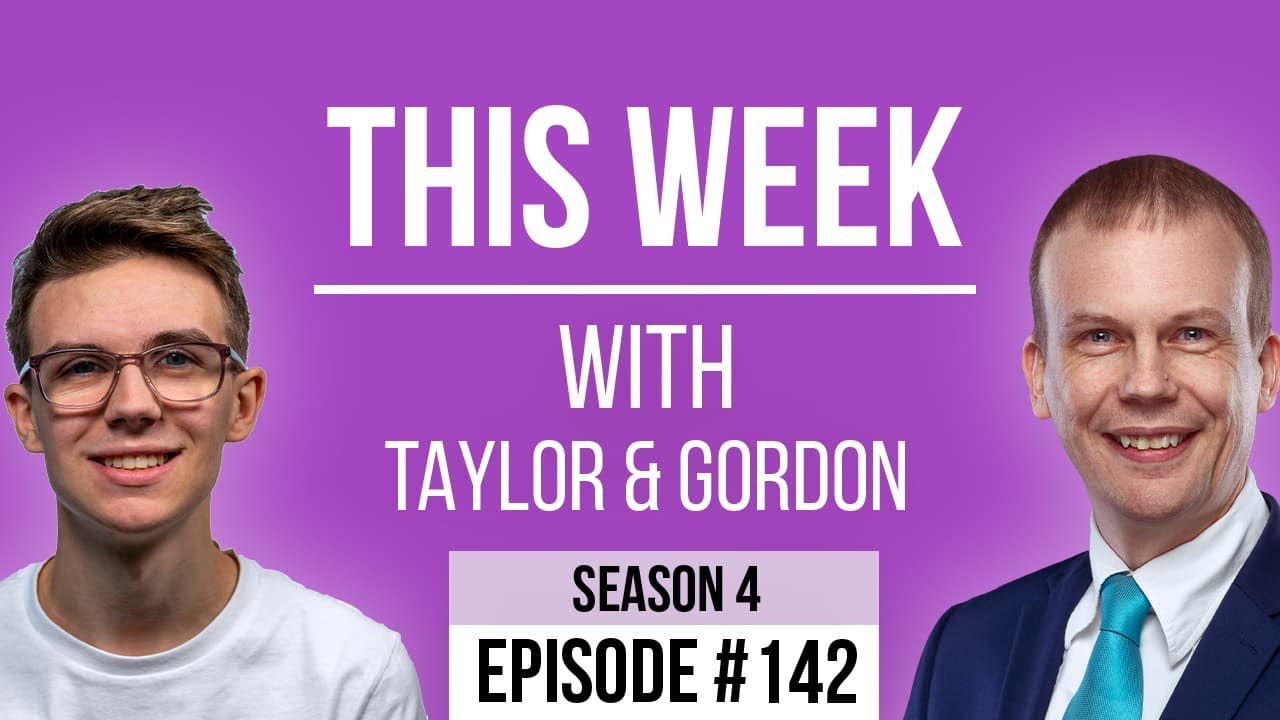
[00:00:09.040] - Gordon
Hello.
[00:00:09.370] - Taylor
Hello.
[00:00:09.530] - Gordon
My name is Gordon from Drayson Design.
[00:00:11.500] - Taylor
I'm Taylor from The Creative Tinker.
[00:00:13.600] - Gordon
Welcome to "This Week With Taylor and Gordon," a weekly podcast and vidcast where we talk about things that have affected our businesses over the last seven days. Thank you for joining us. It's starting to get a little bit darker outside earlier. We found this week because of the clocks going back. So yeah, it's starting to look like night-time has come upon us when it's only the afternoon. Still, I'd like to apologise for last week. We had a technical issue last week, which is why our episode came out at 7pm instead of 1pm.
[00:00:51.660] - Taylor
Yeah.
[00:00:52.220] - Gordon
Yeah. So, hopefully, everything is working correctly and you're able to watch us on this one and everything's working fine. Any news, first of all, Taylor?
[00:01:02.890] - Taylor
I don't think so. Not from me.
[00:01:04.320] - Gordon
Well, Apple had a surprise announcement on what was it, Monday of this week. They normally do their announcements at, I think, it's 9 or 10am in American time. American time, like there's one of them. So it's about six o'clock in the UK. But this time they decided to do it at 5pm. So that meant it was midnight here. Which was quite late. I had a pantomime rehearsal that night and came home and found a few things to do. I did actually watch it. They announced the M3 chip. Did you see? Did you read?
[00:01:43.050] - Taylor
I read about it. I didn't watch it, but I read about it.
[00:01:47.210] - Gordon
Also, interestingly, the touch bar on the MacBook Pros has been retired, so they're not going to be making any more of those, which is sad because I quite like them. I've got one on my MacBook Pro. You used to have one on your MacBook Pro. You don't anymore because I've got it.
[00:02:06.190] - Taylor
No.
[00:02:06.850] - Gordon
Do you want to go first or shall I?
[00:02:08.520] - Taylor
I want to go first this week.
[00:02:09.620] - Gordon
Go on then.
[00:02:10.340] - Taylor
So this week, I want to talk about accessibility. Now, I watched a video by Kyle from The Admin Bar where he was talking to Amber Heinz, who runs a company called 'Equalise Digital.' Now, she has a plug-in that is basically like an accessibility checker. So it's similar to how the SEO plug-ins that we have work where they will check your content and give you suggestions on things to make sure you've got things like your headings, your meta description, things like that. This does it for accessibility.
[00:02:49.910] - Gordon
So do you want to explain what accessibility is in case people don't know?
[00:02:53.060] - Taylor
Yeah. So accessibility is essentially anything that will help someone who is impaired in some way, whether that is visually, whether that's audible. And there are a lot of tools built into browsers and computers to help them navigate websites. However, not all websites are navigatable, essentially, and usable. So things like adding in descriptions to your links, so describing what your links do, so where do they go? Explaining and adding a description for images. So if the image doesn't load, so sometimes we see if images don't load, you get a blank screen. That's essentially what someone that can't see experiences. They have no idea what's going on. And so it's things like that where you're adding in information for people who can't use the website as we would normally use it. And there's lots and lots of things that you need to think about, you have to include. There's lots of guidelines. And it's something that a lot of people, especially recently has been, there's been lawsuits. It's just a lot more prominent now than it was 5, 10 years ago. And so it's something that, as web designers, we have to think about, because people who are impaired in some way shouldn't have to suffer and not be able to have the same experience as people who are either visually or audibly impaired.
[00:04:35.960] - Gordon
Yeah, and one of the things that you have pulled me up on, and other people, is colour contrast, isn't it? So having two different colours, one as text on a coloured background, and making sure that the contrast is high enough between the two colours that it's very easy to read.
[00:04:58.520] - Taylor
Yeah, so there's a ratio that it will calculate basically based on the foreground colour, which is normally a text colour, and the background colour, and making sure that they're high enough. There are specifications for the contrast ratio that you have to have a minimum of. There are different rules depending on the size of the text and things like that. And there are definitely some colours that you would think would be fine, but actually, they're not. And in the same way, there are some colours that don't look like they are accessible, but they do pass. I know that they are working on a new specification for these types of colours to include and not include, I guess, stuff that don't look accessible but are and obviously vice versa. And it's something that we don't really think about enough because a lot of us, we go with what looks good. And we don't realise that people that can't see as well will struggle to read text, whether that be because it's too small or because the contrast just isn't easy to read.
[00:06:08.610] - Gordon
And there are tools out there that you can go to, aren't there, Taylor? Where you can actually type in your web address and it will go and have a look for you and give you a report. If there's any that you know of, would you let me know so I can put them in the show notes?
[00:06:21.310] - Taylor
Yes. There's one called Wave, I believe, and I think that's quite a well-known tool that you basically put your website in and it will show you all of the different accessibility issues that it finds, whether that be for Aria labels, for having the right heading priorities, because that not only helps you in SEO, but also it helps people understand the structure of the page. And there's lots and lots of things, even telling the browser what it should include and what it should ignore. So if you've got a piece of decorative image, for example, that doesn't actually add any value to the screen reader, then you can say, "Please ignore this," because it doesn't add any value to them and it wouldn't make any sense. So things like that are very important. And yeah, you can use these tools that will help you highlight some of the things that you have got wrong, or you need to improve. And it's all trying to be more inclusive for everybody on the internet.
[00:07:25.610] - Gordon
So this is something you're looking more and more at, isn't it? As you're learning more about it, and then you're obviously then going to put it into your future websites that you build.
[00:07:37.320] - Taylor
Yeah, I think we should all be... You shouldn't just rely on these tools. If you use them enough and you are actively thinking about the accessibility, not just on websites, but in print and all of the rest of it, you'll over time, have fewer and fewer issues to fix because you become accustomed to, "Okay, well, I know that that colour contrast just isn't going to pass," or "I know I need to make sure I'm adding in descriptions for images and for buttons, etc," that, yeah, your website's just become better in general because there's less issues to fix and you're not retrospectively fixing issues because you're being proactive.
[00:08:23.390] - Gordon
And we actually bought a tool a little while ago for alt text, which is the alternative text for images that screen readers in particular will use, and also Google will use to try and figure out what the image is of. But this tool that we've got is built on AI, which is the modern thing to do these days. Everything seems to be using AI in some way. And it will look at the image and a little bit like text to image. It does the opposite. It does image to text, and it creates the description for you, which is quite a good tool, actually.
[00:09:04.350] - Taylor
I think that the tools like that should be used with a grain of salt. There are-
[00:09:10.610] - Gordon
They're a starting point.
[00:09:11.960] - Taylor
Yeah. You should never just leave it to just guess because it doesn't know the context. And although they will describe what's in the image, that's not always the relevant description text. So if it's for an article, for example, you have a little card with an image, the description for the image should be, where does this link go - to the article, rather than describing what's in the image?
[00:09:39.800] - Gordon
Well, I think it should do both because the image itself is important, but also the destination is important as well. I think it should explain and make sure it's clear as to what the image is and where it would go if you were to click on it. So both of them are important.
[00:09:56.320] - Taylor
Yeah.
[00:09:56.620] - Gordon
It's very good. Okay. If you're interested in accessibility, it's a good subject to get into. You were listening to Kyle, did you say?
[00:10:08.450] - Taylor
Yeah.
[00:10:08.990] - Gordon
Is this video available to everyone?
[00:10:10.830] - Taylor
Yes, on YouTube.
[00:10:12.030] - Gordon
Okay, so we'll put a link in the show notes to that video so that you can go and watch it and get an idea of what maybe you should be putting into your websites. I think this is one of the differences between someone who's a business owner deciding they want to create their own website, and actually going out to a proper website builder and having it done. These sort of things just get done automatically, instead of you having to remember to do them, or even not knowing about them in the first place. My topic today is about making informed decisions about items to buy. There's something that I'm looking at. I'm very interested in it. I've got one already, but this is a newer version. It's called a DJI, which is the name of the company, Pocket OSMO 3. It's a little camera. It's about this sort of size. It's about that sort of wide. It goes in your pocket, hence the name. And it's a little camera on a gimbal. And you've got a little screen and you've got an SD card and you can just take it out and film wherever you happen to be. And the nice thing about having the gimbal is that as your hands move or you're walking or whatever, it tries to stabilise it with mechanical movements. So it'll counteract the movements that you're making. And it's a really really nice little camera. I really like it. And it's really useful because it's so small. It's not waterproof, so it's not so good for being around the pool on holiday. But it's great if you've got a particular thing you want to film and you want it to be as smooth as possible. Using your phone is good, and there are stabilisations on phones, but it's never going to be as smooth as proper gimbal. That was the reason I bought it in the first place, and I've used it several times, many times, in fact, for many different reasons. The new version that they've just brought out, they've had another one in between. They had a Pocket OSMO 2, and they're now onto number three, and they've just announced it. And it's got a much bigger screen. It's like a two-inch screen, I think it is. What you can do is you can flick it so you can make it wide-screen, if you like, or you can have it portrait, and you can actually film in portrait, or you can film in wide-screen, which is great, depending on where you're going to use it. Because I was always, when mobile phones first came out and I saw people doing vertical videos, it was just something I really disliked, because everything at the time that you watched these films on were all wide-screen. They were all landscape. So a TV, a monitor, etc, etc, they were all landscape. And so by taking a vertical image or video, you were basically just going to have this little bit in the middle of your screen that has the video in and the rest of it was going to be blank. That's changed. My mind has also changed along with it because of modern thinking. A lot of people consume videos on phones. Having said that, I would strongly say that YouTube videos, the majority of them, are still created in wide-screen.
[00:13:43.270] - Taylor
Yeah, you get YouTube shorts, which is mostly portrait-
[00:13:46.640] - Gordon
Yes.
[00:13:47.430] - Taylor
And you have things like TikTok. Instagram which are all mobile apps.
[00:13:49.780] - Gordon
Instagram. I think that's what it is, isn't it? If it's something you're going to be watching and it's only quick, then vertical works really well because you don't have to turn your phone around to watch it because that's what most people are watching it on. So for shorts, for Reels, for Instagram stories, that sort of thing, I think vertical is fine. I have no problem with that whatsoever anymore. For pretty much everything else, I'm still tending personally to do the wide-screen. So this does it really well. And because it's on a gimbal, it also has a rotating head so that you can actually use it as a selfie camera if you're doing videos for your business, your company, personal projects, Facebook, keeping your family informed, that sort of thing. It's also got a wide angle lens that you can put on the front of it. It's like a little magnetic thing, so you can widen it. Because that's always been the problem with self-filming, is that you can only go as far as your arm goes, and the cameras make you look really big because of the focusing distance and the lens of the camera. But by having this wide angle, you can widen it out and it makes it look like you're further away from the camera than you actually are, which makes for a much more interesting video because you can see around you and you can see what's behind and stuff. So that's the camera. It's something I really would like to get. I'd like to upgrade the one I've got because I do use it and I like the idea of the new features. It's got some new focusing stuff as well and so on. However, I have two options currently and two different packages to choose from. The package that it comes in is either just the camera or you get what they call a 'creator kit,' which has an extended battery, a little tiny tripod, so you can stand it up on something. It's got a case for it. It's got a bag to put the case in. It's also got a receiver and a little microphone, one of these little square microphones that I've never really liked, because I always think they look a bit in your face. Microphones, in my opinion, are supposed to be hidden, so you can't see them, but you get really good audio. And by having a big square black thing on your clothing, I just think it looks horrible. And you get all that. The first thing I have to decide is which package I want, because there's a few things in the creator pack that I want that you can't get separately, which is -
[00:16:36.260] - Taylor
Very annoying.
[00:16:36.750] - Gordon
Always annoying. The second thing is I have to decide when to buy it and what price. I currently have some credit with DJI from things I bought from them in the past, which is about 14 pounds, which is not a lot, but it would be 14 pounds off if I bought it direct from DJI. The downside with that is it takes about seven days to get to me. I can also buy it on Amazon. And if I were to buy it on Amazon, well, it will be with me tomorrow. As you know, with Amazon, they're very quick. We have Prime, they're very good at delivering, and that would be with me, although I'd be paying full price. The other decision I need to make is do I wait until Black Friday, which is coming up in about a month. Not quite a month. It's about a week less, about three weeks time. I don't know if there's going to be any deals on for this particular product on Black Friday.
[00:17:36.240] - Taylor
It's a bit of a gamble.
[00:17:37.610] - Gordon
It is a gamble because I could be learning how to use it because I've got some things at Christmas that I would like to use it for. Do I buy it now and just bite the bullet and go, "If it comes out cheaper, I could have waited, but I didn't. In that time, I've actually learnt a lot about it and I'll be able to use it quicker so it becomes more useful to me." Do I wait, save some money because I do have one. It's not like I don't have one. I can still use the one I've got until I get the new one, in which case then I'll then sell the old one. Or do I go and buy the one from DJI and use my credit that I've got with them? It sounds like such a minimal thing, such a trivial thing to make a decision on. But if you think about anything that you need to buy for your business and you consider all of these different things: When do I need it by? What spec do I need? Which package do I want? Is this the right product for what I need it to do? And when do I buy it? What's going to give me the best price? If we do that for everything that we buy, you'll be saving an awful lot of money because there are things that you might not need for another month and waiting until Black Friday, just in case, could save you hundreds of pounds. You don't know. So it's all about timing and making decisions like that. I personally like to do a lot of research when I buy a new product. I've watched all the reviews, I've watched all the keynotes where they introduce this product so that I know all about it, and I've made the decision that it's something I would like to get. It's not essential. It's something I would like to get. I've got a little bit of money that I've put aside for something for me that I'd like, and this seems like a good thing to spend it on. I can buy the creator kit if I wanted to. There's enough money in the budget to do so. But if I'm only going to use a third of what's in there, is it worth it? That's a decision I've got to make. But you're a little bit like me. I think you've probably got that from me in the fact that when you want to buy a new piece of hardware, a new piece of kit, new software, that sort of thing, and there's options, you look into it first. Because the worst thing is buyer's remorse. When you buy something and you go, "Oh, if only I'd waited," or "if only I'd got the next model," or "I didn't realise that the next one was coming out next month and I could have got a whole year's worth of generation better if I'd just waited" or "there's a better product out there that I didn't know about because I didn't go looking for it."
[00:20:26.970] - Taylor
I think I'm a bit in between. I sometimes obviously wait and do a lot of research on what I buy, but at the same time, I put it down to the cost of running a business and things like that in terms of... I've bought two MacBook's, three MacBook's in the last five years since I started my business or so, five, six years, and that's because newer stuff came out. And the time between each one wasn't as much as I probably could have-
[00:21:02.070] - Gordon
Wasn't as big a jump, you mean.
[00:21:04.080] - Taylor
Yeah, I could have lasted a lot, the time between could have lasted a lot longer, but new stuff came out. So, for example, when I upgraded to the M1 chip, that was a big jump from an Intel chip. And then when they brought out the 16-inch, I thought I've already got an M1 chip, but the 16-inch screen size was a big thing for me because I do take it with me, so that the real estate is very, very important. And so in that regard, I probably could have waited from the Intel chip to the 16-inch M1 chip.
[00:21:36.860] - Gordon
However, the other advantage you had by doing that is that the previous model that you had was still relatively new, like a year or two old, and therefore still had quite a bit of value, and therefore you could sell it for much more than you would have got for it if you'd waited.
[00:21:54.320] - Taylor
Yeah, and I've had this laptop for a year and a half now, and it's something I'm very happy with. And it does happen, but at the same time, sometimes it's, for me, the right time to buy it. Maybe not in terms of for the best value, but because I'd like it, because I've been saving up and things like that, or just because I think that it's the cost of doing business for some things. Sometimes you have to spend more than you would like to because equipment breaks or anything like that. I've had three Apple watches, again in a short space of time, because my first one cracked and then I upgraded. Well, I say upgraded, I bought a new one. And then the Apple Watch Ultra came out, which had the temperature sensor, which was something that I was really, really interested in, and also the extra battery life. And so then again, I upgraded, which was only a couple of generations ago from the one I had before, but the added features were enough for me to warrant wanting the new one.
[00:23:03.550] - Gordon
And saving money by waiting is only one of the decisions you have to make. As I said earlier, I could, if I bought it now, spend the time, the next month while I'm waiting to see if it's going to be cheaper, learning how to use it. Obviously, I'm then going to be better with it at that point because I can get going straight away and start using it for the projects I've got coming up. So it's only one of the decisions. Is saving money more important? Learning how to use something more important? Is having it as part of your business earlier, now rather than later, important? Another thing is sometimes we get impulsive. Sometimes you look at something and you wake up one day and go, "Right, that's it. I've been thinking about this for a while. I'm going to go and get whatever it is." You did this with your watch. You woke up one day and you said, "Do you know what? I've decided I'm going to get an upgrade to my watch," and there and then went out and got it. So, yes, sometimes that's the deciding factor isn't it?
[00:24:10.370] - Taylor
I think it also comes down to the current situation you're in as well. If you don't have that extra money to spend, then the money part of the price is going to be one of the biggest deciders. Whereas if it's not, it would be nice to spend less money, no-one wants to spend more than they have to. But at the same time, that's normally not one of the deciding factors.
[00:24:36.560] - Gordon
Yeah, in fact, that's something that I'd like to talk about in a future episode, and that's debt as part of a business, because it's a normal part of being in business, setting up and getting a loan to set everything up. But both of us, in fact, have set up our businesses without any loans and in fact, without any debt. So it's something that I'll talk about in a future episode because I think that's also quite important. It's all part of the process in making decisions. You just got to make sure you've got all that information available to you so you can make informed decisions and correct decisions for the long term of your company. Right, that's everything I want to say.
[00:25:25.350] - Taylor
And me as well.
[00:25:26.320] - Gordon
Thank you so much for joining us. As always, you can find us on YouTube and on Facebook. Please like, share, and subscribe.
[00:25:33.990] - Taylor
You can also go to our website thisweekwith.co.uk.
[00:25:37.730] - Gordon
We'll see you next week at 1pm on Friday. All being good. Until then, my name is Gordon, and I am from Drayson Design.
[00:25:46.360] - Taylor
I'm Taylor from The Creative Tinker.
[00:25:49.140] - Gordon
Goodbye.
[00:25:49.500] - Taylor
Bye.