[00:00:10.450] - Gordon
Hello.
[00:00:10.870] - Taylor
Hello.
[00:00:11.410] - Gordon
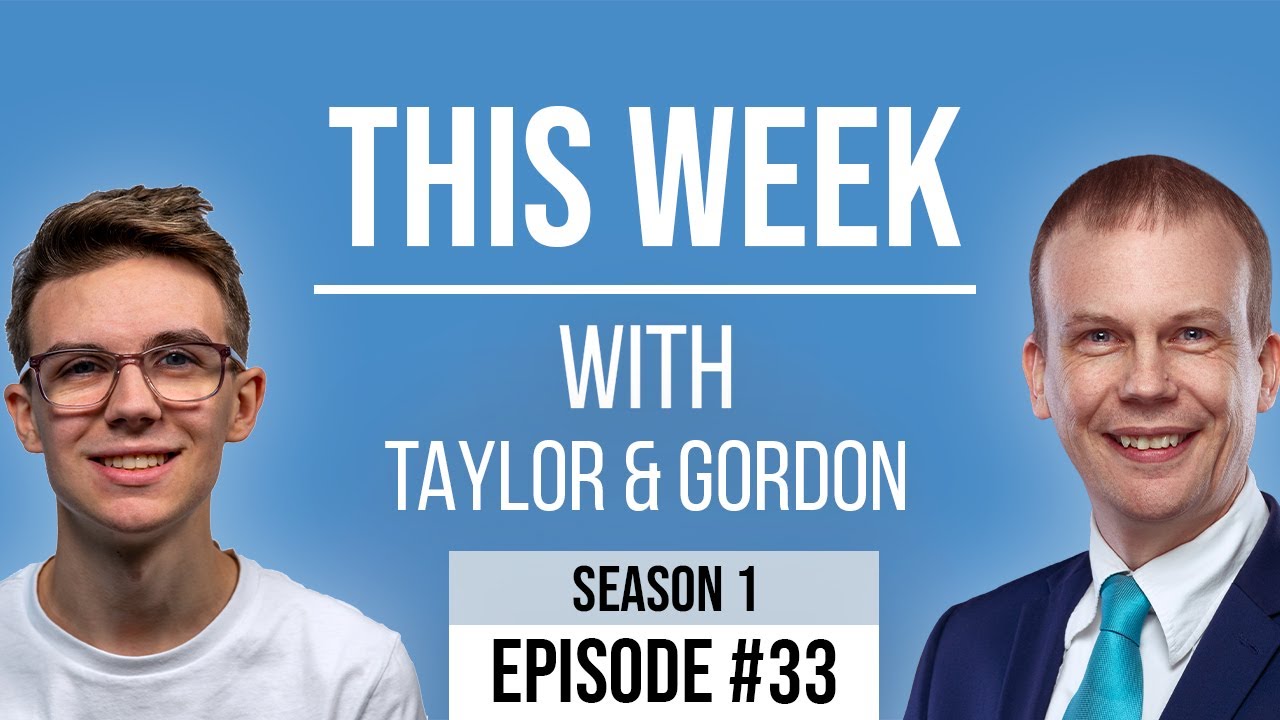
My name's Gordon from Drayson Design.
[00:00:13.360] - Taylor
And I'm Taylor from The Creative Tinker.
[00:00:15.460] - Gordon
And welcome to "This Week With Taylor and Gordon," a weekly podcast and vidcast, where we talk about things that we've had affecting our business, or challenges, things that have happened in our business over the last seven days. And welcome back to those people who join us every week. Thank you so much for joining us again. It's been a busy week, as always. Lots of little things have happened this week for me, actually, just to sort of catch up with a little bit of news. A friend of mine is over in this country now. He's come from America via Spain. So he's currently self-isolating. But the rules in the UK are changing so that instead of having 14 days of isolating, I believe it's now five days and then you can have a test. And depending on what the outcome of the test is, will depend on whether you have to spend the rest of the 14 days isolating or if you can go about your normal things, which is a nice upgrade to the...
[00:01:16.540] - Taylor
Yeah, I think so.
[00:01:17.590] - Gordon
Plus the vaccines are coming out as well. So things are a-changing as far as lockdown goes. So that is good news. So Taylor, has it been a busy week for you?
[00:01:29.350] - Taylor
Yes. So this week I have bought a couple of things because of like Black Friday and my birthday and things like that, and buying stuff before Christmas because I'm impatient. I bought an "Elgato Stream Deck" and this is mostly, well it was originally aimed at streamers so people that, on Twitch or YouTube and...
[00:01:52.420] - Gordon
So gamers.
[00:01:53.050] - Taylor
Yeah, gamers. And I don't stream, I don't game or anything like that. However...
[00:01:58.870] - Gordon
You used to though.
[00:01:59.110] - Taylor
Yeah I used to.
[00:01:59.960] - Gordon
Yeah.
[00:02:00.760] - Taylor
But I, I use it, I decided to get it because it's, for hotkeys so I can assign lots of shortcuts and hotkeys to it and it's like a little kind of A5 size.
[00:02:14.380] - Gordon
Smaller than actually, it's about A6 even, it's like postcard size.
[00:02:17.650] - Taylor
It's got 15 keys on it and each one you can assign to do something. So I've got them, so when I click on one it opens up a folder which has more hotkeys in it. And so I can assign opening apps; I can assign copying and pasting text; I can assign, you know, doing a multiple of actions like opening and organising windows. And it really is really useful for kind of setting up my workspace to be how I like it and being able to get back to it, because obviously when I can disconnect from my monitor, all my windows cram onto one screen, but then when I plug it in again, I want it to go back into the nice format that it was in. And so, you know, having these hotkeys allows me to quickly do repetitive tasks that I do a lot, just by the click of a button, rather than having to remember keyboard shortcuts - which they're all pretty much bound to keyboard shortcuts, but I don't have to remember what they are.
[00:03:10.210] - Gordon
So there's a couple of things we need to mention that you didn't mention here, is that each button has a little LED screen behind it so that you can actually create your own graphics or icons on the buttons, so that when you press them, you know what they're going to do, which is really quite clever. I've not seen a system that does that before with the buttons that are programmable. The other thing you mentioned was having your windows move so that they're in the right place. And we should say that that is an application on the Mac called "Moom."
[00:03:45.580] - Taylor
Yes.
[00:03:47.360] - Gordon
M-double O-M.
[00:03:47.680] - Taylor
So this is a bit like, it brings the functionality that Windows has where it's kind of like snapping to grid and, you know, you can click and drag in a corner and it will snap it to the top left corner or half a screen, for example.
[00:04:00.250] - Gordon
Do they get that normally then, do they?
[00:04:01.900] - Taylor
Yes, Windows it's built in, whereas Mac don't have that. And so it has that functionality, but it also allows you to save workspaces so you can put all your windows in an organisation. So, on mine I've got two 1/2 on the left so top left and bottom left, two in the, on the right hand side, so top right, bottom right. And then I've got my emails right in the middle, and that's how I have my monitor set up, so that everything is easily accessible.
[00:04:29.500] - Gordon
And we should say that "Moom" is a paid for app. You can get it on the Mac App Store, but I think it was £9.99?
[00:04:37.090] - Taylor
Yes.
[00:04:37.570] - Gordon
Something like that. So you know, if that sort of functionality is something that would be of interest to you, that's the sort of price you have to pay.
[00:04:44.950] - Taylor
And it's not limited to "Elgato Stream Deck," you can use it with a hotkey on your computer. But I can bind it because I've got the "Elgato Stream Deck."
[00:04:52.830] - Gordon
Yeah, it's actually got a few features from some software that we already use called "Magnet," which allows you to basically...
[00:05:00.230] - Taylor
The same as what, Windows has. It's just another alternative.
[00:05:02.290] - Gordon
Yeah, exactly. But this goes on and does more and has more features. So yeah, that's quite good. I should say that I was talking about Stream Deck with you, you were talking about Stream Deck and then I did some research on it. I sort of looked at videos to see what else it could do, because it's really good for OBS, which is, if you're streaming and you've got certain screens set up and so forth or even for Zoom, that sort of thing. And I thought, what else can it do? Is this the sort of thing that it will be limited to or can it do other things? And I found lots of people who were using it for things like "Final Cut Pro," which is our video editor. And you can basically set it up to do whatever you want or you can have it set up to load a web page in a browser just with one button. So that's really useful for us, because if we're working on a website, then, you know having a page of buttons with all the websites you're working on at the moment, you can just press one button and it will bring up the current site, is great, you know, very easy to do. Allows you to check things, because you can press it again and it will basically open a new window, which will refresh it if you've made some changes, and it'll open applications. And it will also allow you to have buttons per application. So if you've got an active application, it can show the buttons that are relevant for that. In that respect, it's a little bit like the touch bar on your MacBook Pro.
[00:06:39.140] - Taylor
Yeah, quite similar.
[00:06:39.770] - Gordon
But a bit more...
[00:06:41.780] - Taylor
Customisable.
[00:06:42.320] - Gordon
Customisable, yeah, that's a good word. So yeah, I am thinking about getting one myself, but I've got other things that are priority for me at the moment, so I need to do that.
[00:06:55.130] - Taylor
So what did we both do this week?
[00:06:57.420] - Gordon
So before we get to that, I just I should say that our normal place for filming this is covered. If you were to look the other side of this camera, there's Christmas presents in the process of being wrapped; there's a Christmas tree; there's ornaments all over the fireplace. So this is a little unusual for us. And we are using some new changes in our filming set up as well. We should mention that. So what we have been doing is we've been using a little credit card sized tripod, which is not a tripod at all, but it's a holder for a phone.
[00:07:37.043] - Taylor
A stand.
[00:07:37.070] - Gordon
It's a stand, yeah, that's a good... But you can move it forward and back and set the angle, which is really cool, and it goes back into a credit card size, so you can put it into your wallet.
[00:07:46.970] - Taylor
Yeah.
[00:07:47.870] - Gordon
Something I bought on Kickstarter. We should talk about Kickstarter in another episode. But today, for the first time, we are using a "Gorillapod," with a tripod...
[00:08:02.870] - Taylor
Ballhead.
[00:08:03.410] - Gordon
Ballhead adaptor on top of that, and on top of that is a mobile phone holder. So, we could use my DSLR camera, but because of the fact we have to set this up every week and, you know, we're just going live with it for, you know, half an hour or so each week, it doesn't actually seem worthwhile doing that. So we're trying to find easier ways of doing it. So, yeah, I think this is... Well, you'll let us know. Tell us, are we straight? Are we wonky? Because I'm looking at it and I'm not sure at the moment.
[00:08:40.700] - Taylor
Yeah, it's your dodgy setting up.
[00:08:42.460] - Gordon
Yeah, I know. Yeah. It's funny because the tripod's a bit like that and then the heads a bit like that.
[00:08:47.270] - Taylor
So it balances out.
[00:08:49.340] - Gordon
Yeah, maybe. So yes, something that I wanted to talk about, which we've discussed briefly previously, is password managers. Now there are lots of password managers out there. If you haven't got one, I highly recommend you stop whatever you're doing now. Well, obviously, watch the end of this, because that's really important. But at the end of this, whatever you're doing, put it on hold. Go and get yourself a password manager. Now, the one that we use a lot is called...
[00:09:20.780] - Taylor
"1Password."
[00:09:21.680] - Gordon
"1Password." Thank you. Sorry I was just thinking, we've got a microphone here and I'm thinking it's come down because I can see it and I'm wondering if it's in shot now, which will be a pain if it is. I think maybe it's because I didn't put a weight on the other side like I normally do and it's slowly just working its way into the shot. So yeah, I've got a microphone on the top of my head. That's my fault. So, yes, "1Password", which is the number one, and then the word password all one word, no spaces, is the one we use. It's one of the more expensive ones.
[00:09:55.820] - Taylor
Yeah.
[00:09:56.540] - Gordon
It's one I've been using forever though. So to move from one to another is quite difficult. There's others called "LastPass," can you think of any others?
[00:10:05.660] - Taylor
There's one that I use with my client called "Keeper." Again, similar, they all have pretty much similar functionalities.
[00:10:13.180] - Gordon
Yeah. So let's just very briefly explain what they're for. Whenever you go to a new website, you sign up to the website, you're asked for a username which is normally your email address or a username, which can be the same, that's fine. And then it asks for a password, and normally you type in a password that you're going to remember. And the problem with that is, there's only so many passwords that you can keep in your mind at any one time. And you end up thinking, "oh my goodness, what was the password for this login? What is the password for this login?" And then the way to cover that is to just use the same password for all of them, which defeats the object of having a password.
[00:10:55.690] - Taylor
Yes.
[00:10:56.080] - Gordon
Because if you do that, if someone gets hold of your password, then they can use that password anywhere and they can guess your username, they can guess your email address, and security goes out the window. So, what you should be doing is using a different password for every single service that you have a sign up for and, make it a long string of characters, letters, symbols, upper and lower case, so that it's completely random. Because sometimes you have hackers who have software that will just attempt to work out what your password is by going through a dictionary, basically. And so if you've got words in there, it's going to find your password a lot quicker than if it's just a random string. And the problem is remembering them all.
[00:11:50.520] - Taylor
Yes.
[00:11:51.190] - Gordon
And that's what the password manager does for you. So in our case, with 1Password, it has a plug-in for your browser. And when you go to a website, you click on this 1password and you have to type in, the first time you use it on that day, you have to type in your one password, which is the password to get you into the password manager. And this then allows you to click one button and it'll automatically populate the username and password for the website you're on and takes you through into that site, without you having to remember it. And if you have to change it, it will remember the updated password.
[00:12:30.040]
So they do have, this is becoming quite more, quite a lot more popular with browsers. So browsers have their own password manager. So Apple has their "keychain," which is...
[00:12:41.020] - Gordon
Keep talking, I'm going to sort the microphone out.
[00:12:42.950] - Taylor
They have the "keychain," which is basically, it's Apple's version. So if you have an Apple devices, it will kind of hold and it will save them for all your devices, which is really good. So if you're trying to access a website on your phone, for example, it will carry across and vice versa. Browsers also have it. So Chrome and Firefox, I know, have their own built in one. Again, you have to be signed in and obviously you use those browsers on your phone if you want to access them. But having one place where they all are is really nice because it means that you can use them cross browser and cross platform and easily have access to them all.
[00:13:20.590] - Gordon
Yeah, and that's true. And because I've got it synchronised with my computers, my iPad, my phone, it means that whenever I'm out and about, if I need to login to a website, I've got my phone with me and I can look up the password and manually type it in. Obviously, it won't allow me to do it automatically, but it will allow me to get into....
[00:13:39.970] - Taylor
But you're not limited to...
[00:13:40.990] - Gordon
Whatever service.
[00:13:41.770] - Taylor
But you're not limited to what browser you can use.
[00:13:43.930] - Gordon
No, or computer. You know, I could go round to a friend's, I could go to the Apple Store and do some work or, you know, it doesn't matter. As long as I've got my phone with my passwords on, I can always get in.
[00:13:54.380] - Taylor
Yeah.
[00:13:55.120] - Gordon
Now, the issue we had, is that between the two of us, we buy lots of software. Whether that be a lifetime deal or an annual or a one off. Either way, there's lots of logins and usernames that are involved. And because we quite often share our purchases, because they're of use to both of us, I'm forever sending Taylor a message saying, "look, I'd like to use this, what's the licence key" or...
[00:14:24.760] - Taylor
If you looked at our messages, you'll just see random strings of characters, no context at all.
[00:14:29.380] - Gordon
Which are just passwords, but not telling you what they are, because we're being security conscious.
[00:14:33.640] - Taylor
Yeah.
[00:14:35.020] - Gordon
So what we, what I thought in the back of my head is that, with 1Password they save all of your passwords into what's called a vault, which is basically just a file that in my case is stored on Dropbox, which is why it synchronises with all the different devices. And somewhere in the back of my head, I remembered the fact you can have more than one vault. And I thought, I wonder if you can have more than one vault that's active at the same time. So I had a look, and sure enough, it is possible. So I suggested to Taylor that we set up a vault that is shared between us and we can then put all of our logins and purchases and licence keys because it doesn't just do logins, we should say that, it's got security notes. You can put your credit card details, your bank details, and it's completely secure, which is great. You can put all those into the application. And for 1Password, you can use biometrics to unlock it, instead of having to type your password in, which makes it even more secure. But by having more than one vault, it allows Taylor and I to now share a vault. We can put our combined purchase logins and licence keys and so forth into that vault, which means it's going to automatically sync to my devices and it's automatically going to sync to Taylor's devices. And if for whatever reason, we have to change a licence key or a login, we just do it on this one place and it synchronises again to all of our devices. So we're always going to have the most up to date information. And I don't need to bug Taylor anymore and say, "what's your login for this website so I can download the latest plug-in." It's automatically going to be in my system, which makes life so much easier.
[00:16:28.360] - Taylor
Yeah, I mean, the original, I got the idea from a client, when she has, she uses "Keeper," which is again another password manager, she asked me to create an account and then she shared specific passwords with me that were relevant to the work I was doing for her. So she shared all the licence keys for the plug-in she'd bought, and also logins for hosting, for domain names and things. And she only shared the ones that are relevant, so she had to share everything, basically.
[00:16:53.950] - Gordon
Yeah, which is great because you can, as the client, you have full control and you can just stop access to those keys and licenses when the project is finished. And you won't have to worry that, you know, someone's still going to have access to your paid for products, which is really, really cool. There was one other thing I was going to mention about this. Oh, with 1Password, and that's the only one I have any experience with, which is why I keep mentioning it. They also have two features which are very, very important. One is 'compromised passwords.' So if a website gets hacked, then 1Password will tell you that the password for that login should be changed because it's been hacked, your password may no longer be secure, so it will tell you of any vulnerable passwords. It'll also tell you of duplicate passwords. So if you have used the same password everywhere, you can see where they're being used and go in. Every time you go to a site, it will tell you if it's been duplicated and you can then update it so you don't have to do it all in one go. And the other thing it will do is it will tell you if credit cards and so forth are about to expire, which is also very useful. Especially if you put them into things like Apple pay, because, you know, if it, or PayPal, you know. Which I am actually going away from PayPal because of their new terms and conditions. But I will talk about that in another episode because I want to make sure I'm clear on the information I'm giving. But PayPal have changed for the worst in a very big way. We'll talk about that again. But it'll tell you if your credit cards are expiring and you can put notes in there to say where you have to update the new card details so that you can make sure that everything runs smoothly and nothing expires.
[00:18:52.150] - Taylor
Sounds good.
[00:18:52.930] - Gordon
Yeah, I think I think that's it from me.
[00:18:55.000] - Taylor
And from me as well.
[00:18:56.410] - Gordon
Cool. We've got a busy day today, so we're not going to hold you up any longer. As always, if you have enjoyed it, or even if you haven't, just do it anyway. Please subscribe on Facebook and YouTube, like and share.
[00:19:10.090] - Taylor
You can also find us on our website at thisweekwith.co.uk, this has all of our past episodes, show notes and videos which you can go and check out.
[00:19:19.870] - Gordon
And how's the search facility coming that we mentioned about 10 episodes ago?
[00:19:23.620] - Taylor
Haven't got around to doing it.
[00:19:26.310] - Gordon
Right.
[00:19:26.310] - Taylor
I've been doing lots of client work and haven't managed to get around to this yet. But hopefully...
[00:19:29.560] - Gordon
Always the way.
[00:19:30.070] - Taylor
Sometime soon.
[00:19:30.850] - Gordon
Always the way. So, yes, hopefully there'll be a search facility there sometime soon. If I keep bugging him about it, it might happen. However, I have to say he's very busy, and he has been helping me as well with my new website for my adult magic, which is looking really good. Slow progress, but looking really good and I'm looking forward to sharing that with you. So thank you for joining us. Please come back and join us again next week, Friday at 1pm Facebook and YouTube. Until then, my name's Gordon from Drayson Design.
[00:20:06.280] - Taylor
And I'm Taylor from The Creative Tinker.
[00:20:08.180] - Gordon
We'll see you next week.
[00:20:09.230] - Taylor
Goodbye.
[00:20:09.620] - Gordon
Goodbye.