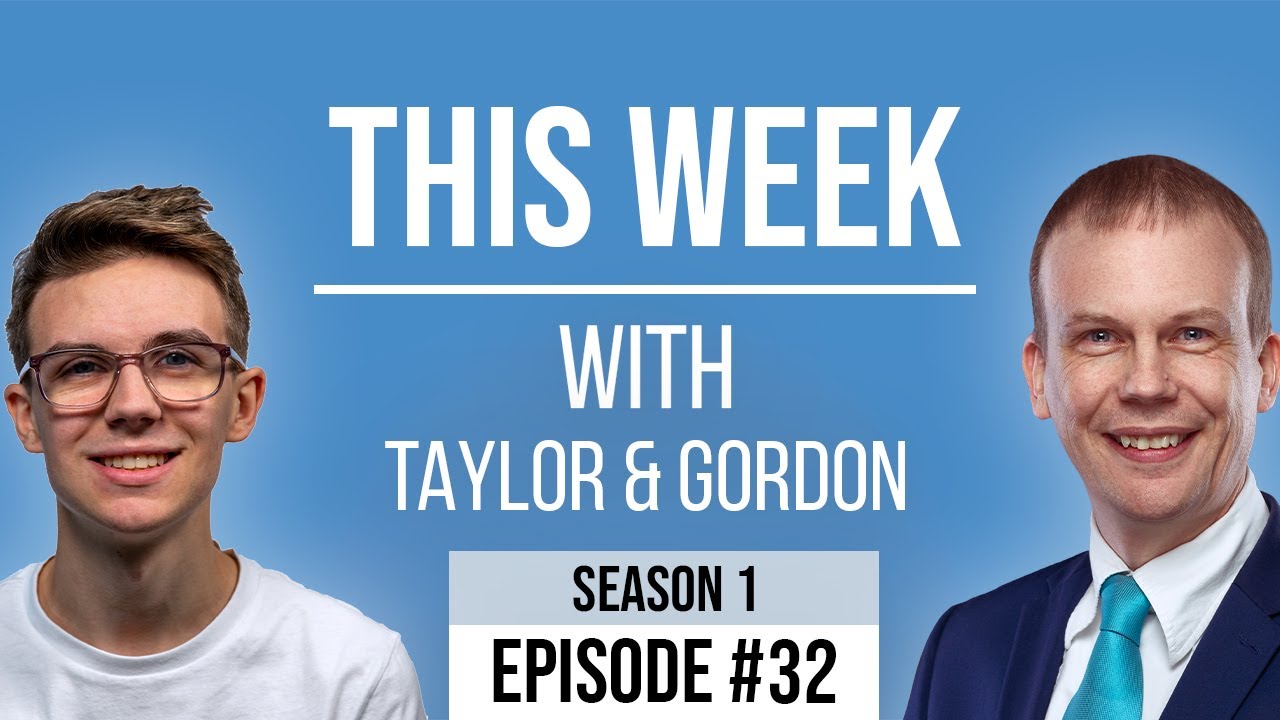
[00:00:10.400] - Gordon
Hello.
[00:00:10.880] - Taylor
Hello.
[00:00:11.450] - Gordon
My name's Gordon from Drayson Design.
[00:00:13.430] - Taylor
And I'm Taylor from The Creative Tinker.
[00:00:15.650] - Gordon
And welcome to "This Week With Taylor and Gordon," a weekly podcast and vidcast where we talk about things that have been happening in our businesses over the last seven days. And it's been a busy week, as it always is here, even though we are still in lockdown. It's quite weird because, I don't really notice the lockdown bit, because when you work at home in a home office, you don't go out and meet people as much as you do in other jobs.
[00:00:49.670] - Taylor
Yeah.
[00:00:50.660] - Gordon
And a lot of my work, even before lockdown, was done over the Internet by messages or we used to use Skype in the old days. Yeah. Using Zoom nowadays. And so it's very similar to normal for me. Are you finding the same?
[00:01:09.500] - Taylor
Yeah. I mean I was working from home before lockdown. I still am now. I guess the only difference is I'm not going out and having meetings with clients and just having them online on Zoom.
[00:01:19.430] - Gordon
Yeah.
[00:01:19.760] - Taylor
So that's the only real difference I think, which, I probably got more done because I haven't had to travel and spend all that time travelling between clients and all the rest of it.
[00:01:28.310] - Gordon
Yeah. And you do your breakfast meetings as well, which is done online at the moment.
[00:01:33.440] - Taylor
Yes.
[00:01:33.980] - Gordon
Whereas normally you, I guess, what time does it start?
[00:01:38.690] - Taylor
Half six.
[00:01:39.380] - Gordon
Half past six in the morning, which means that if you were travelling you would need to leave at?
[00:01:44.950] - Taylor
About sixish.
[00:01:45.770] - Gordon
Six o'clock, whereas at the moment you get up at?
[00:01:49.370] - Taylor
6:25.
[00:01:50.060] - Gordon
6:25, don't even have to get fully dressed I guess with Zoom.
[00:01:54.860] - Taylor
Yeah.
[00:01:55.340] - Gordon
Probably do though. Anyway, shall we start with our topics for the week?
[00:02:01.370] - Taylor
Yeah.
[00:02:01.670] - Gordon
OK. Shall I go first?
[00:02:02.810] - Taylor
Yeah, you go first this week.
[00:02:04.310] - Gordon
So something I mentioned a while ago is the "Wayback Machine," and I thought I would explain what this was, and why it's important, and what you can do with it. So it's a website I wrote down the URL, it's in the show notes as well. So that is web.archive.com and it's called the "Wayback Machine." And if you haven't tried it, go and have a play. It's really, really interesting. You can see what websites looked like in the past. And it's really quite interesting from a business point of view, because you can see where a particular client or company has come from, and what their web presence was when they first started, and you know, how it progressed, how it changed. In fact, let's have a quick look and see what Google looked like when it first came out. Very different to now.
[00:03:09.280] - Taylor
Yeah.
[00:03:09.700] - Gordon
And, so if you're doing research on a customer or they come to you, you can find out, you know, how old their company is as far as the Internet is concerned. You can have a look at their first ever website, and get an idea of what they like and how often they change their website. Because that's something else as well, are they the sort of company that got a domain name, put a website on it and have never changed it? I mean, that tells you something about the company, if they've been going for a long time, or are they the sort of company that moves with the trends, updates their website as and when they believe they need to, you know, keeps up with, you know, keeps everything modern and fresh. That's something else that's really interesting. The other thing is, you can go back and you can grab assets that maybe aren't available anymore. So if somebody used a photo or an image that they own the copyright to or it's, you know, an old logo or something along those lines, but they no longer have that image, then you can look at the "Wayback Machine," see if they can find it. Now, the way the "Wayback Machine" works is, it's always crawling the Internet, a bit like Google does, and it keeps snapshots of a website at that moment in time. Now, it doesn't necessarily keep all of the website. It might just keep a few pages like the Home Page and maybe a few links from that page. Sometimes you're lucky, sometimes it's got more. Sometimes you're unlucky and it's got less. Sometimes it's not even on there. But it has a sort of a timeline view. So you can go back in time to see what it looked like in the past, and you can go back maybe you know, a year. You can go back sort of five years, 10 years, 15 years, you know, and you get to see when a snapshot was taken. Now, that snapshot might have been taken because there was a major change on that website. It might have been taken because just a few things changed. It might have been taken because it was taking more pages from that site and adding to its archive. But it's a really interesting historical view of the Internet. You can go back and see what MySpace looked like. You probably don't know what MySpace is do you?
[00:05:49.690] - Taylor
No, I never used MySpace.
[00:05:50.690] - Gordon
So MySpace was like the first ever social media website. And if you're my age, you probably had a MySpace page. Funnily enough, I didn't. I wasn't really into social media at the time, and it was more music based and it wasn't something I was wanting to do for me. But you can go and have a look, see what MySpace used to look like. And it's a really nice snapshot of the Internet at that time. So all you have to do to do it, to search is to decide on the website you want to visit. You can't just go back in time and go, "right, show me the Internet as of now." You actually have to physically type in a URL and go back, and it will only show you the history that it has. So you can't go sort of further back than the thing existed. But it will give you indications as to when it has a snapshot. And it's really interesting. Have you tried it yourself?
[00:06:54.170] - Taylor
Yeah, I've used on quite a few different sites just because I was curious about what things looked like or if I needed to reference old websites when I was updating them. Then it's really useful.
[00:07:03.710] - Gordon
Yeah. And I believe you can link to snapshots as well. So you can have a specific URL which will take you back to the snapshot that's held at the "Wayback Machine." So it's, I mean, for example, my disbelieving.com website, which is the website I use for my children's magic, that has undergone many different iterations. It has changed many times. Probably three main overhauls, I would guess, from the initial website. But all three of them are on the "Wayback Machine." So go and have a look, go and see what you think of my first ever website, which is effectively what disbelieving.com was, right back, I don't know when it would have been. It would have been '97, '98 around that sort of time. That's when I built the first website. So, yeah, really interesting resource.
[00:08:10.940] - Taylor
So this week I want to talk about staying organised. So, you know, when you run your own business, there's normally two types of people. And I was talking to a VA actually this week.
[00:08:21.470] - Gordon
Virtual Assistant?
[00:08:22.260] - Taylor
Yeah.
[00:08:22.670] - Gordon
Yep.
[00:08:23.240] - Taylor
And she was telling me that there's two types of people: people that are organised and people that are pretty chaotic and unorganised.
[00:08:31.580] - Gordon
And I'm guessing a Virtual Assistant will know.
[00:08:33.890] - Taylor
Yes.
[00:08:34.490] - Gordon
Depending on her customer, she's going to have several from each camp I'm guessing.
[00:08:37.980] - Taylor
Yeah, and it's really interesting because some people, you know, they just do their job, whether that be like a trade or something, and you know, all their receipts, all their accounting, and all their emails are all very... They just live a chaotic life and there's no real system to it or anything, which is why people hire VAs to manage it for them. And I was kind of thinking about it. I would say that I was quite organised in terms of, I like things a certain way, putting things in systems, everything's kind of black and white with me, it's either it is or it isn't. And I guess that comes down to the way I think in terms of, you know, when I'm programming and things like that.
[00:09:18.050] - Gordon
Well, you have to be organised don't you? Because if you're programming, if you're writing code, you need to make sure that it's clear and understandable so that when you go back to it, not if, but when you go back to it, you'll be able to make sense of it.
[00:09:30.510] - Taylor
Yeah, exactly. And it kind of, that's the way coding languages work. They work in a systematic, they follow one after the other. And I guess that's how my brain now just works, because I'm used to that. And it was really interesting because there's lots of different ways you can stay organised: making sure that you set up rules in your inbox, for example, so I highlight and colour code all my emails so that I know which ones are from which e-mail address. You know, you can organise your folders and files so you know where everything is. So I have a major, a massive clients folder which has every single client that I have with links and all their resources inside of Dropbox. And then, you know, even your work area, where you where you work, keeping that tidy, you know, they say tidy desk, tidy mind or something like that. And, you know, it is true. If you have a nice desk and it's clean, you're going to want to do good work. Whereas if you're kind of messy with lots of paper everywhere, you know, you're going to struggle to find things and everything.
[00:10:29.550] - Gordon
And an easy way to find out what sort of person you are, is to have a look at your desktop. Not your physical desktop, your computer desktop. Do you have things all organised carefully in folders? Do you have them in different places on your hard drive and keep your desktop clear? You know, it's a very quick and easy way to find out...
[00:10:52.650] - Taylor
Exactly.
[00:10:53.040] - Gordon
Which one of these people you are.
[00:10:55.800] - Taylor
Yeah. So, yeah, that was...
[00:10:56.890] - Gordon
Why is that important, though? I mean, staying organised obviously makes it, makes your life easier in some respects because you can find what you need when you need it. And I'm guessing the Virtual Assistant will work for both. So the people who are unorganised, they need somebody to organise things for them. So a Virtual Assistant's perfect for that. But, someone who is very organised can also make use of a Virtual Assistant by being more productive.
[00:11:29.280] - Taylor
Yeah.
[00:11:29.730] - Gordon
So they can just hand over tasks that they know they can do, but, you know, there's not a great deal of skill or creativity needed for that. So they can hand... I'm not saying Virtual Assistants aren't skilful, but it's the sort of job that a Virtual Assistant could take on without knowing the full situation of everything.
[00:11:49.590] - Taylor
Yeah. So, I know a bunch of people that are both in the chaotic and organised. And both of them said that it's, both different types of people say that it's really useful if you're chaotic because they organise everything for you. But the people that are organised, they said that it just, it frees up their time and they can do so much more and they can actually focus on what they enjoy doing, what they're good at, rather than doing the boring admin stuff that no-one really..
[00:12:13.020] - Gordon
That the Virtual Assistant is perfect for.
[00:12:14.760] - Taylor
Yeah, and it's also good for, if you want to scale, or if you're ever going to kind of grow your company or your team. Because if you've got everything organised, then you're going to have systems in place for onboarding; you're going to have places where they know that people can find anything, so if they're looking for files, you know they're going to be in a client's folder under the name of the company. And so it will make, you know, growing and expanding a lot easier.
[00:12:40.470] - Gordon
So what made you think of Virtual Assistants? Are you considering looking to get someone to help you become more productive?
[00:12:46.800] - Taylor
So I am currently talking to a prospective client, and she's a Virtual Assistant.
[00:12:53.160] - Gordon
Ok.
[00:12:53.160] - Taylor
And I've spoken to a number of people within BNI and outside, that also have a Virtual Assistant, and they just said how useful it is. And I find that a lot of the stuff that I do, I probably could do myself, and I have everything organised, but it takes away a lot of the stuff and time that I have to do other stuff like, you know, building websites, which is what I want to do and what I enjoy doing. Whereas I don't enjoy, you know, doing my accounts and things like that where, you know, I'd pass it on.
[00:13:21.300] - Gordon
Things that as a self-employed person you have to do, because it's your business and there's no one else to do it, unless you get a Virtual Assistant. So is this Virtual Assistant thinking about having a website with you?
[00:13:34.860] - Taylor
She currently has a website, although she wants to kind of redo it. And she changed branding halfway, later down the line from when it was first built, and so it doesn't reflect her services she now offers. And also the branding. So she wants to just tidy it up, make it more polished. And just, yeah.
[00:13:54.300] - Gordon
So maybe that's something you could consider when talking to this new prospect, and that is to offer, you know, on your Home page, two different types of ways to go. Are you an organised person? Are you a disorganised person? And, you know, you can take people off to different pages, which will then talk in the language that that person understands. You know, "you're very organised, but you maybe don't get enough time to do everything you want to do, so hand over the things that I can do for you and give yourself more time." And then on the other side, you know, "you're not very organised, so talk to me and and see what I can do to help organise you and keep you on track."
[00:14:40.870] - Taylor
Yeah, definitely.
[00:14:41.500] - Gordon
That might be a way to go for for that potential customer.
[00:14:44.680] - Taylor
Yeah, definitely so it's something we're going to kind of discuss and then thinking about, so.
[00:14:48.160] - Gordon
Fantastic. Cool. I think that's it. Have you got any news?
[00:14:52.120] - Taylor
No, that's it from me really.
[00:14:53.810] - Gordon
OK. So that's it from us today. Thank you for joining us. As always, you can find us on YouTube and Facebook and our videos are live at one o'clock on a Friday. Or you can see the recordings there.
[00:15:09.340] - Taylor
And you can also find us at thisweekwith.co.uk, which has all of our past episodes, audio and video and also the show notes.
[00:15:18.490] - Gordon
So please like, subscribe and share. If you know someone that you think would be interested in this sort of podcast and vidcast, please share it with them. Please tell them about it so that we can we can grow our viewership and our audience. That's everything from me.
[00:15:36.580] - Taylor
And that's everything from me.
[00:15:37.660] - Gordon
So thank you for joining us. My name is Gordon, you can find me at draysondesign.com.
[00:15:42.610] - Taylor
And I'm Taylor from The Creative Tinker.
[00:15:45.340] - Gordon
We'll see you next week at one o'clock on Friday.
[00:15:48.880] - Taylor
Goodbye.
[00:15:49.410] - Gordon
Bye bye.