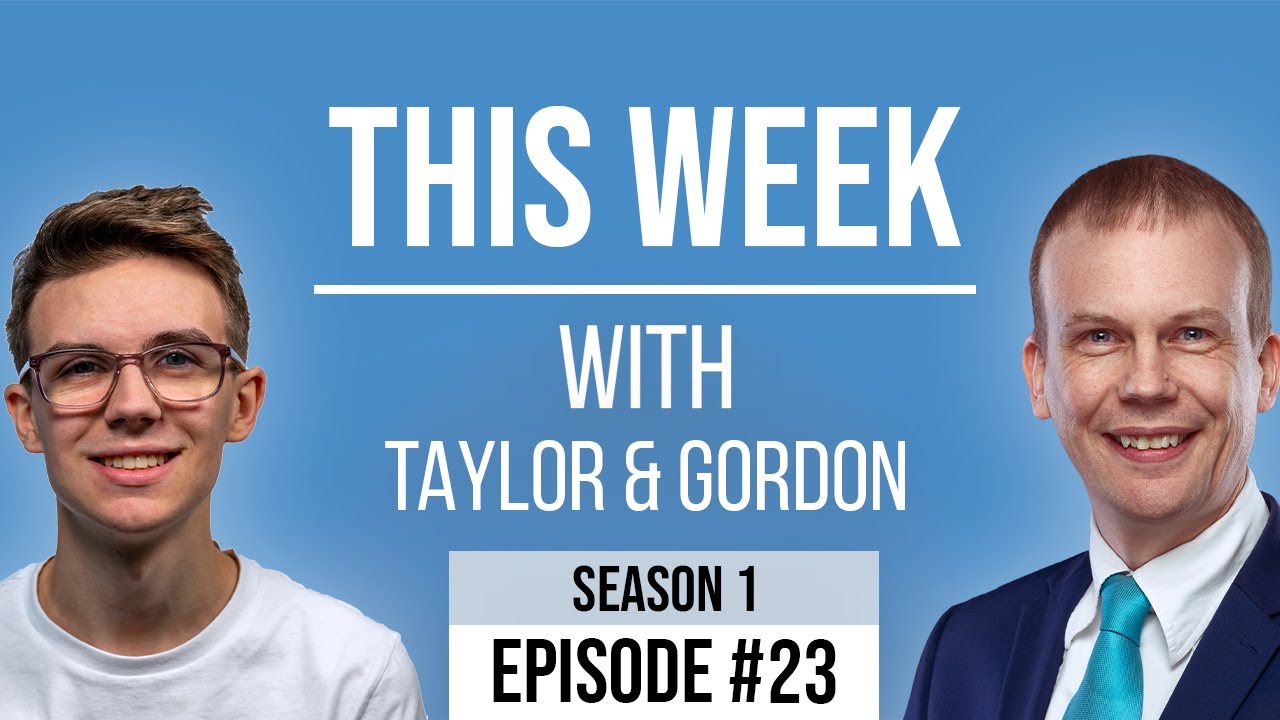
[00:00:09.360] - Gordon
Hello.
[00:00:09.840] - Taylor
Hello.
[00:00:10.230] - Gordon
My name's Gordon from Drayson Design.
[00:00:12.180] - Taylor
And I'm Taylor from The Creative Tinker.
[00:00:14.280] - Gordon
And welcome to "This Week With," a weekly podcast and vidcast where two business owners talk about their business and things that affect them, and things that have affected them in the last week. So we hope you're all very well. It's been, the weather's changed a bit, hasn't it?
[00:00:32.640] - Taylor
Yeah, it's got a lot colder.
[00:00:33.860] - Gordon
It's got a lot colder. So we are starting to put the heating on, which we haven't done for a long, long time. And I've got my jumper on today. I notice you've got a very nice "Creative Tinker" embroidered one. And today, look, this came in the post. This is my "Drayson Design" hoodie, which was sent to me by Rob Gaffney, who owns a company called "Custom Shirts and More." And I think it's great. It's very, very soft. It's very, very, very nice quality. And the embroidery is just excellent. So if you're looking for embroidered clothing or other, he does other things as well.
[00:01:15.630] - Taylor
Printing.
[00:01:15.630] - Gordon
Printing on all sorts of things, mugs and all sorts... Just go see his website, have a look. The link will be in the show notes. So, can I tell you about what I've been doing this week?
[00:01:26.100] - Taylor
What've you been doing this week?
[00:01:27.060] - Gordon
So I've got "Airtable," which is an application that we've discussed in the past, and I use it to keep track of all my Drayson Design customers that host with me and have renewals that come up on a repetitive interval, so like every year for example. And when I added everything, everyone to the system, I made a little mistake. The mistake I made, was that I looked for all of the renewals that were going to be from today onwards at the time I exported.
[00:02:03.510] - Taylor
Yeah.
[00:02:04.200] - Gordon
Which is fine for all of those ones that are not coming up yet. However, there were some renewals that hadn't been renewed but had already expired. Now I always try and contact my customers when something like that happens, just in case they haven't received the email or they weren't aware of it. If I haven't had any response to say, "yes, I'd like to renew" or "no, I don't want to renew," it's always a good idea to physically phone them up and just, or message them and just say, you know, "you haven't responded, did you want to let this go or did you want to renew it?" And so that's what this system is basically set up to do. However, there were a few renewals that fell through the cracks, because they had already expired and I hadn't had the renewal notification yet. So this week I've been through and I've been looking at the ones that have fallen through the cracks, added them in, contacted them personally just to say, "look, this renewal was due, you know, back a few months ago. Did you want me to renew it for you? I've kept the services running. Just wanted to check if you still needed them or not." So that was good. And something I noticed that I know nothing about, but Google have come out with their own version of Airtable. So Airtable is a bit like a database and a spreadsheet combined. It has functionality that you would get in both of those different types of application. And Google have come out with their own version. I'm going to look into it. And if it's something that I think will be of interest to our viewers, then I will tell you all about it on this podcast. So that's been pretty much the most important thing I've done over the last seven days there's been lots of other things, like, just very quickly, I made a really nice photo book for my parents, which is a personal project. It was their fiftieth anniversary, and I took photos at their wedding anniversary and as a present I put it all together, had it properly printed into a lovely hardback book, and that got given to them during the week and they loved it.
[00:04:15.830] - Taylor
It was very nice.
[00:04:16.680] - Gordon
Thank you. It was really good. Some lovely photos and a nice keepsake, something they can put on their coffee table and people can just have a look at when they come round to visit.
[00:04:27.870] - Taylor
Awesome.
[00:04:28.200] - Gordon
What have you been up to Taylor?
[00:04:29.520] - Taylor
So this week I have been on a bit of a spending spree. Kind of lifetime deals and software that can help me improve my workflow or kind of speed it up, or improve the skills and the quality of my work. And I I bought a course this week. So not a software a course, and this is for animation. So kind of, it's using the JavaScript library called "GSAP," and what it allows you to do is, it allows you to create really cool animations. So, an example of this, although they don't use it, is Apple. So Apple's websites and their kind of product pages are very in-depth, very kind of over the top and really nice to look at. And as you scroll down the page, you know, you get animations where the laptop's opening up or you've got, you know, something spinning or whatever, and this is what this basically does, it's similar to that kind of effect.
[00:05:37.010] - Gordon
Can I just point out, we're talking about animation for websites here, because you could be doing animation for video, but this is specifically for websites right?
[00:05:45.160] - Taylor
Yeah. So, it's kind of "on scroll animations;" as you scroll down, things move from left to right on the page or...
[00:05:50.960] - Gordon
Which looks great. And it's nice to have interactivity, isn't it?
[00:05:53.870] - Taylor
Yes. So I want to learn this to kind of improve my knowledge and skills, and be able to offer a more complex and advanced and better service than my competitors that don't have this knowledge and can't offer stuff like this. And I think that animation is very overlooked because too much animation and your website looks kind of outdated and very...
[00:06:21.960] - Gordon
It looks gimmicky, doesn't it.
[00:06:22.800] - Taylor
Yeah, but, you know, having a small amount of animation that enhances and doesn't distract it but...
[00:06:29.960] - Gordon
Catches the eye.
[00:06:31.370] - Taylor
Yes, so that's one thing. So kind of, having animation that helps you. So, you know, maybe having an image sticking on the left hand side of the screen, and as you scroll the text changes on the right, but the image on the left stays the same. And you get more information than what you would be able to see just by scrolling, and it's a lot more compact. And a lot nicer for the viewer because, you know, you don't feel overwhelmed with a big, long page. Or, you know, showing off something that you offer in a different way that your competitors would, and so it's giving you the edge and the... Differentiating your website to your competitors. So, yeah, so that was something I wanted to offer.
[00:07:14.810] - Gordon
So something I quite like, is when you see on a shop page, for example, you can see the product image and the buy button with the price and there might be a load of description which might be several pages long. And if you can have that image, and the price, and the buy button, stay on the screen and scroll down with you as the text scrolls up, it makes it a much better user experience. And I think that's what animation needs to do.
[00:07:41.540] - Taylor
Yeah.
[00:07:41.900] - Gordon
It has to be, at the end of the day, it has to give the user a better experience, not just putting in there for the sake of it.
[00:07:49.610] - Taylor
Yeah. So it's enhancing and making it, it should be subtle enough that people don't realise that there is animation going on. That's what it, it shouldn't distract you from the main focal point of the website. Amazon do this a lot with their product pages; their image stays sticky on the left. And as you scroll down, you can still see the image until you get to the bottom of the description.
[00:08:14.150] - Gordon
Yeah. And they have been testing that, we know, because Amazon always tests. So it just goes to show, they improve their sales based on that. So that's done for not only a user experience, but to make more sales.
[00:08:27.770] - Taylor
Yeah.
[00:08:28.340] - Gordon
You know, a point one of a percent more sales for Amazon is a huge amount.
[00:08:33.570] - Taylor
Definitely.
[00:08:34.170] - Gordon
We've said this before.
[00:08:36.170] - Taylor
So what about you this week? What's your topic?
[00:08:38.870] - Gordon
So my topic of the week is how to increase your chances of getting emails opened. OK, now we all send emails to customers, sometimes they're new customers, people that have only just joined you; sometimes they are prospects, so they're not customers yet; and sometimes it's to customers who've been a customer for a long, long time. But every now and then you've got an email that you want to be open for various reasons. It might be that you've got a sale on and that's quite an important thing to let customers know about. It might be that there's an update to something to do with your company, and it's really important that your customers know about this update because it's going to make sure that you haven't got to then support them in the coming months because they didn't read this email. There's lots of reasons why you might want your emails opened. And if I do a few, maybe you can think of a few as well, because I'm sure you've got some. So my number one tip would be to include the name of the person that you're sending the email to in the subject title. Now, if you see your name in the subject title, you assume it's not spam because most spam emails don't have your full name or your name to any point where they'd actually want to use it. It's normally very, very generic. So if you can put, "Taylor, we have some important information about your hosting."
[00:10:12.620] - Taylor
It's a lot more personal and you feel, even if it is a campaign, for example, and you've send it out bulk to people, it still looks personal and looks like you sent it individually.
[00:10:22.190] - Gordon
That's right. And so if you've got the right software, you can actually use placeholders, a bit like "mail merge" on "Word" I was going to say WordPress then, mail merge on Word. If you've ever used that functionality and you're sending lots of letters out and printing them and you have a list of people and it just replaces the name and so on, it's exactly the same thing that you can do with emails. As long as you've got the right newsletter and sending service, they'll allow you to do that. "Mail Chimp" will allow you to do that, for example. So that's the first thing. The second thing is, you have some, a certain number of characters and I don't know how many it is, which are shown as part of the message in an email client.
[00:11:08.720] - Taylor
The preview text.
[00:11:09.930] - Gordon
The preview text. Now, normally it's the first the first sentence or two of your content that's used, but not always because quite often, the first sentence of your content is going to be, "if you can't read this, click here to see it in a browser."
[00:11:30.020] - Taylor
Yeah.
[00:11:30.380] - Gordon
Well, that's not what you want. That's not going to make people want to open the email. So there are ways to create a preview text in addition to the normal email, so you can actually craft it properly to help it, help people who are receiving the email know what it's about and encourage them to open it. And that's a really, really big tip that.
[00:11:54.530] - Taylor
I've got a, one, is have your most important information above the fold. For desktop it's a lot easier, you have a lot more space, but for mobile, especially, you have a certain height and space to show off what you offer, or what you're trying to get across to your client, customer, whoever it may be, and making sure that it grabs the attention. So making sure you've got big, bold heading at the top with an image maybe. And those two alone should grab the customer/client and it should tell the whole email is about and should make them want to scroll further.
[00:12:34.270] - Gordon
Yeah, bit like a newspaper headline does to grab you, your attention and get you to read that article. It's exactly the same.
[00:12:41.240] - Taylor
Yeah.
[00:12:41.990] - Gordon
Same as you would on a web page, in fact.
[00:12:43.700] - Taylor
Yeah, definitely.
[00:12:45.110] - Gordon
Another tip is if you are using images, which I recommend. It does depend on what it is you're doing. Not always, sorry, not every application needs an email. If you're an affiliate marker, er marketer, then sending text only emails has been proven to get more clicks. I'm guessing it's because it downloads quicker and it gives them more chance to just, you know, be heavy with the copy, with a call to action in there. Personally, I like emails that look good. So I mean, we both have custom signatures which are not only the base of the last bit of the email where it has your name and your sign off, but it surrounds the whole of the content, so we've got a nice sort of graphic to show what, who the email has come from, we've got, you know, a background colour, and this will only work with HTML emails and with HTML clients, but most of them are these days.
[00:13:57.118] - Taylor
Yeah.
[00:13:58.180] - Gordon
If you're viewing it on a watch, which I don't think many people do. But if you're checking all your emails on your watch, you're not going to get your graphics showing well on there, so don't even bother with that.
[00:14:10.260] - Taylor
I've got another tip.
[00:14:11.020] - Gordon
Yeah, go ahead.
[00:14:12.250] - Taylor
Is making sure your images are hosted externally. So this is what I find a lot is, a lot of people that send emails that are just you know, they're not kind of campaign emails or anything and they're just to customers or clients, is they will put their logo in the their signature in the bottom. And every time they send this email, they are sending an attachment with their image logo.
[00:14:37.540] - Gordon
Yeah.
[00:14:38.230] - Taylor
And it's, it takes up space. So if you wanted to send a file to someone, you have already reduced the amount of the file size you can send because your logo...
[00:14:48.820] - Gordon
And if you've got several images, and you're attaching all of them, all of a sudden you've got a load of space that's already taken up file size wise that you can't then use for an actual attachment.
[00:15:02.740] - Taylor
And the other thing is it takes longer because you have to fetch all the images and then download them. Whereas if you're loading them from a website or a kind of 'CDN' maybe, which is a 'content delivery network,' which basically is a cached version of the images, it's going to be a lot quicker to load all the images.
[00:15:23.710] - Gordon
And following on from that tip, which is great, is that if you make sure that when you specify an image within your email, you use a specific URL, it means that you can change that image any time you like. So, for example, if you've got a product image and it's got the price embedded in the image, then when you change the price of that product, all you have to do is to change the hosted image that you're sending in your emails, and automatically anybody who receives an email from that moment on will get the new image with the new price, but, this is the best bit, all of the previous people who've already received your email will see the new image. So as it's not attached to the email, it's just going to pull in the image from the Web server, every time you open that email, and if you've got a new image with a new price, new contact details, whatever it is that people who've got the email six months ago, three years ago, they're going to see the up to date information, which is huge. It means your emails are always going to show the correct information, even if they open it from the past.
[00:16:41.260] - Taylor
You just need to make sure that the the URL is the exact same. So you delete the old version and upload it, because if you upload it while the previous is there, it will normally append like one next.
[00:16:52.730] - Gordon
Correct.
[00:16:53.170] - Taylor
And that won't work, so you need to make sure you delete the old one and re-upload it with the exact same filename.
[00:16:58.390] - Gordon
So if you're doing that on WordPress, the best way to do that is to put it into your media gallery. It will then give you a URL that you can use, and there is a plug-in that you can get that allows you to replace images. And what it will do is, it will just get rid of the one that's there, put the new one up and give it the same file name. And that's the best way of doing it. I have another one.
[00:17:20.500] - Taylor
Yeah.
[00:17:21.460] - Gordon
If you have a video that you want people to see in your email, do not include the video as an attachment. That's the worst thing you can do because it forces people to download the video, whether they're going to watch it or not. And the quality is going to be very low because you've got about five megabytes or so that you're guaranteed to get through on email, which is not very big. So the best way to do it is go to wherever you are hosting your video. It could be YouTube, Vimeo, anywhere like that, Wistia, and grab a screenshot of the player page. So basically the image of your video with the play button on it, use that image that's hosted on your website or somewhere on the web, use the URL of that image in your email and then your, people open the email will see the image with a play button, they will assume it's a video that they need to click on. The play button is important because that's what's going to get them to click on it. And as soon as they click on it, it will open a Web browser, it will go to the right place, and it will show your video no matter how long it is in the highest possible quality.
[00:18:36.260] - Taylor
And an advantage of that, is you can host it on your website and embed it into your website, and that means you've got them to your website and, you know, you've got, you can from there direct them, if it's a specific landing page, for example, that has a special discount or something, you've got them on your website now and you can then direct them to whatever call to action you have set in place.
[00:18:57.470] - Gordon
Yeah. Now we've moved away a little bit from how to encourage people to open your emails, but there's lots of really good best practises here. And the last one that I think I've got yeah, the last one is very similar to what you were just saying, is if you are linking to content, so, for example, you've got a price list and you have a PDF. Again, don't include it in the email because it's going to be dated. Have a link that goes to a page on your website or even to the, exactly to that PDF, although I know you don't like that version. Have a page, or the PDF, put that link in, and again, when you want to update it, just update the page, just update the PDF and then anyone who clicks on that link, even if they received the email three years ago, they will see your most up to date prices. And that goes for anything that you want to update. If, it might be an ebook, for example, have a link, get them to go to that page, and then you can always update that ebook as things change.
[00:20:06.410] - Taylor
Yes. So a bit aside from email, but along the same type of lines is one of, someone I know, Nick. He does work for a restaurant and they have a menu and it's in PDF format. And because of the current situation, it's kind of, you can't really have physical copies because of, you know everyone's gonna be touching them. So what he's decided to do is, he's created a QR code. And in that QR code, it goes to '/ourmenu.' And then all he does is he then redirects 'our menu' to that week's PDF. And every week he just redirects 'our menu' link to the new PDF. And it means he doesn't have to, he doesn't even have to have the same name for the PDF because he can change where 'our menu,' which is the base URL, gets redirected to.
[00:20:59.390] - Gordon
Yeah, that's good. There you go, a different option if you want to do that instead of replacing files, that way you can keep copies and archives.
[00:21:08.420] - Taylor
And it's a lot simpler. So if they were to share it, you can say, you know, just go to '/ebook,' or whatever. And, you know, no matter what, if they go to ebook, if you can then redirect them to the correct version or whatever, you know, it's a lot simpler and you don't have to remember a long string with like '.pdf' at the end of the URL.
[00:21:28.340] - Gordon
And last of all, your signature is really important in an email. This isn't going to help you get your emails opened, but it is going to help people who want to contact you, be able to do so. So make sure, if you've got a Facebook page, put a Facebook logo in, link it through to Facebook. Same with Twitter, Instagram, any of the social medias, YouTube. Plus your website, make sure you've got that there. And if you take phone calls, make sure your telephone number is there.
[00:21:57.020] - Taylor
And another thing is put your email address in. It may seem counterintuitive because, you know, you're sending them an email. However, if people share your your email, then they will see in the signature your email address.
[00:22:12.230] - Gordon
It may not necessarily have the header being shared with your email address in it. So that's a very good point.
[00:22:17.570] - Taylor
So if they forward it, they're not going to have your email attached to it. But if your email is in the signature, they can always find you and contact you if they need to.
[00:22:25.160] - Gordon
There you go. So, lots of tips for you, for emails. If you use any or you have any of your own tips, please leave a comment and we will share that with our viewers.
[00:22:38.570] - Taylor
Wonderful.
[00:22:39.170] - Gordon
Taylor, have you got anything else you want to talk about?
[00:22:41.060] - Taylor
I think that's it really. I spoke about animation, my new course, and I spoke about the importance of animation, which was my topic for this week.
[00:22:49.130] - Gordon
So hopefully when he's had a chance to get to grips with the animation, we'll be able to show you some examples sometime in the future and maybe we'll come back to this.
[00:22:58.040] - Taylor
Yeah.
[00:22:58.340] - Gordon
And talk about how you're doing with the course.
[00:23:00.260] - Taylor
Yeah. Wonderful.
[00:23:01.110] - Gordon
Great. Well, thank you for joining us. As always, if you would like to follow, like and subscribe, we can be found on Facebook and YouTube. That's "This Week With," the links are on the page.
[00:23:15.140] - Taylor
And we also have our website: thisweekwith.co.uk, which has all our past episodes that you can view with audio, video, and also the show notes.
[00:23:24.650] - Gordon
No search facility yet, but that is something that we are planning on putting on. So keep an eye out for that. So until next week, Friday, at 1pm. We will see you then. Goodbye from me, I'm Gordon from Drayson Design.
[00:23:39.750] - Taylor
And I'm Taylor from The Creative Tinker.
[00:23:41.910] - Gordon
Goodbye.
[00:23:42.520] - Taylor
Goodbye.