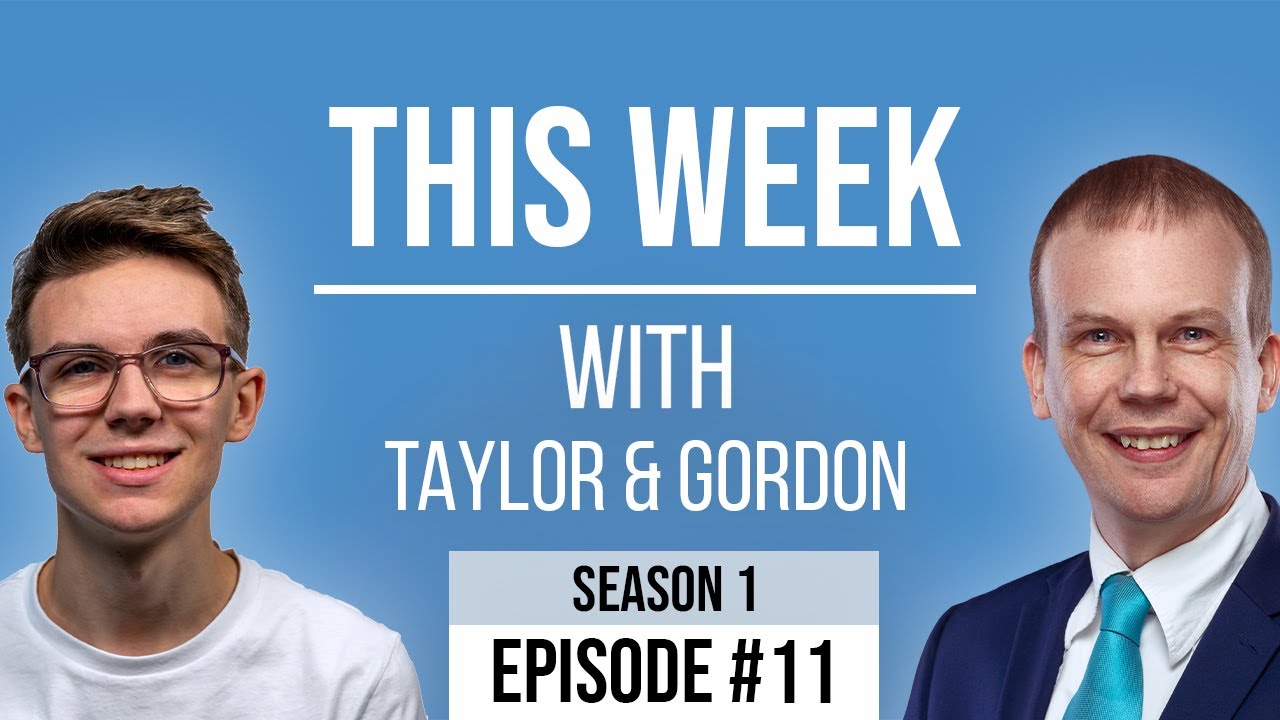
[00:00:48.630] - Gordon
Hello.
[00:00:49.290] - Taylor
Hello.
[00:00:49.800] - Gordon
My name's Gordon from Drayson Design.
[00:00:51.600] - Taylor
And I'm Taylor from The Creative Tinker.
[00:00:53.400] - Gordon
And welcome to "This Week With" Episode 11. So another week has gone. These weeks just seem to be flying past. I've got a question on Facebook at the moment as to whether I keep my beard and moustache or not, or get rid of it. What do you think? Leave a comment in the notes and I shall see what I do about it. So a new week. It's been a busy week for me. How's it been for you?
[00:01:20.430] - Taylor
Yeah, pretty busy week for me. Finalizing projects and things like that mostly. And I'm getting a new, writing up a few proposals and quotes for clients this week, so yeah.
[00:01:30.900] - Gordon
Ok. They take quite a long time and you don't always get the job. So, if there's any way of automating that, that's always a good thing to do. So, we both have two topics or one each, that we would like to discuss today. So why don't you kick us off Taylor? What would you like to discuss?
[00:01:48.540] - Taylor
So this week I want to discuss 'customer journeys,' so I've got a few stats here. 89% of people shop with a competitor after a poor user experience. 79% of people are less likely to buy from a website after a negative experience. 53% of users will abandon a page if it takes more than three seconds to load. And 52% of people are less likely to engage with a company due to a bad mobile experience. So a couple of interesting things there is, if a user can't access or get to where they want to go easily within, you know, first few seconds of loading a website, they're more likely to go and click off and go back to Google searches and use someone else's website.
[00:02:34.440] - Gordon
Yeah, people are really impatient, aren't they? Although, if they actually, if they've been recommended to a site, you've got a chance that they'll stay around for longer.
[00:02:43.800] - Taylor
Yeah, they'll search around to see if they can find it because they've been recommended. But, you know, customer journey is something you need to really think about when building a site. It's...
[00:02:54.270] - Gordon
So do you want to explain what customer journey is, because it sounds like someone's getting in their car. But obviously that's not the case.
[00:03:00.450] - Taylor
Customer journey is something that you'd want to map out. And you go, ok you sit down, you think, "Ok, when someone lands onto my website, what do you want them to do?" So do you want to go to your services page? Do you want them to scroll down the page a bit and click on a product and then go to the shop and add it to the cart and buy it? Do you want them to look at your portfolio, for example, to prove your credibility? What is it that you want the end goal to be for that user when they click on your website?
[00:03:32.280] - Gordon
And that could be several different things, depending on which page they're going to.
[00:03:35.970] - Taylor
Yeah. So, for example, if you run adverts or something, you may send them to a link which shows them specific information and targeted information based on...
[00:03:45.700] - Gordon
So a landing page.
[00:03:46.410] - Taylor
Yeah.
[00:03:46.890] - Gordon
Yeah.
[00:03:47.550] - Taylor
Whereas if they come from somewhere else, you'd give them a kind of slightly different user experience, or user journey, because they've come from a certain platform. So yeah, that's...
[00:03:58.710] - Gordon
We should explain what a landing page is because I just mentioned it then, but we didn't actually say. So a landing page is a page that has been designed specifically for one purpose. So people come into that page, if you think of a customer experience, a bit like a funnel.
[00:04:14.280] - Taylor
Yeah.
[00:04:15.000] - Gordon
So people come in the top and you direct them down to the places you want them to go to. And a landing page only has one possible thing that can happen. And so it's designed with that purpose in mind. And everything on that page is leading to that one action. That action could be to purchase something or sign up to a list or do something else; like a page, leave a review, all sorts of things.
[00:04:40.980] - Taylor
And it's really interesting. There's a lot, there's been a lot of research that's been done by people like Amazon, like they do extensive...
[00:04:48.180] - Gordon
All the time.
[00:04:49.080] - Taylor
You know, reviews and seeing how user interacting with things. And there's quite an interesting one, which is called the 'F method,' which is you want to place your most important thing in the top left of your screen and then you want to move it to the right and then you want to move it down to the left in sort of like an F shape or letter. And the reason for that is because that's how people read a page. If you're in...
[00:05:17.970] - Gordon
Left-to-right.
[00:05:18.720] - Taylor
If you're in an Eastern European part of the world. No Western sorry. Eastern, normally you'd do left to right so it would be, right to left sorry, which is the opposite. But yeah. So it would be an F so that's, so they go across then down, across then down, and that's how people kind of access things. And yeah, it's really interesting and you want to make sure you put your information on those key areas.
[00:05:43.950] - Gordon
Ok, so people have landed on the page and there's a specific route that you want people to take, so apart from that, do you want to explain a bit more about the customer journey? It's not just a journey through the page is it, it's through the whole site.
[00:06:00.560] - Taylor
Yes. So Amazon have done extensive research on this, especially is the number of clicks you have to do. So...
[00:06:10.540] - Gordon
Ah, ok, so let's explain that a bit more. The number of clicks you have to do to...
[00:06:17.510] - Taylor
Achieve the goal.
[00:06:18.170] - Gordon
To achieve a goal, yeah.
[00:06:19.460] - Taylor
So, if it was a shop, for example, you've got one click to get onto your website; another click to click on to product, if you've got all your products on the home page; another click add to basket; another click to get to the checkout; another click to get to the, to put your details in; and then click buy. Amazon have done a really good job of this and I think it's three clicks I think for them, which is...
[00:06:43.460] - Gordon
And they've got their 'one click' buying as well, which is their own patent.
[00:06:47.150] - Taylor
Which is why they do so well, because they make it frictionless pretty much to buy something.
[00:06:53.450] - Gordon
Yeah.
[00:06:53.780] - Taylor
There's no worries about, oh...
[00:06:56.060] - Gordon
And they know it works because they've tested it.
[00:06:58.190] - Taylor
Yeah.
[00:06:58.580] - Gordon
And they continue to test it, as things change. New products come along, new categories come along. They may need a different way of getting people to purchase things. So it's a matter of testing it. And one thing we will look in another episode is AB testing.
[00:07:14.360] - Taylor
Yes. Split testing.
[00:07:15.260] - Gordon
Multivar, muti, multivariate testing.
[00:07:20.270] - Taylor
Which is basically where...
[00:07:21.710] - Gordon
We'll explain it, we'll talk about it later, because that's a whole episode I think, we can talk about that. But if you're one of these people who can't wait, go look it up and then come back to our episode and you'll see it next time.
[00:07:35.480] - Taylor
OK, what about you?
[00:07:37.010] - Gordon
Is that it? That's the experience?
[00:07:38.420] - Taylor
Pretty much, yeah.
[00:07:39.110] - Gordon
OK, so just to finish what you're saying then, a good customer experience is one where the customers can do what they want to do, find the information they need to find quickly and easily.
[00:07:54.060] - Taylor
Yeah.
[00:07:54.770] - Gordon
And the website is leading them to do that. It's not making them jump through hoops or go searching for things before they're able to do anything.
[00:08:02.960] - Taylor
Yeah.
[00:08:03.410] - Gordon
And in fact, a good way to test this is to have a list of tasks that you want achieved on your website; this is after the site has been designed, or if you have an existing site, this is a great test; and give it to different members of your family or friends that are different age groups. So you could have someone who's a teenager, someone who's middle aged, someone who's elderly, and have them all try and achieve the same goals and see what feedback you get and how quickly they're able to do it; whether they had problems; which of the age groups were able to do it easily and which ones were struggling. Because, you know, that's a great way to find out if your website maybe has issues with text being too small. Older people can't see it, can't read it, don't know where to go.
[00:08:59.600] - Taylor
Definitely.
[00:08:59.600] - Gordon
Or if it's not if it's not easy to understand exactly where people need to go. So if it's not obvious, there's a word for it and I can't think what it is, but anyway, that's a great thing to do, get them to do certain tasks, achieve certain tasks, work out how long it took them to do it, and what problems they had. And then you'll know what you need to go and fix in the user experience of your website.
[00:09:29.810] - Taylor
Yeah. And I think it's a great kind of exercise to do.
[00:09:37.670] - Gordon
Oh yeah.
[00:09:38.570] - Taylor
Even, not even once, but you know, every now and again, you know, maybe twice a year maybe, just to keep, make sure you keep evolving, making sure you're turning your conversion, making your conversion rate as high as possible really.
[00:09:50.720] - Gordon
But you need new people to do the test each time. So don't ask, don't ask your customers because they're already using the site, and don't ask people you've asked before because they'll already know how to do certain things.
[00:10:01.970] - Taylor
Yeah. All right. Sounds good.
[00:10:03.530] - Gordon
Yeah, very good.
[00:10:06.320] - Taylor
So what about yourself then?
[00:10:08.620] - Gordon
Good, I'm glad you asked. So something I've been looking at over the last few weeks is to do with user experience on mobile, and making it easier for people to do certain things. Now, in this particular instance, I'm talking about not slideshows, but photo galleries. So I've been doing a lot of portfolios on my new Drayson Design website. And that requires me to have lots of images of work that I've done, that's design work, or websites, or links to video, that sort of thing that I've done. And there's a great, great number of them because I've been doing this for a little while now, so making it easy on mobile is quite difficult. However, the system that I chose to go with, which you can go and have a look at yourself by going to draysondesign.com and then clicking on the 'portfolio' link and looking at any of those, there's four links underneath that, so go and have a look. But on a mobile, if you click on one of the... So let me go back a step. They all appear in a grid, and this is a grid that I have designed myself so that I know that the important information can be seen easily and it will be, it's responsive, so it will change size depending on the device you're looking at it on. So if you're looking at it on a desktop, you'll see more of the actual individual images and they'll be potentially on a wider grid. Whereas if you're looking on a mobile, that's a portrait image, you'll see less columns, but you'll see the important information on each image. And if you click or touch one of the images, it will then bring up what's called a light box. And a light box is when the hold of the page goes dim. And then the important information, in this case the picture, gets highlighted in front of everything. So everything's still there in the back, you just can't see it so well because it's all been darkened out and it focuses the attention on the image that you are wanting people to look at. Now, once you've got there, the next step is to either go back to the gallery and choose another image to look at, or to move forward or back. So having little arrows on the side is great if you're on a desktop, because it means that it's less clicks. They can just click on the arrows and it will go through, but if you're on mobile, clicking little arrows on a tiny screen that's portrait so there's not a lot left and right, is very difficult. You've got fingers of a certain size and a screen that is maybe too small and buttons that are too small to actually press easily. So the easiest way to do it would be the way you would interact with your mobile with a native photo app, and that is to just swipe, so you would swipe through them.
[00:13:09.170] - Taylor
That comes from more of like applications I think, this type of...
[00:13:15.020] - Gordon
A way to interact.
[00:13:15.660] - Taylor
Yeah. A long time ago you wouldn't have been able to do something like this because I mean, mobile versions of screens were the same as desktops, but now things have evolved and you now have dedicated mobile versions. And before that you had kind of applications which you would load on to your app, and I think that's where they've got the idea from 'cos you would, it'd be more intuitive, as you say, like swiping. And we've now been able to bring that to web really.
[00:13:42.950] - Gordon
Intuitive. That's the word I was struggling for earlier. An intuitive website without having to figure out where things are. Yes. So swiping through images, using your finger, it even works on desktop if you've got a mouse so you can just swipe using your mouse and then when you've had enough, you just swipe up or down and it comes back to where you were before. And just that very simple addition to the site makes it really, really useful for people on a mobile. And that's one of the things that I was, that was top of my list in fact, for when I was redesigning the site, is to make it nice and easy for people to use on mobile. And this is just one way that they can use it. Just as an aside, I've got some videos on there in portfolios and if you click 'play,' it will lightbox the video and then you can play that and watch it, and again, I think you can swipe up and down. I can't remember. But you can't swipe left and right on this because it's a video and it's playing. So you have to either click into the area that's been darkened.
[00:14:53.510] - Taylor
Yeah.
[00:14:54.140] - Gordon
Or if it works, and I can't remember off top of my head, you swipe up or down to get rid of it, go back to where you were. But I just thought that was a really important thing to tell you about, because interacting with galleries in particular or large collections of things, in this case images, is really difficult to navigate on a mobile. And this is a great solution. It really is good. So if you're using WordPress, these things are available to you. You can get a plug-in that will do this. And I highly recommend if you have a site with a gallery of any sort, look in to making it touch friendly, swipe friendly.
[00:15:36.160] - Taylor
Yeah.
[00:15:38.290] - Gordon
So that was my main point. Something that I experienced a couple of weeks ago that I thought it would be nice to just mention to you in case you didn't know, and you may not know this either. As a magician, I was approached by another company that I've, that I know quite well, and they were doing a day of entertainment on their YouTube, sorry, on their Facebook page. And I was asked if I would do sort of a ten minute show that could be streamed on their page. And I said, "yeah, yeah, I'd love to," it was their one year anniversary and they wanted to make a splash. And it was going to be a big thing in the real world, but that wasn't possible, so they did it in the virtual world instead. And something that she set up, which I didn't realize was available to me. So just to step back again. Normally, if you are going to go live on someone's page, if you are not the admin of that page, then your post will go in the 'visitors post' area, which is normally separate from the owner's posts. And obviously that's no good for what we were looking for. And it wanted, she wanted to do it on Facebook. And so I thought, well, you know, "she's going to have to make me an admin for my little section. I can then start a post, do my video, my live video, and then when I've finished, she can then take admin rights away from me." And that's how I thought it would work. But that wasn't what happened. There is something that I didn't know about on Facebook, which allows you to stream cross channel at the same time. So what this means is that, she sent me a link and I'm sure if you look it up, you'll be able to find it very easily, but that link basically said that this page would like to allow streaming as well as it streaming on my own page. So all I had to do was to set up a live stream on my own page and then when I was doing that live stream, it was automatically, because I'd given it permission beforehand, it was automatically streaming to the other channel at the same time. So I was basically appearing in both channels. So I was giving content for my channel, which is great, but also contributing to her channel. And they, I believe they were cross pollinating as well. So, it was telling people on her page who I was with a link to my page, and possibly vice versa as well. Maybe not. It might have been just on her side. But I didn't know that was possible. Did you know?
[00:18:38.420] - Gordon
No. That's really cool.
[00:18:39.970] - Gordon
And it's a great solution for not having to give people admin rights on your page. And it's a great way, if you want to do some sort of partnership with another business that is affiliated, but not the same as your business. So you could create a link with another page and do content for them that also goes on your page, and then vice versa. They can do content on their page, which will then come to your page. And video is is one of the ways that you should be using social media if you are running a business. And that's a topic for another episode as well, because that's quite a big topic. But I thought it would be important to tell you all about that because I didn't know it was possible until until she showed me. So, yeah. Let us know if you do that and it works for you, if you have problems and you're not sure how to do it, let us know and I can go and look it up, find out exactly what the steps are to do it. That's it from me I think, have you got anything else you'd like to add?
[00:19:50.350] - Taylor
No, that's everything from me, I think as well.
[00:19:52.120] - Gordon
Cool. Do you want to do the outro?
[00:19:54.782] - Gordon
No, I'll let you do it.
[00:19:54.890] - Gordon
Aww, that's so kind of you. So as always, you can catch us on Facebook, you can catch us on YouTube. The links are on the page now. You will be probably watching this on one of the two, if you're watching it live. If not, it will be available on our website, which is thisweekwith.co.uk. And you can sign up to our podcast at all major podcast outlets. So we're on
[00:20:25.600] - Taylor
Apple.
[00:20:26.470] - Gordon
We're on Apple, what do they call theirs? Apple Podcasts, I think, isn't it?
[00:20:31.720] - Taylor
Apple Podcasts, Stitcher.
[00:20:33.380] - Gordon
Stitcher Radio,
[00:20:34.630] - Taylor
I Heart Radio.
[00:20:35.830] - Gordon
I Heart Radio. We may be on Spotify as well, and lots of other places that link to those feeds. If you do a search for "This Week With Taylor and Gordon," you should find us on whatever application you use. Just out of interest, what application do you listen to podcasts on?
[00:20:55.810] - Taylor
So I use Pocket Casts.
[00:20:57.520] - Gordon
Ah, me too, ok. Pocket Casts is very good. It's in the App Store and we listen to lots of podcasts. In fact, one of our favourites, shall we tell them?
[00:21:08.510] - Taylor
Yeah.
[00:21:08.980] - Gordon
One of our favourites is, and if you're interested in facts and entertainment and laughing, then one of our favourites is...
[00:21:19.360] - Taylor
"No Such Thing as a Fish."
[00:21:21.790] - Gordon
Which is the QI elves. So it's the people who research and write the questions for QI. They do a weekly podcast about the four, there's four of them. So it's four of their, it is their four favourite facts from the last seven days. And we are actually going to see them, later in July, later this month.
[00:21:44.080] - Taylor
We've seen them once already at the Apollo Theatre.
[00:21:47.560] - Gordon
Yeah, Apollo Hammersmith, although it's not called that now.
[00:21:49.849] - Taylor
Eventim Apollo.
[00:21:51.010] - Gordon
Eventim Apollo, yes. We saw those a couple of years ago?
[00:21:54.070] - Taylor
I think it was two years ago.
[00:21:54.910] - Gordon
Yeah. And we're going to go and see them again in Brent Cross this month. But it's still lockdown and theatres aren't opening, so this is a...
[00:22:07.270] - Taylor
Drive-in.
[00:22:07.270] - Gordon
A drive-in performance. So as far as I understand it, they're going to be, they're going to have a special radio frequency that you can tune your radio in the car into and then you can hear them through that and you'll be able to see them through your windscreen.
[00:22:24.760] - Taylor
Yeah.
[00:22:25.870] - Gordon
And it sounds like there's going to be a lot of people there. I've never been to this place in Brent Cross, but it sounds like there's gonna... We're in row GA.
[00:22:33.560] - Taylor
Wow.
[00:22:34.090] - Gordon
Which sounds quite a way back. I don't know quite how far back, but it sounds a long way back. Anyway, I...
[00:22:42.100] - Taylor
Digress.
[00:22:42.610] - Gordon
Digress. Thank you so much for watching. As always, if you have any comments, please leave them below, and we look forward to seeing you next week on This Week With. My name's Gordon, I'm from Drayson Design.
[00:22:57.400] - Taylor
And I'm Taylor from The Creative Tinker.
[00:23:00.010] - Gordon
We'll see you next week. Goodbye.
[00:23:02.430] - Taylor
Bye.