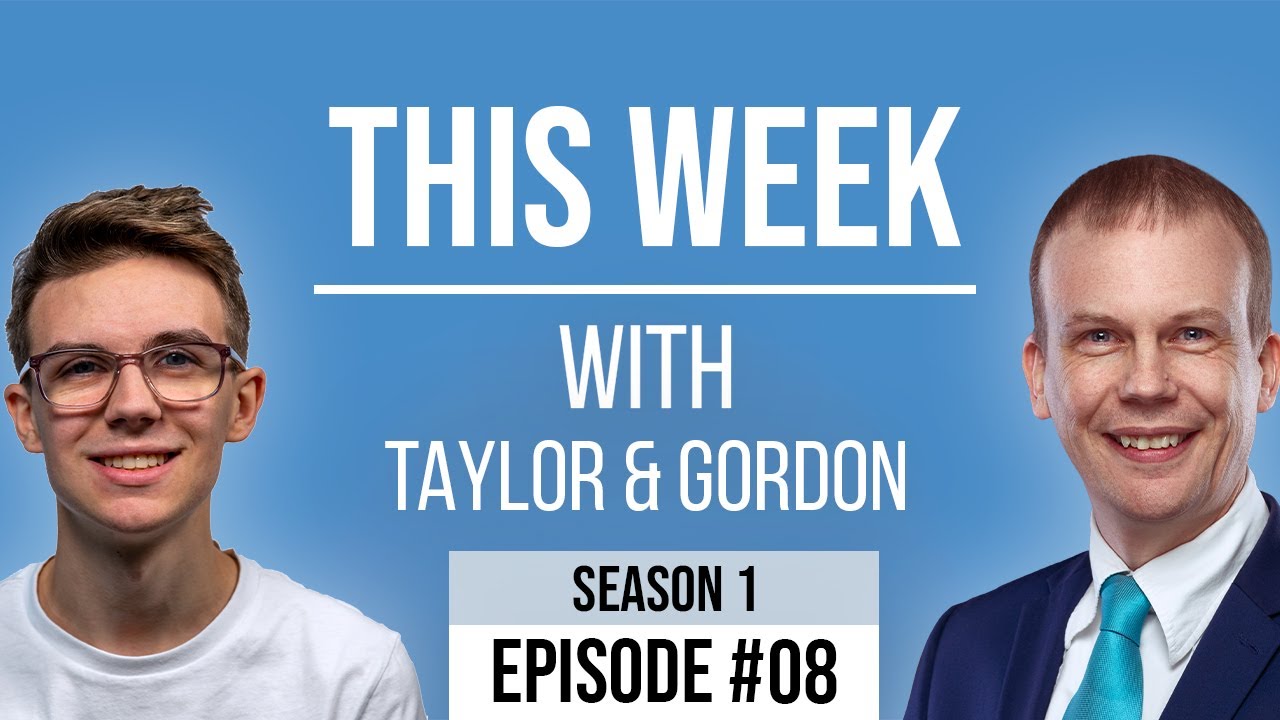
[00:00:44.680] - Gordon
Hello.
[00:00:45.300] - Taylor
Hello.
[00:00:45.760] - Gordon
My name's Gordon from Drayson Design.
[00:00:47.620] - Taylor
And I'm Taylor from The Creative Tinker.
[00:00:49.660] - Gordon
And welcome to "This Week With" episode 8.
[00:00:53.800] - Taylor
Yeah.
[00:00:54.460] - Gordon
Wow, the weeks are just flying by. I can't understand where they're going. It's funny when you're in lockdown as we are, you don't actually seem to have a normal day. You sort of wake up in the morning and go, "what day is it? Is it a weekend? Is it a weekday? I don't know. I don't know what I'm going to do today." And as you can see, my beard is getting bigger.
[00:01:17.590] - Taylor
Yeah.
[00:01:18.280] - Gordon
So's yours, actually.
[00:01:19.340] - Taylor
Yeah.
[00:01:19.690] - Gordon
Yeah.
[00:01:21.250] - Taylor
So what've you been doing this week?
[00:01:23.020] - Gordon
So... Do you want to start today?
[00:01:25.930] - Taylor
OK.
[00:01:26.530] - Gordon
Yeah. So tell us what you've been up to.
[00:01:28.180] - Taylor
So this week has been trying to finalize projects and putting websites live. So kind of flicking the switch and putting them out to the world. So I have three websites this week which are going live. One is an e-commerce shop...
[00:01:47.230] - Gordon
[sneezing] See, the joys of being live. Apologies for that.
[00:01:50.320] - Taylor
So yeah, one is an e-commerce shop; one is for a building services; and one is a business performance website. One of them was a redesign of an existing site, pretty much the same just in Divi, rebuilding it in Divi. One of them was a redesign of an existing website, but a complete redesign and kind of modernizing it and things like that.
[00:02:24.280] - Gordon
So not bringing the existing content into a similar site, but actually redoing it all completely.
[00:02:31.120] - Taylor
Yeah.
[00:02:31.600] - Gordon
OK.
[00:02:32.500] - Taylor
And the last one was a brand new site for Shea Butter.
[00:02:38.320] - Gordon
Ok, very nice.
[00:02:38.320] - Taylor
Which is a new product that has been released. So I've been pretty busy trying to finalize the projects back and forth with the clients. Just a final few tweaks and touches so they're happy and then yeah, putting it live and...
[00:02:50.170] - Gordon
Just tinkering 'til it's right.
[00:02:51.670] - Taylor
Pretty much.
[00:02:52.210] - Gordon
And it's funny because the process to get to the point you're at now, has taken weeks and months, hasn't it?
[00:02:58.300] - Taylor
Yes.
[00:02:58.690] - Gordon
And so all of a sudden you've got three projects all ready to go live on the same week, which is, you know, coming to the end of that project. It's quite unusual to have three in one go.
[00:03:10.990] - Taylor
Yeah.
[00:03:11.320] - Gordon
But sometimes that's what happens when you're waiting for content, or you're waiting for the client to sign off the work. That's very exciting.
[00:03:19.030] - Taylor
Yeah, it's good.
[00:03:19.990] - Gordon
So your customers are all very happy, are they?
[00:03:22.870] - Taylor
I believe so, yeah. They've all said positive things. And yeah, so I've just got wait and see what their customers think now.
[00:03:30.550] - Gordon
Very good. And in fact that's a good thing you've just said there. So once you've actually put a site live, that's when you actually find out if it's doing what it's supposed to do. And you need to then monitor the results you're getting, see if you're getting the traffic you want; see if when people do get to the site, they're doing what you want them to do. And quite often you will go through a few changes after the site is live just to tinker it, just to make it right.
[00:04:00.490] - Taylor
Yeah.
[00:04:01.030] - Gordon
Yeah.
[00:04:01.870] - Taylor
So what about you then? What have you been working on?
[00:04:03.730] - Gordon
So I've been... So, I wanted to talk about something that's really important as far as design for websites go. These days, when you build a brand new website or redesign a website, the platform or the device that you design for is not necessarily the platform or device you think it's going to be. So most people think, "well, you know, we'll build a website, we'll make sure it looks great on a computer, make sure it's really good, and then maybe we'll spend a bit of time getting it to look right on mobile devices." Well, I have news for you all. There is now over 60% of all internet traffic that is done on a mobile device, which means that it's in the majority. The computers that used to rule the world as far as looking at websites go, they're in the minority now. So what does this mean for the design of a website? Well, it means you should design a website for mobile first and then design it, or tweak it, for other devices; for laptops; for computers, desktops; for televisions. But mobile devices and tablets have to be the first device that you look at these designs on and design for them first. This is quite a big change. A few years ago, that would never have been the case. You would always have designed for a computer and then, you know, quite often a mobile is an afterthought and it's bolted on at the end and it's, you never get the right experience. So what does designing on a mobile actually mean? Well, there are different ways that you can design for a mobile device, but the best way is called 'responsive design.' So responsive is when you have a design that will change depending on the device that's viewing it. So, for example, if you have a website with three columns and you look at that on your computer, it's got three columns. Perfect. But if you were to look at that on a mobile device in portrait, well all of a sudden those three columns are going to be really thin, and anything that's in there is going to be unreadable. And if you've got buttons, then your button is taking up, you know, a tenth of the screen on your computer, well all of a sudden, a tenth of the screen on a mobile device, you can't, your finger won't even physically be able to press on that button. So responsive design is when you take an existing design and you tweak it so that the design will fluidly, that's quite a good word right?
[00:07:04.150] - Taylor
Yeah.
[00:07:04.150] - Gordon
So it will fluidly change or morph to fit the size of the screen that you're looking at it on.
[00:07:11.050] - Taylor
So it's normally called 'stacking.' So what you do is, if you have three columns, for example, you will stack them on top of each other. So the first column, then the second column, then the third column.
[00:07:20.590] - Gordon
So on a mobile device, there'd be one above each other. Yeah. Because, you know, a mobile phone in portrait, is a column, basically. And so you would split it up so you'd have one column, and then below that you'd have the next column, and then below that you'd have the next column. And that would make it responsive.
[00:07:40.150] - Taylor
For those of you that are listening to the podcast. My dad was doing some hand gestures, which you won't have seen because you're listening to an audio, but I thought I'd put that in you know.
[00:07:48.880] - Gordon
Yeah. No, that's a good point Taylor, thank you. I do sometimes forget that we have listeners as well as viewers. Maybe those listeners should, every now and then just go and watch one of our videos, just so they know what it is that we're actually doing. Anyway, getting back to the subject of mobile first. These days, if you are going to build a new site or you're going to redevelop a site, then your first thought should be mobile. Secondary thoughts is then going to be computers and desktops. It's a real shift in thinking. And in fact, when you start thinking about how a mobile device views your website, if you're looking at it in a portrait view, well, it's a completely different aspect ratio to a normal laptop or desktop, which is a landscape.
[00:08:37.210] - Taylor
So I had this problem. So I'm currently redesigning my website for The Creative Tinker and I had, on the home page, a nice wide laptop image, which was landscape. And that looked absolutely great on desktop, but then when I shrunk that down to kind of fit mobile, the image was tiny and you couldn't see it because obviously it was a landscape image. So it took up, the height was a lot lower and...
[00:09:06.130] - Gordon
A lot narrower.
[00:09:07.960] - Taylor
Yeah.
[00:09:08.260] - Gordon
So it was like a little narrow strip on the screen rather than taking up a bigger size.
[00:09:13.990] - Taylor
So what I decided to do was get another image and only show that on mobile. So this was a portrait image that when, so when people were on mobile, it showed this portrait image, but when they went to desktop they got to view the nice landscape, big image.
[00:09:30.310] - Gordon
Yeah. So you're giving the users a better experience on the device that they're using, which is great. Making sure the buttons are nice and large on mobile, that sort of thing. Really important. If you have any questions, talk to us. We'll give you some advice and consult for you. And just for those of you who are listening, when Taylor was talking about the little strip being quite small, he was using his fingers like this, just to, ah, you can't see. He was, he had his fingers about an inch apart just to show how thin and strip-y like it was.
[00:10:04.690] - Taylor
Yeah.
[00:10:05.320] - Gordon
That's a good word.
[00:10:06.020] - Taylor
It's difficult to...
[00:10:07.390] - Gordon
Strip-y like.
[00:10:07.930] - Taylor
It's difficult to not use your fingers for gestures.
[00:10:10.420] - Gordon
I know.
[00:10:10.780] - Taylor
People do it in presentations and things as well, don't they?
[00:10:15.140] - Gordon
They do.
[00:10:16.270] - Taylor
It's habit. So I've been looking at a new piece of software which I bought this week.
[00:10:21.880] - Gordon
Ok.
[00:10:21.880] - Taylor
It's called "Nifty." And what it is, it is a project management tool. And I've tried many project management tools, to-do lists, in the past. I was using my notebook basically recently, which I just write down the tasks that I need to do and then cross them off, which hasn't been wrong, or bad at all. However, it's been difficult to keep my clients in the loop and for them to keep me in the loop.
[00:10:49.920] - Gordon
So everyone knows where you are and what's required.
[00:10:52.620] - Taylor
Yes. So before, what happened is, I would be sometimes sitting in here waiting for content and I wouldn't know how much they'd done or where they were at. So, and the other thing was, it's very difficult to add clients. Because they're not team members, which a lot of project management software, they rely on team members and you get limited to a certain number of team members. You know, it was very difficult because you'd either have to add a client as a team member and then delete them once you've done the project or whatever, whereas this new software, Nifty, allows me to add clients as a guest, and so they get limited access. But I can share...
[00:11:32.460] - Gordon
Just to their project.
[00:11:33.210] - Taylor
Yeah. And I can then share with them their project. I have 'research and content,' and then a 'milestone,' and I have a 'development milestone.' So the research and content basically, I will list all the different things that I need content for, so that would be home page, about us, whatever it is. I just write a bit of description saying I need content for this. Once they've done that, they can tick it off, I then know that they've done that, and there's also...
[00:11:59.760] - Gordon
And they can actually put the content that they've created onto the management software.
[00:12:03.630] - Taylor
Yeah. So it links with Google Sheets, Google Docs, they have their own documents, word like processing programme, and they can put that straight into the app and so it's all there and I can see it. You can put files, so images, PDFs, you know, videos, whatever it is, it can all go in there, you know, it's all in one place. I use Dropbox for all my file storage, but there is that option as well. But it allows me to then, in the development, I can all of the tasks that I need to do, and then once I've done them, or started them, I move them to 'in progress.' That means the client can see, ok, I've started that. They kind of know where we are. Once they're done, I move them to 'review.' That means...
[00:12:45.030] - Gordon
So this is like a canban...
[00:12:46.470] - Taylor
Yeah.
[00:12:46.980] - Gordon
View, isn't it? Which if you don't know what canban is, it's like Trello, if you've heard of Trello, where you have headings and you have lists below that and you can move them, you can move cards with tasks on them from one heading to another heading, to another heading. And the aim is always to get all of them over to the 'done' heading.
[00:13:05.640] - Taylor
Yeah. So, then I moved it to review, I move them to 'review.' That kind of is for the client to then look at it on desktop, go, "ok, yep, I like this." Or send me a message, which, it has inbuilt messaging so you can have discussions, you comment on tasks, add files to tasks and you know, all the rest of it. And once they've reviewed it, it moves to mobile and tablet optimization. That kind of is them saying, "yes, I've reviewed it, I'm happy with what it is on desktop, you can now make sure that it looks good on all devices," and that kind of st...
[00:13:38.910] - Gordon
Of course, you're designing for mobile first now, aren't you?
[00:13:42.690] - Taylor
I actually do it the other way.
[00:13:44.700] - Gordon
Right.
[00:13:44.700] - Taylor
Just as it's easier for laying out things, because you can then just stack them. And I find it easier.
[00:13:51.070] - Gordon
I don't recommend that personally. I understand why Taylor does it, and it is the accepted way to do it. But going back to our previous topic, it is important to design for mobile first these days. But yeah, I completely understand why you're doing. But I like the idea that this software will allow you to keep communication channels open. So you've got one place to go, because quite often when you're talking with customers, they will contact you in whatever medium happens to be handy to them at that moment, whether that be email, telephone...
[00:14:27.970] - Taylor
Message.
[00:14:28.480] - Gordon
Message, Facebook messenger, WhatsApp, you know, text message. And all of a sudden you've got all of the really important information that you need, spread out among all these different places, and trying to find what you need really slows down a project.
[00:14:44.040] - Taylor
Yeah. And also to keep all the to-do lists, and all of the comments, either in 'WP Feedback' or within this new project management tool, so that I don't live in my inbox basically, which is what I've been doing for the past couple of weeks. And it's made things difficult. I have been using flags and then I have a smart mailbox which I can tag for content. So if anyone sends me any content I just flag it, and then whenever I need access it, it's easy to find.
[00:15:14.010] - Gordon
Yeah.
[00:15:14.310] - Taylor
But it's still not great and so that's why...
[00:15:16.930] - Gordon
Well it's not as good as software that's been designed specially for this. So you're testing this out at the moment, are you?
[00:15:23.640] - Taylor
Yeah, I've...
[00:15:24.540] - Gordon
And you're liking it?
[00:15:25.170] - Taylor
Yeah. I've tried it with one client. All my current projects I've left it because when, either...
[00:15:31.080] - Gordon
Very sensible, yeah.
[00:15:31.080] - Taylor
Halfway through or near the end so it wouldn't make sense, it would make the client confused. However, for going forward for new projects I am definitely going to use this.
[00:15:40.740] - Gordon
Very good.
[00:15:40.740] - Taylor
And also make sure that clients follow my workflow, rather than adapting to theirs. So a lot of the time clients don't have a workflow, they don't know what's best or how to do things in the best way, in terms of giving content, etc. Like you said, they will go to whatever, it pops into their head to contact you. So if you, you know, kind of specify that "only send me stuff via WP Feedback or via Nifty," then if they send it to you by anything else, just reply back to them saying, can you send this to me, can you put it in the discussion tab.
[00:16:17.630] - Gordon
So you're training your customers to work the way you want to work, because then it will give them a better product in the end.
[00:16:23.530] - Taylor
Yes. I have a client of mine who, he does lots of his contacting via WhatsApp. And, you know, he lives in his WhatsApp, basically chat, and he's replying to all of his messages that he has. And I said to him, he said it drives him crazy and his phone's always pinging. And I said, "why don't you start saying to clients, you know, look, only contact me via email," because that means, 1. You can then reply on your time. You know, you can reply during the work day or not on a weekend, and you don't have to ignore your WhatsApp messages. Because WhatsApp is more instant. So when people send a message they want a reply, whereas if you send it by email, you know that you're not really going to get an instant reply.
[00:17:03.550] - Gordon
Yeah, especially if it's out of hours.
[00:17:05.380] - Taylor
So, yeah, I recommended him to try and move it. And it's very difficult because he has a lot of clients and it's very difficult to move them all into something like email and stuff. But, you know, it could help him in the long term, keep track of things so.
[00:17:18.400] - Gordon
Very good. Excellent. So just in case you're wondering, we have a dog. That was the barking that was going on. I think one of our neighbours is.
[00:17:27.390] - Taylor
Drilling.
[00:17:27.690] - Gordon
Is doing something.
[00:17:28.710] - Taylor
Drilling.
[00:17:29.060] - Gordon
I don't know what they're doing, drilling for oil, maybe, I don't know. So I've got one more thing that I'd like to talk about today.
[00:17:34.650] - Taylor
Yeah.
[00:17:35.850] - Gordon
And that is photography. So as I've mentioned over the last few episodes, I'm rebuilding draysondesign.com, and there's not a lot to see there at the moment. But all behind the scenes is looking great. And one of the reasons I started to redesign it, is because since I started I've now added photography and videography as services, and they weren't on the previous website. So it gave me a chance to look at photography and think, "how can I represent this on my site? Why do my customers need photography?" And for those of you who haven't yet looked at getting professional photography for your website, I highly recommend you look at it. So it could be just as simple as getting yourself a really nice few headshots. So you've got nice images to put on your site, makes you look professional, makes it, makes the customer feel like they can look at someone and go, "yeah, I feel like I can trust this person,. You know, because people do business with people they like.
[00:18:45.153] - Taylor
Yeah.
[00:18:45.180] - Gordon
That's how it works. So if they can see you and they've never met you, they get an idea, they make a first impression. And that first impression has to be the right impression. So having a professional photograph done is a really good thing, and headshots are great. They can be used all over the place. If you've got LinkedIn, for example, you can upload photos, you can upload avatars. And if you've got a professional headshot, how much better does that look than someone who took a picture of you down the pub, you know, 10 years ago, which is not going to give across the, what you need, basically, what you want the visitor to think about you. But it also means that you can have product photographs as well, if you've got products and you've got a shop, then get some professional product photography done. Events and company dos. Oh, not sure they've got oil yet. Still digging. Apologies for the sounds, there's lots of people around at the moment. So, yeah, if you've got an event coming up, get a professional photographer in to take photos of the event. You can use those to promote the event, if it's going to happen again, then you can use those next year to show everyone how much fun everyone had last year or how much they learnt, whatever the event is. But it also allows you to write blog posts, spaced out so you can have several different blog posts, again with professional photography on them. There are lots and lots of reasons. The more you think about professional photography and how you could use it on your site, the more things you will think of. Yes, you can do it yourself. Course you can. You can go and take your photos yourself. But for some things, like a headshot, it's not easy to take yourself. It's not easy to trust someone else, to take a good shot. And a big part of headshots is the lighting. You want to have the right lighting, and a photographer will know what they're doing with that. So I highly recommend getting a professional photographer to do that, whoever it may be. You know, I do photography, but there are lots of photographers out there, I'm not saying you should come to me. But, you know, if you do, I'd be very pleased to welcome you, send you a quote, I'd be happy to help. But, yeah, it just got me thinking of all the different, the reason I was thinking about it is because I was going through all the photos I've taken over my years of being a photographer and looking to see which ones I wanted to put onto my website. And I had such a large choice. I do a lot of theatrical, theatre show photography, which is one of the more challenging types of photography, because the lighting is changing all the time from scene to scene, from minute to minute. But I do an awful lot of that. And on my site, on my new photography page, there are lots of photographs from various shows that I've been doing. Along with headshots, event shots, and all sorts of other things. So just have a think. Would photography help on your website? Is it something that you can do? Is it something you think a professional would make a better job of? Whatever it is, if it's something that I can help with, please get in contact. That's it for me.
[00:22:14.070] - Taylor
That's it from me.
[00:22:15.270] - Gordon
Well, thank you so much for joining us again, on week 8 of "This Week With Taylor and Gordon." If you'd like to get in contact with me, my name's Gordon and I can be found at draysondesign.com.
[00:22:29.360] - Taylor
And I am Taylor Drayson and I can be found at thecreativetinker.com.
[00:22:33.980] - Gordon
And of course we have our Facebook and YouTube channels. The links will be on the page now, on the video now. And for those who are listening, they will be in the show notes. And of course we have our new website which has got all of the latest episodes. Once they've been recorded, after the live show's gone and they've been uploaded to YouTube, we'll then put them onto the website along with the audio. So please go to thisweekwith.co.uk and, to find your latest fix of This Week With. Thank you for joining us. It's a goodbye from me.
[00:23:13.790] - Taylor
And it's goodbye from Taylor.
[00:23:15.650] - Gordon
Goodbye.
[00:23:16.070] - Taylor
Goodbye.