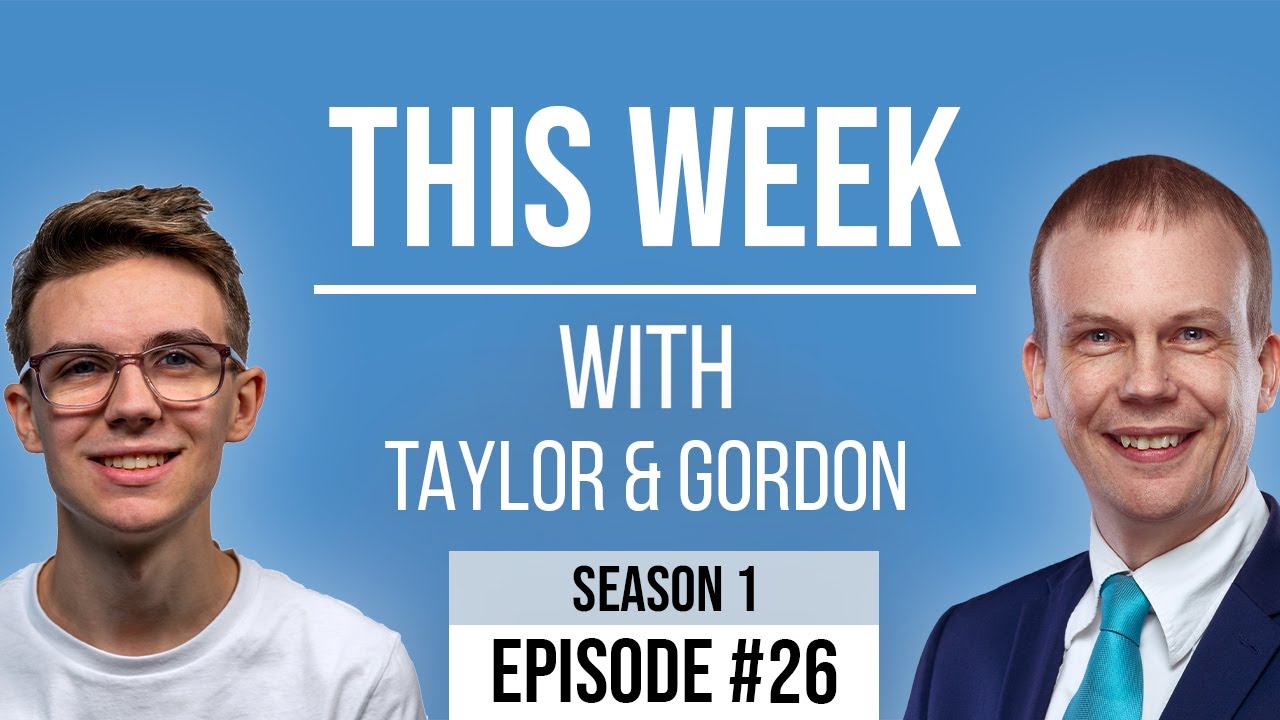
[00:00:09.460] - Gordon
Hello.
[00:00:09.850] - Taylor
Hello.
[00:00:10.330] - Gordon
My name's Gordon from Drayson Design.
[00:00:12.310] - Taylor
And I'm Taylor from The Creative Tinker.
[00:00:14.620] - Gordon
And welcome to "This Week With," a weekly vidcast and podcast where we talk about things that have been happening in our various businesses over the last seven days. And I have to tell you, this is Episode 26, which means we've been going exactly six months, which is pretty good, I think.
[00:00:36.070] - Taylor
Yeah, it's gone past very quickly, and to think that we've been going for six months, is you know.
[00:00:41.950] - Gordon
Yeah, it's quite something we started during lockdown in 2020, earlier this year. And, yeah, we sort of, we're keeping it up. We do have some people in the house today. So if you hear some strange sounds in the background, it's just them that's all. So shall we talk about things that we've been doing this week, Taylor?
[00:01:03.710] - Taylor
Yeah. So what, do you want to start us off?
[00:01:06.180] - Gordon
So this week, I have had two customers who have migrated their sites over from a different hosting provider over to Drayson Design, and in fact one of them migrated over and the other... Sorry, let me start again. One migrated the whole site, the emails and everything, and the other one just migrated the domain name and the emails, ok. So there's different things happening here, and some different issues that we've faced. If you've never moved your website from one server or one host, to another host, here are a few things to be aware of. To make sure that you don't have very much downtime while one site is moving over, then you need to plan it carefully. So the way we did it with the first site that I transferred, which was where we transferred everything, we had the website, we had emails which were on "G-suite."
[00:02:13.720] - Taylor
Yeah.
[00:02:14.440] - Gordon
And we had all of the DNS which are basically all the, all the main pointers.
[00:02:21.880] - Taylor
Yeah, configurations.
[00:02:21.880]
And configurations. So the first thing that we did was to take a backup of the website. So we basically moved that across first, without affecting the existing site. We then added all of the DNS settings for G-suite, which is very easy to do, it just adds a few DNS entries. And then all, the email is handled by Google. That was easy enough. We then put up a holding page on the existing website. And the reason for that is because it was an e-commerce site, it was a brewery site, in fact. And what we didn't want to happen was for orders to be taken on the old site, that we would never see. So we basically shut them off so that they couldn't, by having a holding page. And then we updated the name servers. Now the name servers is a little bit like when you move house and you tell Royal Mail in the UK that you have moved house and you want all of your mail sent on to this new address. Now, it takes between 12 and 48 hours, up to 48 hours, for all of the computers in the world, all the servers, to get to know what the update is and to point it at a different place. And they happen, sometimes it happens instantly, other times it can take up to 48 hours. And so what you don't want to happen is for some people to go to the old site and make orders, some people go to the new site and make orders. You're going to get duplicate order numbers, etc, etc. So by putting a holding page up, we managed to stop the orders coming through. Updating the name servers then pointed them at the right place. But as I was saying, it takes up to 48 hours. And that's effectively the same as telling everybody in Royal Mail that there's a new address, so some of the traffic goes to the old address, some of the traffic goes to the new address. And only after the 48 hours does everyone go to the new address. And it's not normally the servers that's an issue. It's normally the Internet providers. And that was the issue we had because the customer didn't see the new website on the domain name until 48 hours had happened. He could see it on his mobile, because his mobile Internet provider managed to update their servers nice and quickly. But he was with, I believe, Virgin and we're with Sky, and both of those took forever to update their name servers. So if you get to that point and you can't see the new website but other people can, the way we got around it is by using a little plug-in for Chrome called "Urban VPN," and it basically is a free VPN that allows you to view websites as if you were in another country, OK. This is useful for lots of other things and we'll possibly come back to VPNs because it's worth spending a bit of time talking about that. But by doing this, we were able to log in to the website from America and from Russia and from other places, which showed us the new website. Which means we could then finish off the changes and more importantly, make sure it was working properly, because with an e-commerce site, the longer that the site is down, the less sales you're going to make. So that was that. The other website, very briefly, was not too much of a problem other than the fact that the host had a duplicate resource for this same domain name, which caused me about a day's worth of delay, trying to figure out what the problem was. But moving the emails was what alerted me. So we were using IMAP emails and we were migrating all the IMAP emails over to the new server, to to our server. And that was causing problems. And it turns out someone else had set up the same, another company, in fact, that had been approached by the customer to build a new website for them, but didn't actually get the contract. They'd set up a holding space and that was conflicting with our holding space. And that's what caused a day's delay. It was so frustrating.
[00:06:56.070] - Taylor
Yeah, very annoying.
[00:06:56.070] - Gordon
Yeah. So anyway, good news is they are both up and running and they are both viewable. And I'll tell you what, I'll give some extra exposure to these two websites by putting both of the domain names and the website addresses into the show notes, so you can go and have a look at them. One of them is a brewery, so if you like beer, that's for you. The other is a photographer. And I think we spoke about this last week. The website is now online, so you can go and have a look.
[00:07:25.290] - Taylor
Awesome.
[00:07:26.100] - Gordon
Tell us what you've been up to, Taylor.
[00:07:27.990] - Taylor
So this week I have been building a website for a non-profit organisation, and they run fitness sessions. And so I was, came up with a task to create these sessions that were recurring. So they didn't just happen once, they happened every single week.
[00:07:48.330] - Gordon
So this is certain sessions that happen on a particular day.
[00:07:51.720] - Taylor
Yes.
[00:07:52.080] - Gordon
And there might be more than one session on different days, different time slots.
[00:07:55.680] - Taylor
Yeah, exactly.
[00:07:56.880] - Gordon
Ok.
[00:07:56.880] - Taylor
And I was trying to find a way to be able to have the date automatically update because, you know, I could set a date, but that would be fixed and that wouldn't update. So when it got to the next week, it would show the last week's date, which we don't want. We want to show, when it gets to the, when it gets to past the date that we're on, it will then automatically update to next week's, basically.
[00:08:20.940] - Gordon
OK, so that's a little bit like what you were doing with your BNI site when you were saying the next meeting is... But all you had to do then was to check the date that we were on now, and find out what the next Thursday was, because that's the day you meet.
[00:08:34.490] - Taylor
So I hardcoded that value into it, because we don't change the day.
[00:08:39.930] - Gordon
Yeah.
[00:08:40.260] - Taylor
Whereas this had more than one session which had different days.
[00:08:43.740] - Gordon
Right.
[00:08:44.220] - Taylor
So what I ended up using is something called a 'transient,' which basically just does a check and says, "does a transient exist?" It's like a cache, so it keeps that date up until it expires. And when it expires it does another check.
[00:09:02.160] - Gordon
So is it like a variable with an expiry date?
[00:09:04.590] - Taylor
Yes, so it has a, so I can set it to, it's done in seconds, so 60 seconds. I think ours is set to 3600, which is one hour. So every hour, it will do a check and say, "is the current date and is the date for the session less than the current date?" And if it is, then it will update it. If it's not, it will just leave it as it is. And so it's doing this check every hour, which is a very low, intensive resource. And what it does is it will update that. So then I wanted to add on the home page to say, "next session is..." And it to show the date of the next session with a link that you can basically go and see that session. And so that is the way that I kind of got round it. I then did a query to say, "get the next session from today's date forward" and whichever one comes first, show that session date.
[00:09:55.140] - Gordon
So if there's more than one session in a day, because you're doing it once an hour, it will update with the next session.
[00:10:00.900] - Taylor
Yes.
[00:10:01.410] - Gordon
If the first, if the one that's in the morning, for example, has happened, it will show the afternoon one.
[00:10:06.160] - Taylor
Yes. So every hour it will update to show the next the next event, basically. So, yeah.
[00:10:11.520] - Gordon
So that's really cool because that's custom coding, which is being put onto a WordPress website.
[00:10:17.350] - Taylor
Yeah.
[00:10:17.670] - Gordon
But is giving specific functionality for that website and for that customer.
[00:10:22.860] - Taylor
Yeah. And it...
[00:10:23.440] - Gordon
Which is great.
[00:10:23.970] - Taylor
It works really well. And it's nice for the user, because when you visit the website you don't have to go looking for the next session or something.
[00:10:31.450] - Gordon
Yeah.
[00:10:31.930] - Taylor
It's right there in front of you, you know. "OK, I know that next session is on Tuesday at 7pm" and you know that, you can click on it, it will show you more details about where it is, who's running the session, how much it costs, any other information about that. And yeah, you get to know it straight away from the home page, which is basically the 'call to action.'
[00:10:49.380] - Gordon
And the nice thing is that you are now collecting all these snippets and these little bits of code that do specific functions, so that should you need to do it in the future.
[00:11:01.440] - Taylor
Yeah.
[00:11:01.800] - Gordon
You can look at it as a basis and build on it to make it specific for that customer.
[00:11:07.620] - Taylor
A lot of the stuff that I do once I figured it out once, I will store away in a kind of code snippet library and then if I need it next time, but it's not exactly that, but it's something similar, I can use that as a basis and I have to go finding and digging through Google again.
[00:11:25.170] - Gordon
That's really good.
[00:11:25.740] - Taylor
Because I've already done all the work.
[00:11:27.210] - Gordon
And code snippets is something you should talk about in the future.
[00:11:30.450] - Taylor
Yeah.
[00:11:31.170] - Gordon
Because where to store them and where to find them could be of interest to our viewers.
[00:11:37.110] - Taylor
Brill.
[00:11:38.130] - Gordon
There's one last thing I'd like to talk about.
[00:11:39.840] - Taylor
OK.
[00:11:41.010] - Gordon
So we're coming up to the end of October now and until the 31st of October, you can get IFTTT.
[00:11:53.070] - Taylor
Yeah.
[00:11:53.460] - Gordon
"If This Then That." I always say IFTTT and I don't know why I stumbled on it then. So if you don't know what it is, it's a way of automating things. So, for example, I have a "Stripe" account, I have several Stripe accounts, but whenever I take money in my Stripe account, because I have "Philips Hue," light bulbs in my office, IFTT will see that Stripe has taken a payment and my lights will flash. Now, that doesn't sound particularly useful, but it is, because I know that if I'm doing something else and the lights flash, someone somewhere has made a payment to me via Stripe. It could be on one of my websites, it could be, well, that's pretty much it, if it's manual, I'll know about it. But that's just a very simple way of automating things to make your life easier and to alert you of things very quickly. Now IFTTT used to be free. You could have a certain
[00:13:01.260] - Taylor
It used to be unlimited, wasn't it?
[00:13:02.160] - Gordon
Used to be unlimited, but you could have one action, basically. So "if this happens, then do that." That was it. And it used to be free for users, so you could set up as many as you wanted. And the way they made their money was they charged the companies or the suppliers to be on the IFTTT database.
[00:13:22.950] - Taylor
Yeah.
[00:13:23.580] - Gordon
This has now changed. And the free model is, I think you get three actions.
[00:13:31.020] - Taylor
I thought it was two.
[00:13:31.920] - Gordon
Two actions and that's it. You can't add any more. However, until the end of October, you can choose how much you pay and it's 1.99, $1.99 per month upwards, so that's the lowest you can do. And whatever you go in that now, that's what you will stay at, for as long as you continue to stay as an IFTT premium member. So if that is something that you think might be of interest in the future, go and get this very special price right now. Lock yourself in, give it a play, see if you like it. If you do, then you've managed to save yourself a ton of money because I think the price is going up to, I'm not sure, 8, 9.99, something like that. So you're going to save yourself a big chunk of money. And if you find you're not using it or it doesn't suit you, well then you've lost one month's worth of 1.99. So go and do that. I use it for an awful lot of things. They link to Alexas, so you can have them doing things like that. I have commands that I give Alexa that run an IFTT script. Because they're now going premium, they're adding features, so you can effectively do an IFTTTTTT. So it's an if this, then that, then that, then that. So you can keep adding to what it does, all in one script. So they're basically making it a lot better for users, but at a cost. So, if you are vaguely interested, go get that now. The link for that will be in the show notes. That's it from me, have you got anything else you want to say?
[00:15:19.020] - Taylor
No, that's it from me.
[00:15:20.430] - Gordon
Fantastic. Well, thank you very much for joining us. As always, you can follow, like and subscribe us on YouTube and on Facebook. The links for those are on the screen now.
[00:15:31.830] - Taylor
And if you want to find any of our past episodes, you can go to thisweekwith.co.uk and you can view all of our past episodes with the show notes, videos and also the audio. We also have a 'rate our podcast' on there now as well. So if you enjoy watching us or you want to give us some feedback or a review, then you can do that from the website and we get to see what you think about it.
[00:15:57.510] - Gordon
And we'd be really grateful because if we get some reviews coming in, then we will be shown higher up the search rankings for the podcasts. So it helps us to continue doing what we're doing, knowing that there's going to be more people watching it. So thank you for watching. My name is Gordon, I'm Drayson Design.
[00:16:18.510] - Taylor
And I'm Taylor from The Creative Tinker.
[00:16:20.820] - Gordon
We'll see you next week, Friday at 1pm.
[00:16:24.250] - Both
Goodbye.