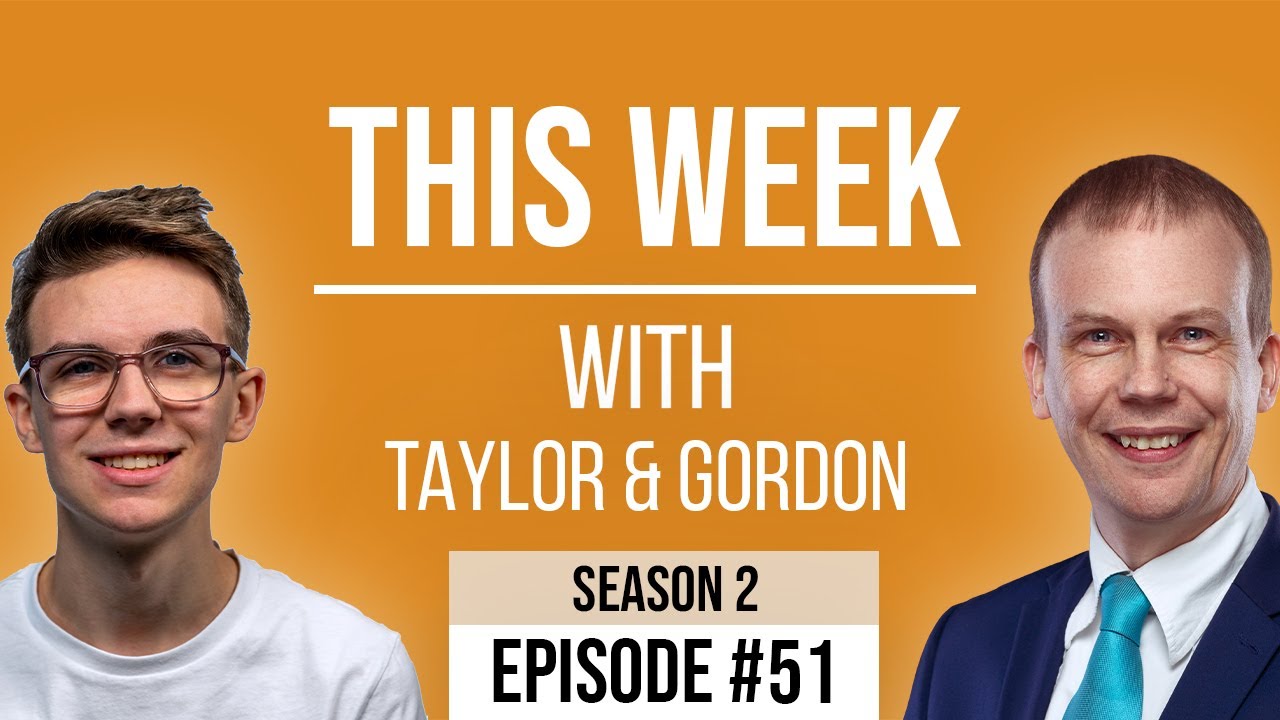
[00:00:10.180] - Gordon
Hello.
[00:00:10.620] - Taylor
Hello.
[00:00:11.020] - Gordon
My name is Gordon from Drayson Design,
[00:00:13.270] - Taylor
And I'm Taylor from The Creative Tinker,
[00:00:15.790] - Gordon
And welcome to "This Week with Taylor and Gordon", a weekly podcast and vidcast where we talk about things that have been affecting our businesses over the last seven days. And it's an exciting episode, it's the penultimate episode before we've done 52 episodes, which is one year of podcasts and vidcasts. Now it has actually been slightly longer than a year to to bring these to you because there were a few weeks we were unable to do so. But 52 next week, it's quite exciting.
[00:00:56.260] - Taylor
Yeah, very exciting.
[00:00:57.220] - Gordon
And make sure you do join us next week because we have something special to announce don't we?
[00:01:02.500] - Taylor
We do indeed.
[00:01:03.700] - Gordon
Yes. And Boris announced something very exciting on Monday. He talked about being able to hug people from next Monday, which is the 17th of May, I believe. So we get to sort of have the lockdown relaxation coming through a little bit. And it allows us to do just a little bit more than we're able to do at the moment, meet up with a few new people, a few more people. Yeah, it's slowly but surely getting back to to normal everyday occurrences again, where we can go out and meet people and not be stuck away, you know, in our houses, on our own, so that's a really good thing. And I think what also we should do is to make sure that we go and visit people that we haven't seen for a long time and give them a big hug.
[00:02:01.510] - Taylor
Indeed.
[00:02:02.150] - Gordon
I think that's a good thing. So seven days. Anything in particular that has happened to you before we get to our topics, Taylor?
[00:02:11.230] - Taylor
Mostly kind of taking a bit of a break and making sure that I relax, take time off and, you know, see and talk to people that I haven't spoken to in a while to catch up with them, things like that and then kind of getting back to work.
[00:02:28.330] - Gordon
Yeah, OK. It's been a week of meetings for me. Now that the pantomime script is pretty much done. It's nearly locked down. I've had meetings with the technical production team is the word I should be using, the production team, and I've spoken to a few people already. And next week we've got a big production meeting with pretty much everyone who's going to be involved and that just nicely falls below the limit of number of people we're allowed in an indoor setting. So, you know, that is going to be very exciting. A real life meeting.
[00:03:19.050] - Taylor
Yeah, it's very exciting.
[00:03:20.470] - Gordon
In person. Yeah. It is, going to be very exciting. So would you like to start with your topic for this week Taylor?
[00:03:29.300] - Taylor
Yes, so my topic for this week is background ambient lighting. So my kind of set up upstairs in my room, I shoot against a plain wall, I just have a plain wall behind me that I recently painted. But it's quite plain, it's quite bland, but it's also very tricky to do anything with it because, you know, being able to get green screen behind there gets tricky because trying to get the separation, having any sort of depth of field or focus is very difficult as well.
[00:04:04.870] - Gordon
So just to put this in perspective, you've got about the depth of a chair, haven't you?
[00:04:11.120] - Taylor
Yeah, I've got about two and a half inches between the back of my chair and my wall.
[00:04:14.890] - Gordon
OK, so two and half inches between the back of your chair from where you sit and that's underneath your desk, and the wall. So if you were to use green screen, you would need to have a lot more space so that you can light that green screen evenly.
[00:04:30.700] - Taylor
Yeah.
[00:04:31.570] - Gordon
Otherwise, by having a light in front of you, any shadows go straight onto the green screen and it then just makes the green screen useless.
[00:04:41.740] - Taylor
So the way I kind of go around that, actually you saw this, was corner lights. So because my desk is in the corner, I have two walls basically meeting each other. And you found this light where you put it against, into the corner and it essentially kind of illuminates the corner. And it's like a straight pole that goes up and yeah, it lights up the corner. It hides the kind of ugly line between the two walls connecting, and it gives just a nice bit of colour to what would be quite boring and bland background.
[00:05:19.060] - Gordon
And for those of you who are watching the video, here is a picture of what Taylor has. So you can see it lights up both sides of the corner by having LED strips that face the wall and you have sort of the light coming away from it. And the nice thing about this is, it only has two legs and they follow the contour of the wall. So you don't actually need any extra space, because quite often if you've got a tripod, for example, it takes up a lot of space, which wouldn't work in your situation because you just don't have the room. And I think it looks really nice don't you?.
[00:05:57.970] - Taylor
Yeah, I think it works really well, gives that tiny bit of colour and I can obviously set that to whatever I want with kind of a remote so it can be different colours. It can go to the music of things. It can pulse, it can animate, so, yeah.
[00:06:10.930] - Gordon
And you can use that for a bit of interest, visual interest behind your head when you're doing Zoom meetings, which will make it a lot more interesting for people to watch.
[00:06:25.840] - Taylor
Definitely.
[00:06:26.350] - Gordon
Which is great. Anything else you want to say about that thing?
[00:06:28.910] - Taylor
No, that's everything.
[00:06:29.590] - Gordon
OK. So this week, I have been looking for a replacement for a piece of software called "Calendly". It's not easy to say that, "calendly". So the idea with the software is, it connects to your online diary and it allows people who visit your website to click on a meeting button and it pops up with a really nice sort of calendar view that allows people to click on a date and then choose a time that they would like to have a meeting with you. And that then sets up a little form asking the questions that it needs to ask, like your name, your email address, for example, and then it will automatically create a Zoom meeting within my account for that time and date. Now, the important bit there is that it checks the diary first to make sure I'm available, which is great, because what you don't want is for someone to arrange a meeting and then find you've actually double booked yourself and you can't do that meeting. It just adds extra work and, you know, defeats the object of having this software to do this automated task for you. Now "calendly" does this very well and it's very well known for doing it. However, there is a monthly cost for it and there is a free version, I believe but it's quite a limited version. And so I've been looking for an alternative that I can use that is, you know, preferably a lifetime deal, because that's what we like, isn't it?
[00:08:15.840] - Taylor
Yeah.
[00:08:16.140] - Gordon
Paying once for something and I think I found it.
[00:08:20.190] - Taylor
Yeah.
[00:08:20.910] - Gordon
So there's a lifetime deal that's currently available. We'll link to it in the show notes and that will be an affiliate link. So if you purchase I believe you get a discount, I think that's how it works, and we may get something from it as well. But I'm not recommending it because of that. I'm recommending it because of my experience with it so far. It's called "Tucalendi" and that's t u c a l e n d i. It's all one word "Tucalandi" now. It's very new. However, it does have pretty much everything that I need already, and the road map, which is sort of the software company's map of where they're taking the product and what they're working on now, what they're going to be working on in the future, looks really promising. It looks really interesting. One of the things I really like is that when I originally looked at it a few weeks ago, they didn't have Apple calendars as one of the options to integrate with. And this is what we use. We use Apple's calendar system and we have lots of different calendars for lots of different things. So we have a family calendar. We have a personal calendar for me, a personal calendar for Taylor. We've got a work calendar for me. We've got a work calendar for Taylor. And all of these things are shown on the one calendar view, even though they're separate so that we can add that, Marty's got his own calendar, and we can see at a glance what's happening on that day and know if something is affecting us or not. But we also know what the rest of the people in the family are doing, which is also really important when you're trying to plan things. So if we're going to plan a, you know, a day trip somewhere, we want to know if people are going to be available without having to say to them, "what are you doing next Thursday?" We just look in the diary and we'll see, because as we say in this family, "if it's not in the calendar, it's not happening."
[00:10:34.200] - Taylor
Yeah.
[00:10:34.710]
And the reason we do that is to make sure everybody knows what everyone else is doing. And it didn't support Apple calendars. It supported Outlook, I believe, and it supported Google Calendar. And I asked this question by typing a question and said, are you supporting iCalendar or iCal? And they came back and said, no, but it's something that we are currently working on and it will be available probably in about a week or so. And they came back and they messaged and said, just to let you know it's now available. It's like, wow, that's really cool. That's great. So I purchased it. Now, it wasn't a lot of money. It was thirty nine dollars. And that gets me one user, it gets me six calendars, and it gets me unlimited meeting types. Now it's a little bit confusing the way that they've done it because they are calling a calendar I would call a calendar a brand the way they've got it. So you can have six brands, effectively, and you can link up to a, you know, a calendar, you can have more than one calendar for each brand and then you can have unlimited meeting types. Now, a meeting type might be a 15 minute introduction meeting, it might be a one hour consultation meeting, for example. So you can have as many of those as you like and you can put links to them on your website as a button or embed them. And what's really nice is there's the ability to allow you to charge for a meeting. So if it is a consultation meeting, for example, you could charge, you know, 50 pounds for that consultation meeting, and when they fill in the form and they select their time and date, it will ask them to make payment and it will go off to "stripe", make the payment for you, so the first time I know about it, I've actually got a booking. You know, I've got a meeting. I've been doing Zoom shows. This would have been a really useful way of me being able to get a Zoom show. I have a different system in place now, but this could work for that. And they've also got lots of new features coming, like custom fields in the form that you ask them to fill in. And a way to, this is I don't know how top secret this is. I'll tell you anyway, and I apologise TuCalendi if I've given away a secret, but you showed me. Before I get to that, I had a question as to how something worked after I purchased it and I went on to their website and I asked on the live chat and the guy was really helpful and said, would you like to, you know, just jump on Zoom and I'll show you how it works. And it's like, yeah, OK, that's great. And he spent an hour with me just going through all the features that they had, answering every question I had. And they showed me a feature that's going to be in the next version. And this is really quite exciting. It allows you to have a sort of, I think they called it a survey. It's a sort of a drag and a drop builder. So you can ask questions of people and depending on their answer, you can then ask different questions, and more importantly, you can extend the time slot; reduce the time slot, I believe, I think you can take time off; you can add money or an amount to the cost of the meeting; take money off the cost of the meeting, before they get to choose the time slot and the day that they want. And it takes all of that into account. So a really quick example, if you've got in our line of business, if you've got someone who wants to have a meeting about a website hosting that's going to take maybe 10, maybe 15 minutes. If, however, someone wants to talk about a new website, you could be talking half an hour to an hour for that just to see if you're a good fit and to get an idea of what it is they're looking for. So if I were charging for those meetings, then you could set one up for 15 minutes and ask the question, "what product are you interested in?" And if they say, I'm looking for the website hosting then you can just say, OK, fine, just go through to the the picker. If, however, they say I'm looking for a new website, website design, you can then say, that's fine, that's going to be an extra 15 minutes to bring it up to the half hour, and I'm going to charge you an extra forty pounds for that extra time. Now that we've got all that, send them through to pick a date and a time and the date and time picker now takes into account all of the extra bits that you've added, the time and the price, to give that person the right price at the end. So it means that you can have one meeting, meeting type with lots of different types of meeting that are possible to book from within that one meeting. And that's really exciting.
[00:16:01.840] - Taylor
Yes, very clever.
[00:16:02.710] - Gordon
It's it's a great way of doing this sort of system. And because it's integrated with Zoom, it can automatically schedule that call for you after checking your diary. So we do have a system with fluent forms where you can have this sort of form type workflow and you're asking them what they want and you can charge them a certain amount, etc. But what that doesn't do is check your calendar for you.
[00:16:31.360] - Taylor
Yeah.
[00:16:31.720] - Gordon
So that's a really cool system. So again, we'll put the link for this product. It's available at the moment and I think it's available till the end of this month, so that's the end of May 2021. So if you're watching this after May 2021, go and have a look, but it may not be there. We'll put the link to that in the show notes and encourage you to go and have a look at it and see if it's the sort of thing that might benefit you in your business. It's definitely going to benefit me.
[00:17:04.060] - Taylor
Yeah, definitely.
[00:17:05.710] - Gordon
So I think that is all we want to talk about on this episode. Remember, we've got a very special announcement next week on our 52nd, or one year anniversary episode. So make sure you join us for that. Until then, as always, please, like share, and subscribe on YouTube and Facebook.
[00:17:27.880] - Taylor
And you can also go to our website thisweekwith.co.uk.
[00:17:31.690] - Gordon
And please, if you do know of anyone that you think would be interested in this sort of conversation, this sort of content, then please tell them about it. We'd like to grow our subscriber base and, you know, we'd like to interact with you more. So if you have questions, leave questions on Facebook or on YouTube and we will read them and answer them. We like to have a bit of feedback.
[00:17:59.620]
Yeah.
[00:18:00.490] - Gordon
So until next week, our very special episode, our one year anniversary, my name is Gordon and I'm from Drayson Design.
[00:18:09.740] - Taylor
And I'm Taylor from The Creative Tinker.
[00:18:11.930] - Gordon
We'll see you next week, goodbye.
[00:18:14.450] - Taylor
Bye.